

 charmbracelet
clear screen Cmd
I would like to clear top of screen from within my app (same as Ctrl+L in bash).
It seems I need to print "\033[H\033[2J" (for nix) and initiate full redraw. I see internal renderer.repaint is only initiated from WindowSizeMsg:
		case "ctrl+l":
			fmt.Print("\033[H\033[2J") // only nix
			w, h, _ := term.GetSize(0) // wouldnt work if out is set
			return m, func() tea.Msg { // hack to trigger redraw
				return tea.WindowSizeMsg{Width: w, Height: h}
			}
		}
Is there an easier way to do this?
Would be nice to have built-in tea.ClearScreen cmd or at least some way to trigger full redraw so solution is less hacky and cross-platform.
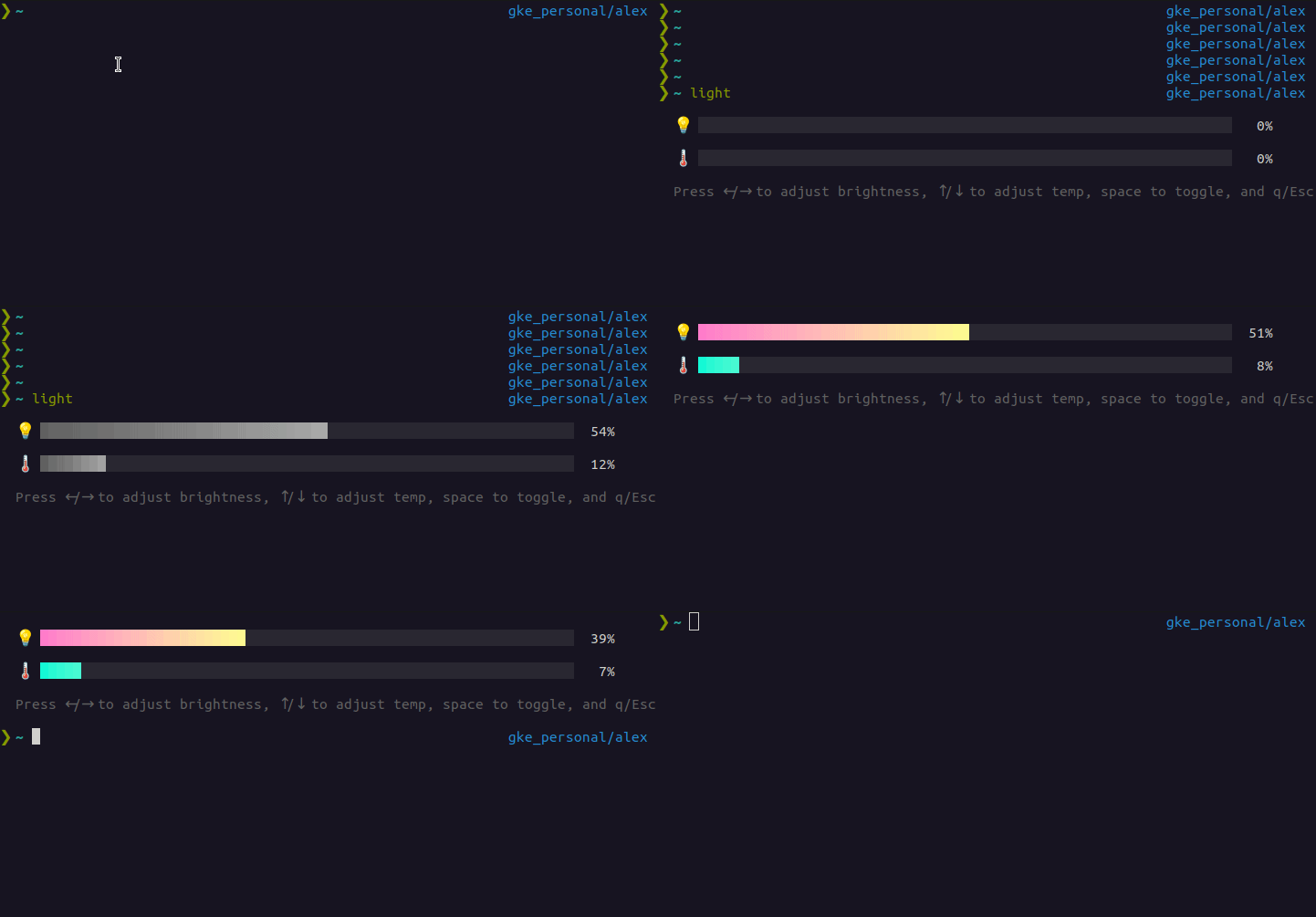

That’s an interesting idea. And thanks for the detailed explanation and GIF, all very helpful.
Just to make sure, are you trying to force a redraw of your application or clear the entire contents of the terminal?
Also, are you aware of the altscreen (tea.EnterAltScreen and tea.WithAltScreen) which will clear the screen, print the output of your application, and restore the former terminal state on exit (similar to how Vim works)?

I'm trying to do both clear and redraw, so when my app is exiting I have useful state on top of my term window. I just caught myself often trying to hit "ctrl+l" while in inline app, similar to this:

AltScreen will look same during app use, but after exit my last view will be in the middle of screen with all my typos from before:
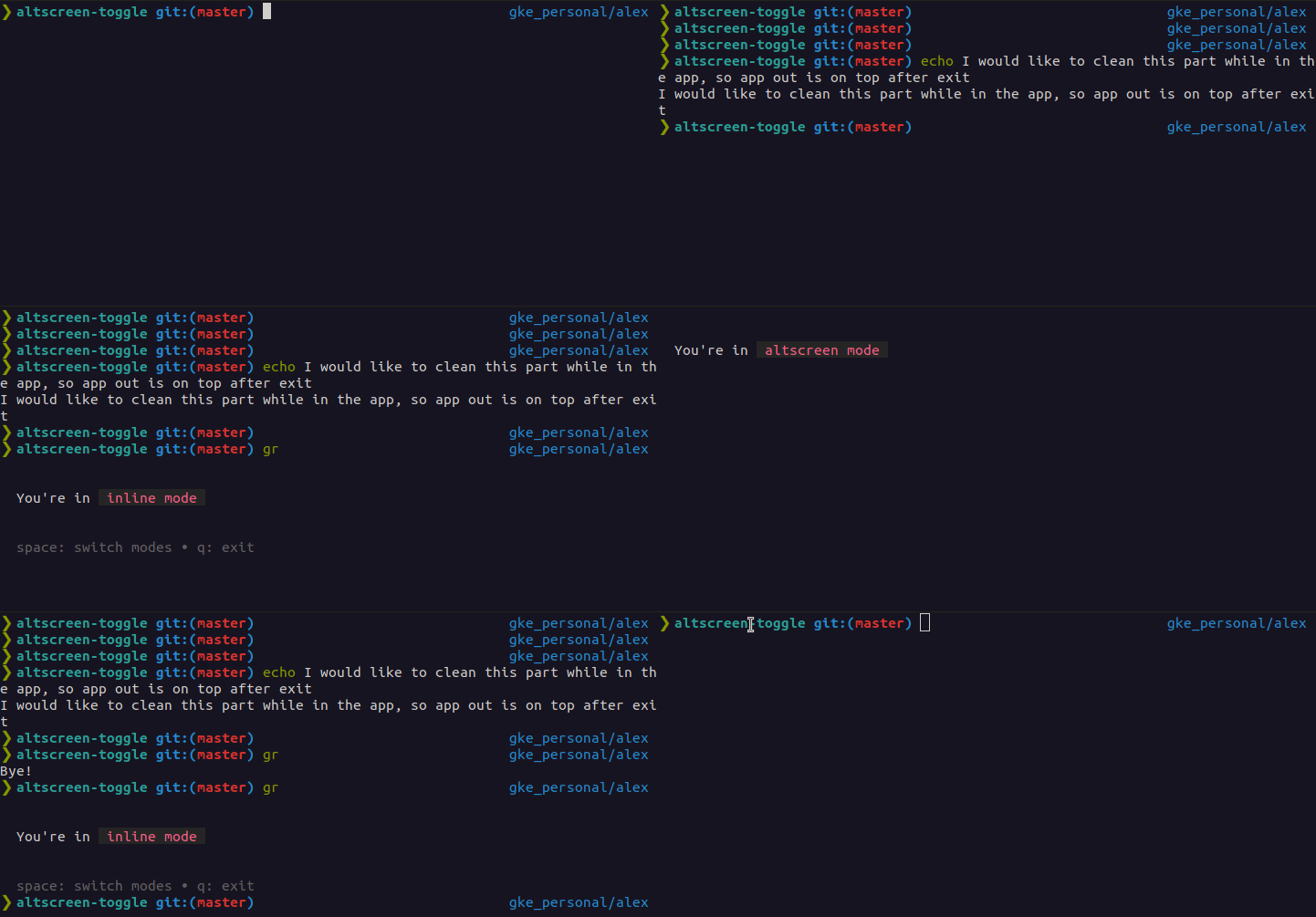
While I was looking at AltScreen code, I found how to easily clear screen: termenv.ClearScreen() 👍🏻
So now I'm missing only redraw part.
Okay, cool, I see your use case here. It probably makes sense to add something like tea.ClearScreen as a command. It should really be done internally so it runs in-step with the renderer and given output (termenv.ClearScreen only operates on stdout, which is usually, but not always where Bubble Tea is writing output).
Side note for implementors: logic declares that there should never be a need to manually redraw the screen in a Bubble Tea application, so we likely won’t ever implement a screen clearing command.
I've used the following, with success:
type doProgram func()

// Run is part of the tea.ExecCommand interface.
func (d doProgram) Run() error {
        d()
        return nil
}

// SetStdin is part of the tea.ExecCommand interface.
func (d doProgram) SetStdin(io.Reader) {}

// SetStdout is part of the tea.ExecCommand interface.
func (d doProgram) SetStdout(io.Writer) {}

// SetStderr is part of the tea.ExecCommand interface.
func (d doProgram) SetStderr(io.Writer) {}
then inside the Update code:
return m, tea.Exec(doProgram(termenv.ClearScreen))
Arguably, this could be automated inside tea.go.

@meowgorithm coming back to this:
Side note for implementors: logic declares that there should never be a need to manually redraw the screen in a Bubble Tea application, so we likely won’t ever implement a screen clearing command.
While I agree about "there should never be a need to redraw the screen", note that the Ctrl+L use case has another part: it's also a way to move the cursor to the top left, to gain more visual space to do things.
For example, we use this in bubbline to expand the viewing area.
Because of this legitimate use case, I think it's reasonable to integrate this feature as a logical thing.
It's also a way for the user to remove the visual clutter of whatever output was present on the screen above the bubble output, when the alt screen is not used.