

 chapter-three
Feature request: provide tabbed or dual view for site preview configured content types.
Ive just started working with this module so apologies if I have missed some configuration details on how to do this.
By following the introductory configuration for content types lose the Drupal core output of a node only presented with the Next JS preview.
Is the only way to restore the Drupal core view to remove the configuration at /admin/config/services/next/entity-types?
Would it be possible to render both the Next JS output and the core Drupal output and have them available as separate tabs (or some other display type).
Thanks

@laurencefass Do you mean a tab to show the default Drupal node view and another one for the Next.js site?
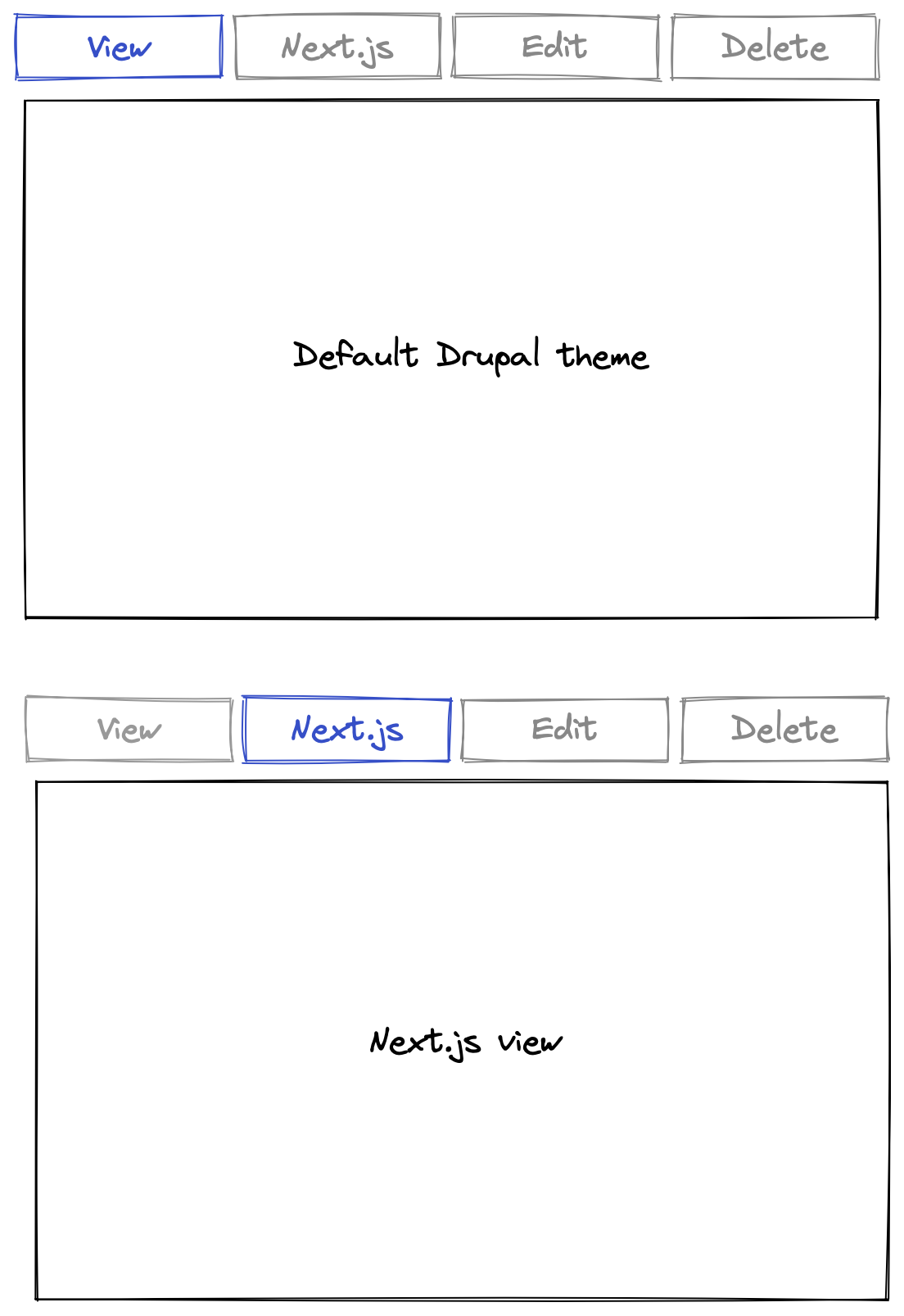

yes, exactly that. presently the views are mutually exclusive and i have to delete configuration to restore the drupal core display. would it be possible to have them both?
I guess we could make this configurable. Let me think about it.
I'll look into it and post some code to prototype this and we can test.
Is this a blocker for you?
no its not a blocker thanks for asking.
at this stage i am just testing capaibilities seeing how everything works and fits together.

I've opened #241 to share what we've done to date. I think we'd want to extend it to
- Allow the HtmlRenderer intervention to be disabled (so Drupal could still render a frontend if it wanted to.
- Support non-Node entities.

OK so some updates here.
I implemented a POC for the headless tab (uses a new route entity.ENTITY_TYPE.headless_preview) and ran some tests. It looks like while this works for the default entity view, it introduces some complexity when dealing with non-canonical routes (example revision routes or preview routes. See @Elendev solution at #132).
Example: node/12/headless renders the latest revision for node 12 but there's no way to easily handle revisions here.
I'm thinking of other ways we could solve this and I'm leaning towards a block-based solution.
- The
Headless Previewwill be available as a block. - Instead of taking over
HtmlRenderer, you will be able to enable the preview block and use visibility filters to turn it on/off. - The block can come with a site switcher toggle where you can select between the default Drupal view (Twig) and headless views (Next.js)
- The site switcher can be its own block as well for more flexibility.
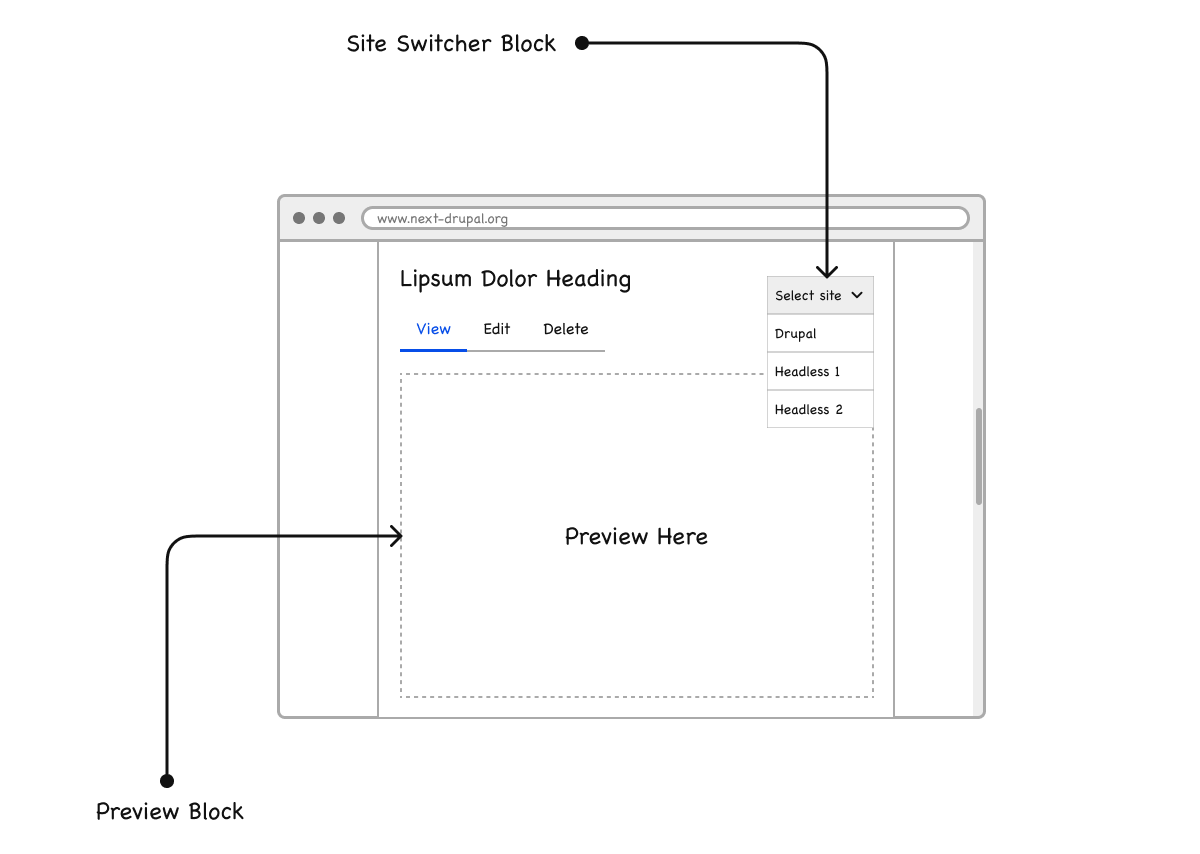
What do you think?
As the site select is an optional block, what is the default display under the view tab? Something would need to be displayed if the block is not visible.
Would this be configurable by next_drupal, the block, or the node?
We can show the Twig preview by default (if available) or make this configurable by entity type.
+1 for configurable options.
Is the Twig Preview the Drupal default display?
Is the Twig Preview the Drupal default display?
Yes or whatever the main content block render. Example the default display on a node view route or a revision display on a revision route.
I moved this to the 2.0.0 release for now but if we can figure out how to implement this in a non-breaking way, we could consider it in a dot release.
Being a block, would it only work on an entity view page? This wouldn't work in scenarios where Drupal was a hybrid CMS unless you relied solely on the site selector and viewed the site directly (no iframe, new tab) through that?
@fiasco You'll be able to place the block on any canonical route for any entity type.
When in hybrid mode, the block will default to the default html renderer so you will see the Twig template. You can then use the site selector to switch sites.