

 chaoss
Issue with PyCharm & Micro.py
I installed Grimoire using docker compose. Installed all the dependencies.
But while setting up PyCharm facing the following issues.
- The "Project Interpreter" option is missing. Instead I have "Python Interpreter".
- I get error that failed to set virtual environemt while creating project.
- Unable to find /locate micro.py file.

Hi @kiranravindran90
- The "Project Interpreter" option is missing. Instead I have "Python Interpreter".
Yes they changed to Python Interpreter but it's the same
Did you follow these steps

Hi @kiranravindran90
- The "Project Interpreter" option is missing. Instead I have "Python Interpreter".
As Quan said, it is the same thing.
- I get error that failed to set virtual environemt while creating project.
Create a virtual environment if you have not already created and later select it.
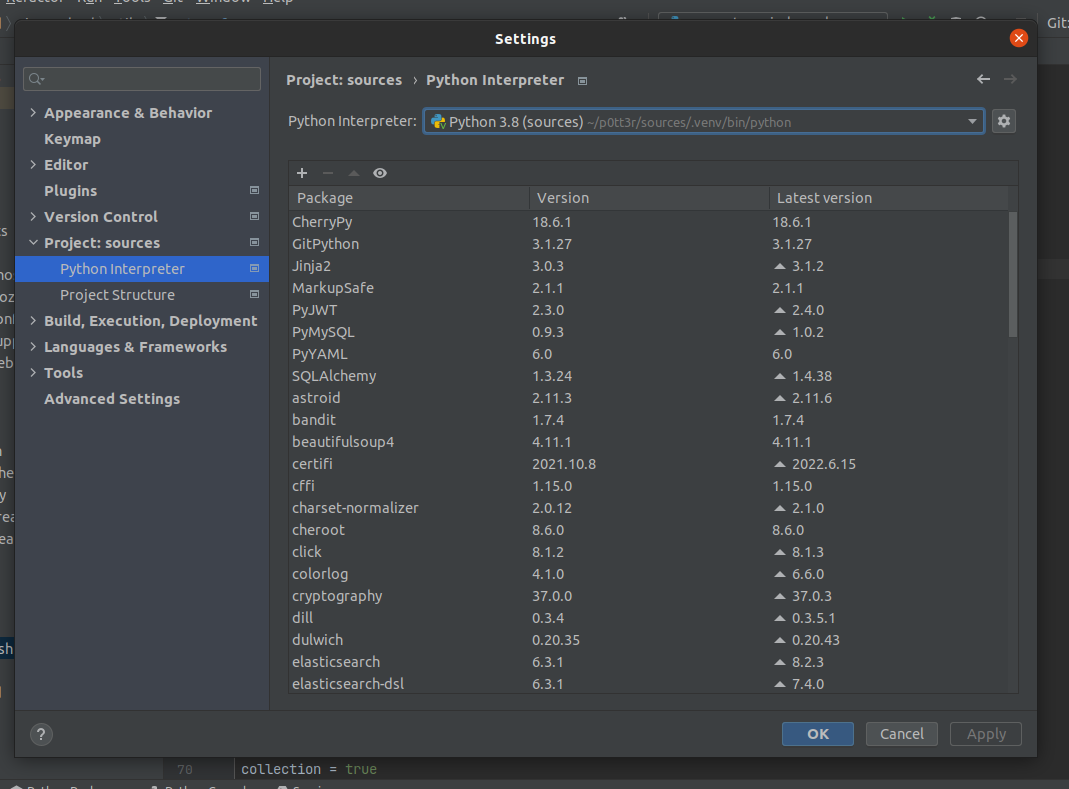
- Unable to find /locate micro.py file.
Please make is the Script path and the Working directory are correctly set.
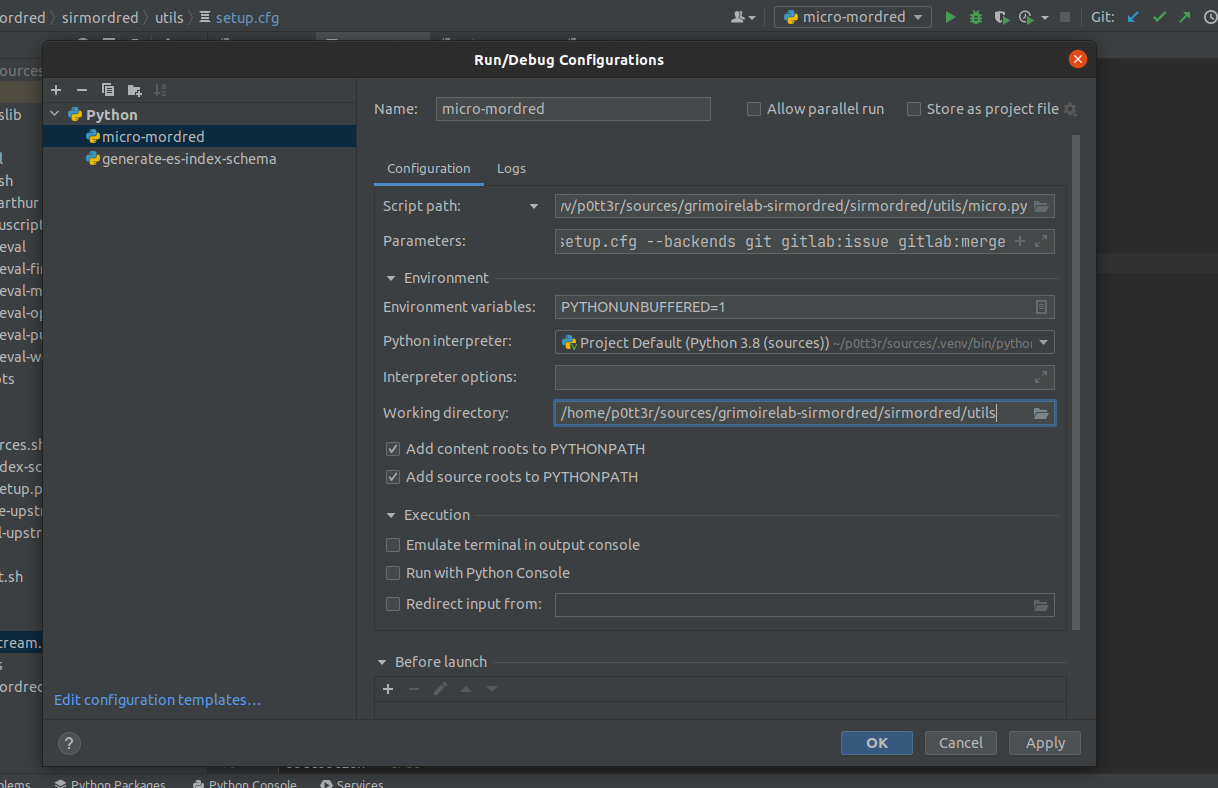
Hope this helps.

Thank you. Re-tried the above steps & it worked.
But now getting a different error when running Pycharm script (image below). All the Perceval repo's were forked & cloned as described in "Developer Installation".
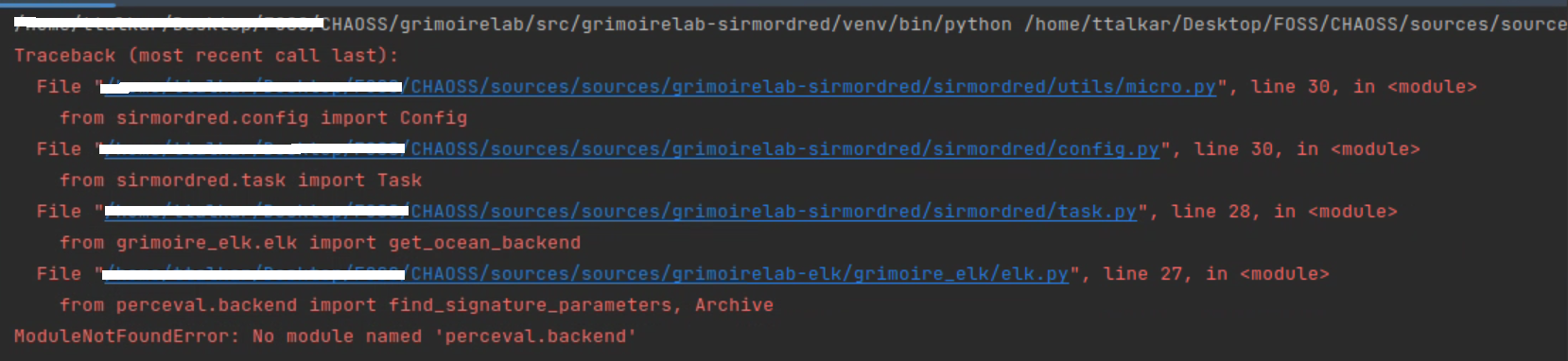
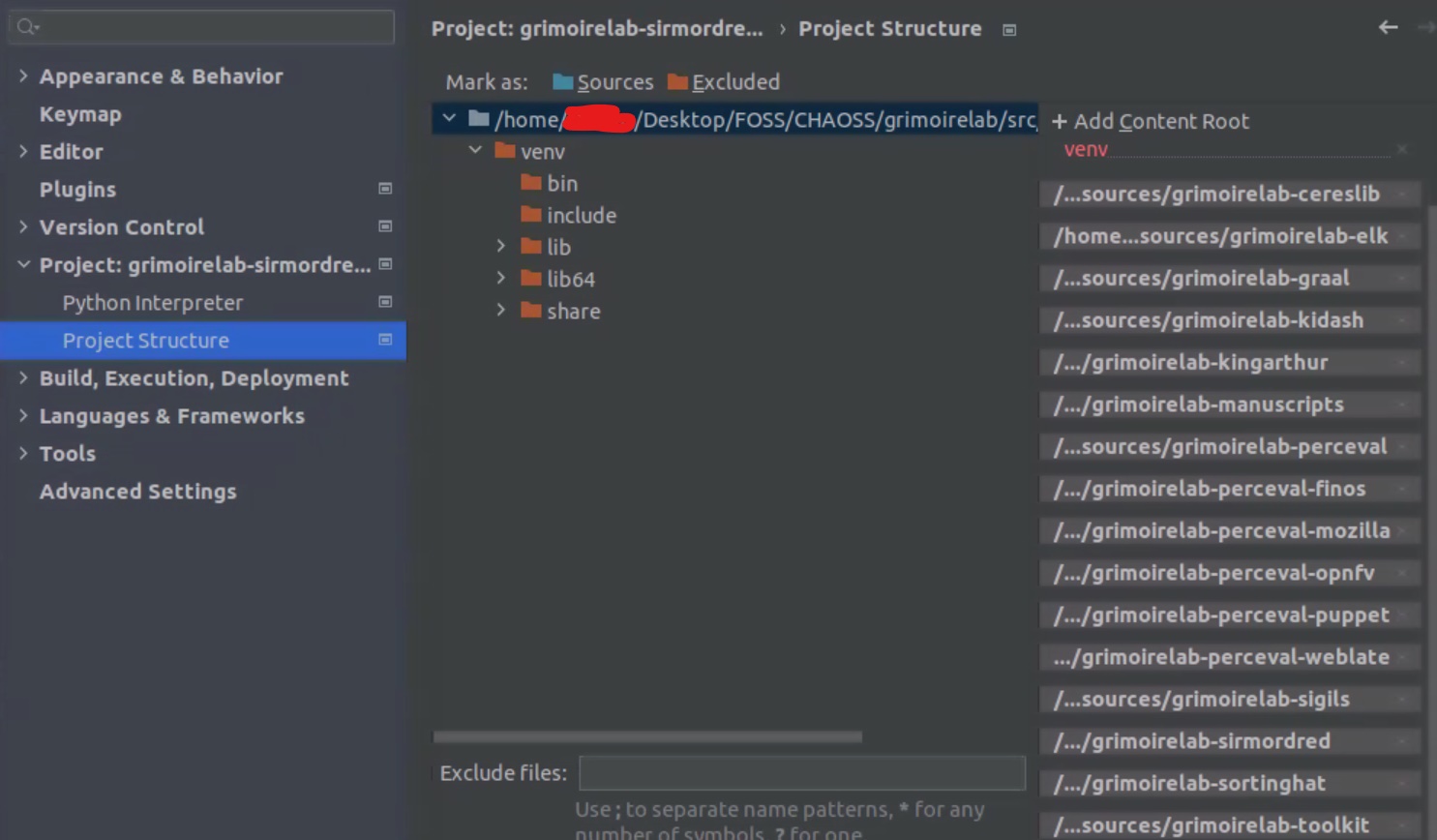
Did you add all grimoirelab repositories in your Project Structure (make sure that you have the latest version of each repository) and could you share your script path and parameters in your Run/Debug Configurations?
Yes have added all repo's as far as we know & upgraded all the packages again to make sure. Still same error.
Please find the Run/Debug configurations below (script path included).
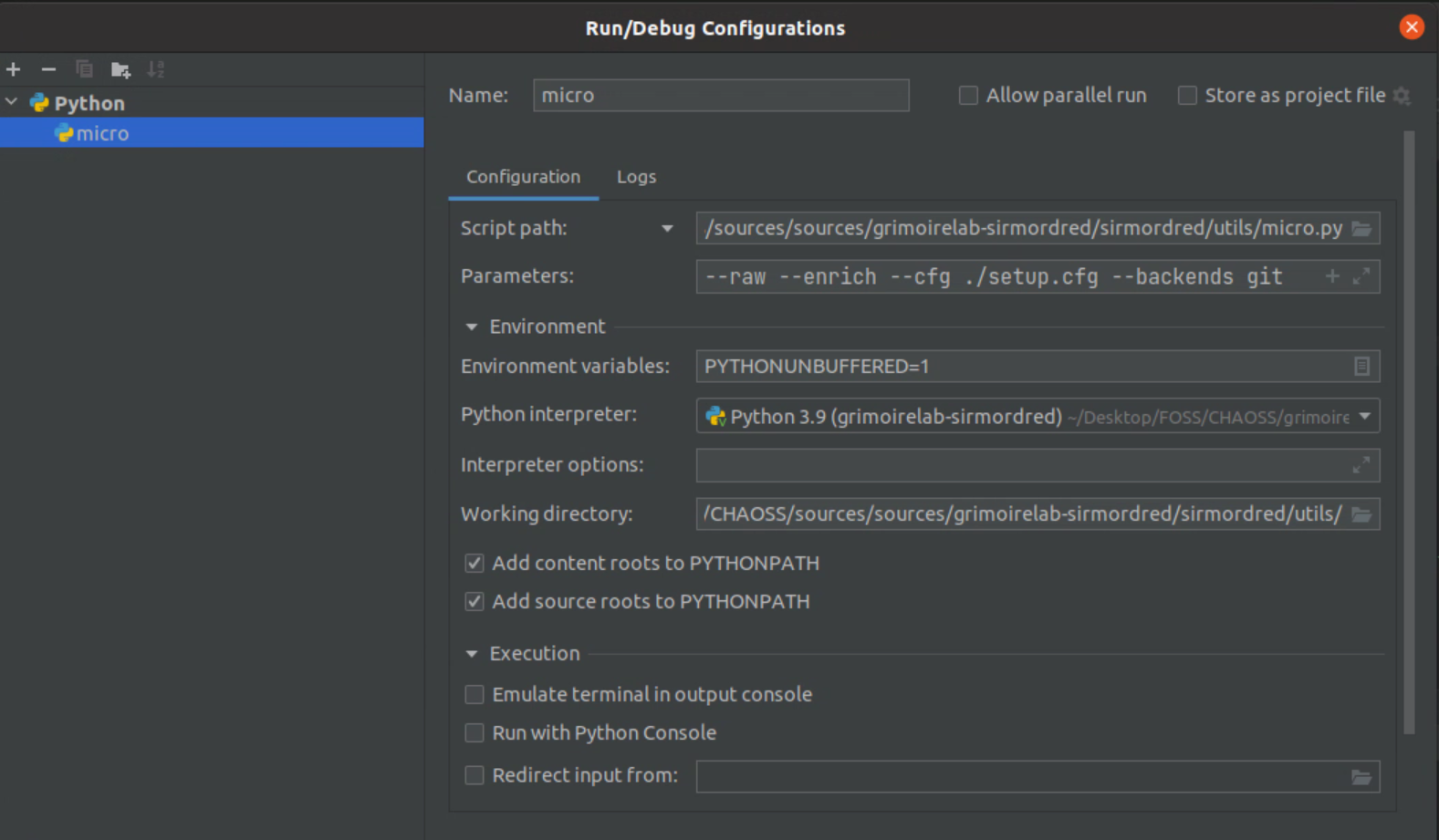
Also find the Project Structure.
Hi @kiranravindran90,
grimoirelab-perceval-finos is deprecated and is not supported anymore. Can you remove the repository from the list in the Project Structure and try again?

Thank you for the swift response :)
Was able to get through this but stumbled on to a new issue.
I am getting this error --> 'NewConnectionError('<urllib3.connection.HTTPSConnection object at 0x7f52af0454f0>: Failed to establish a new connection: [Errno 111] Connection refused'). Detailed log attached.
Tried connecting to the port as mentioned here #297 & its connecting.
Seems its not exactly a connection issue but authentication issue. It asks for authentication (no prompts) & I manually authenticate it on the browser but end up getting the same error still.
Note: Earlier was able to connect to Kibana (5601 port) but now that also seems to have stopped working abruptly. I am behind a company proxy & firewall.
Could you try to run this curl using the url value of your [es_collection] section?
curl -XGET -k <es_collection_url>
Are you using docker for ElasticSearch and Kibana?
I am getting this error --> 'NewConnectionError('<urllib3.connection.HTTPSConnection object at 0x7f52af0454f0>: Failed to establish a new connection: [Errno 111] Connection refused'). Detailed log attached.
Sometimes it happens if you are restricted to access the internet, the micro mordred need to interact with APIs to fetch the data.
Note: Earlier was able to connect to Kibana (5601 port) but now that also seems to have stopped working abruptly. I am behind a company proxy & firewall.
Not sure if it is company proxy or firewall causing issue, but please try with another internet source.
Thanks.
Could you try to run this curl using the url value of your
[es_collection]section?curl -XGET -k <es_collection_url>Are you using docker for ElasticSearch and Kibana?
Tried this, getting error "Proxy Authorization Required". But no prompt to enter details. Tried manually going to browser & authenticating but no success. Have attached the logs.
And I installed Kibana & ElasticSearch via docker compose.
logs_curl_elasticsearchurl.txt
I am getting this error --> 'NewConnectionError('<urllib3.connection.HTTPSConnection object at 0x7f52af0454f0>: Failed to establish a new connection: [Errno 111] Connection refused'). Detailed log attached.
Sometimes it happens if you are restricted to access the internet, the micro mordred need to interact with APIs to fetch the data.
Note: Earlier was able to connect to Kibana (5601 port) but now that also seems to have stopped working abruptly. I am behind a company proxy & firewall.
Not sure if it is company proxy or firewall causing issue, but please try with another internet source.
Thanks.
Unfortunately its a company project specific laptop & connects only to company network for IT security purposes. :(
curl -XGET http://user:pass@localhost:9200
@zhquan Tried this & still getting the same error. i.e. "Proxy Authorization Required"
@zhquan Yes we got in touch with our IT team & sorted it out. Now the curl command works, Output below. ................................................................................................................................................................................................................. root@computername:/home/.../Desktop/FOSS/ElasticSearch# curl -u elastic https://localhost:9200/ -k Enter host password for user 'elastic': { "name" : "es01", "cluster_name" : "docker-cluster", "cluster_uuid" : "PBTNtIDpSOOPZDiHC54dRg", "version" : { "number" : "8.3.2", "build_type" : "docker", "build_hash" : "8b0b1f23fbebecc3c88e4464319dea8989f374fd", "build_date" : "2022-07-06T15:15:15.901688194Z", "build_snapshot" : false, "lucene_version" : "9.2.0", "minimum_wire_compatibility_version" : "7.17.0", "minimum_index_compatibility_version" : "7.0.0" }, "tagline" : "You Know, for Search" } ................................................................................................................................................................................................................. But when running micro.py scripts, we are running into an error "grimoire_elk.errors.ElasticError: Got 401 from url https://admin:admin@localhost:9200". Logs attached. ElasticSearch_Not connecting.txt
We are able to manually authenticate but this interrupts the script & we get the error. Is there any way to pass authentication parameters directly from the script?
401 is an Unauthorized response status code
Make sure you have the correct username and password for the elasticsearch instance in the setup.cfg file.
If you are using micro mordred, please update in https://github.com/chaoss/grimoirelab-sirmordred/blob/master/sirmordred/utils/setup.cfg
[es_collection]
url = https://admin:admin@localhost:9200

[es_enrichment]
url = https://admin:admin@localhost:9200
You are using elastic user on the curl command and admin in micro.py (setup.cfg). Try to use the same user:pass in micro.py (https://elastic:PASSWORD@localhost:9200)
@zhquan This worked & we are able to get through Elastic Search through 9200. Thank you.
But we are getting an error from grimoirelab-perceval (micro.py). "perceval.errors.RepositoryError: git command - Cloning into bare repository '/home//.perceval/repositories/https://github.com/chaoss/grimoirelab-perceval-git'... fatal: unable to access 'https://github.com/chaoss/grimoirelab-perceval/': Failed to connect to github.com port 443: Connection timed out"
The proxy settings were done for both the system & virtual environment but still getting the error. We are able access Github path manually but not through the script. Please find the detailed logs attached. error_github_443.txt
Are you able to clone the repository on your machine?
$ git clone https://github.com/chaoss/grimoirelab-perceval.git
Could you share your setup.cfg?
@zhquan yes cloning the repo gave no issues. Please find the setup.cfg attached below. setup.cfg.txt
fatal: unable to access 'https://github.com/chaoss/grimoirelab-perceval/': Failed to connect to github.com port 443: Connection timed out
The setup.cfg looks good. So you can clone the repository on the machine but when you execute micro.py you cannot clone it. Very strange. The error tells you that it can't connect to github.com
And perceval uses this command to clone repositories
$ git clone --bare https://github.com/chaoss/grimoirelab-perceval
I guess you have a MySQL or MariaDB running on this host and use these credentials.
[sortinghat]
host = 127.0.0.1
user = root
password =
@zhquan Yes we have MariaDB running & seems it uses that credentials. Tried giving the credentials in that place but still seems to be getting this error.
@zhquan Just to add, we are running PyCharm from user folder & not root.
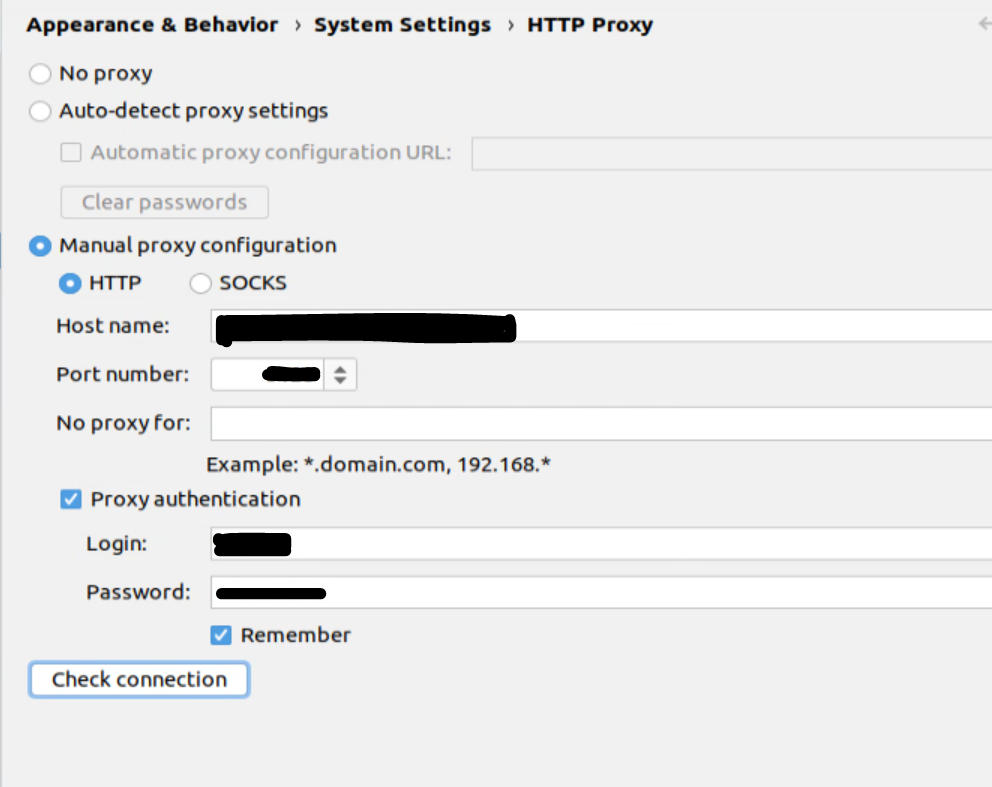
Also see the below snap shots (error when Connecting https GitHub via PyCharm)
Firefox Proxy setting :
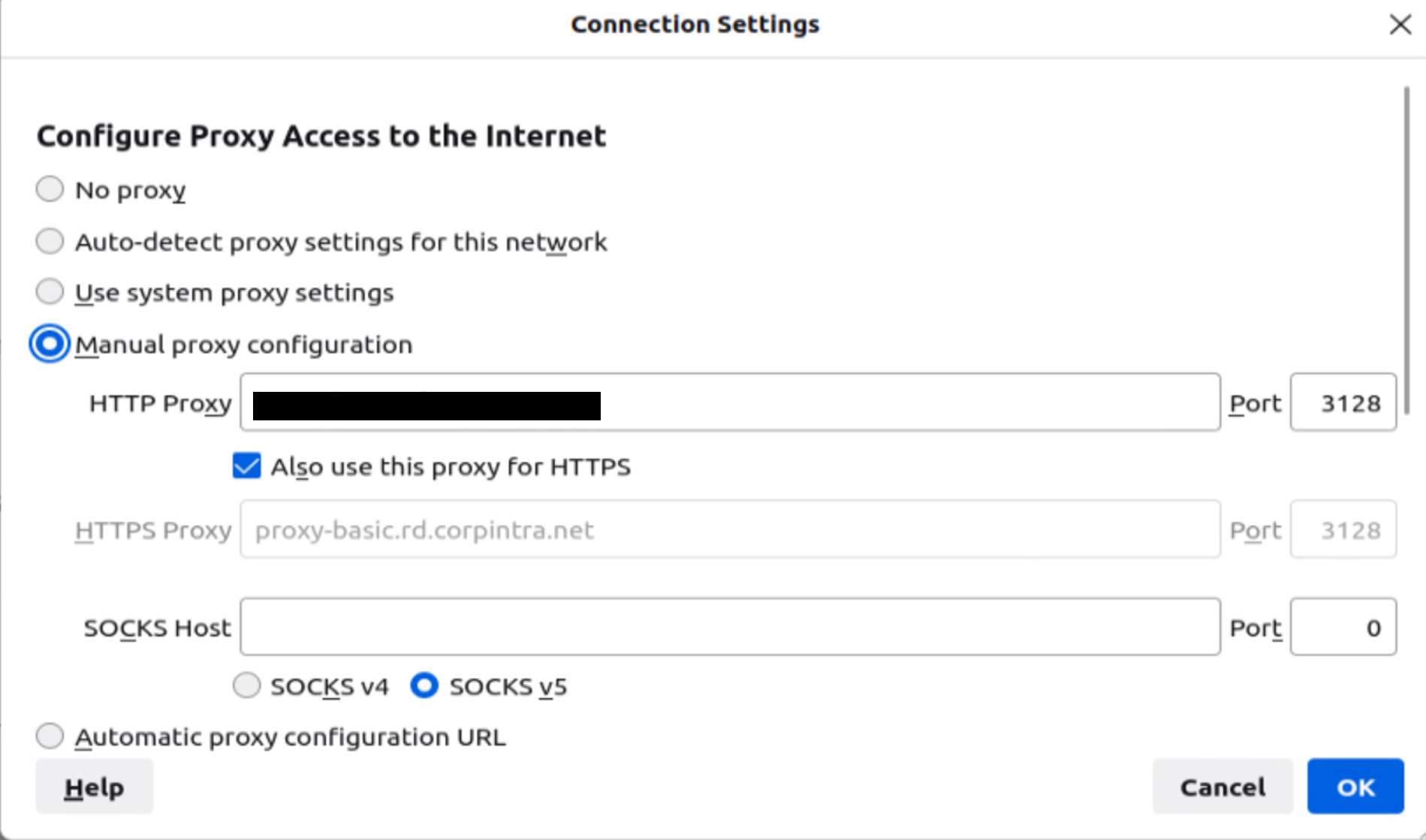
PyCharm Proxy setting:
Error when Checking connection to HTTPS GitHub:
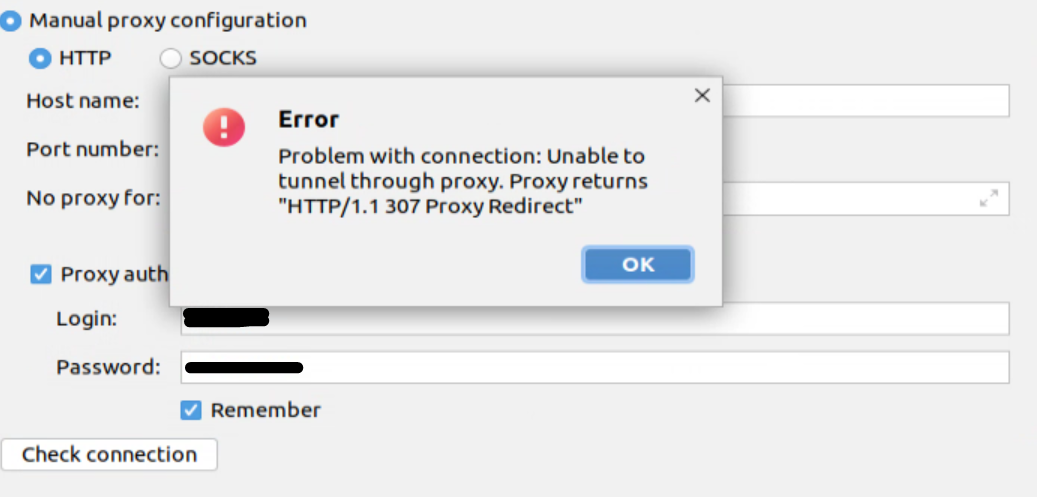
Error (SOCKS) when Checking connection:
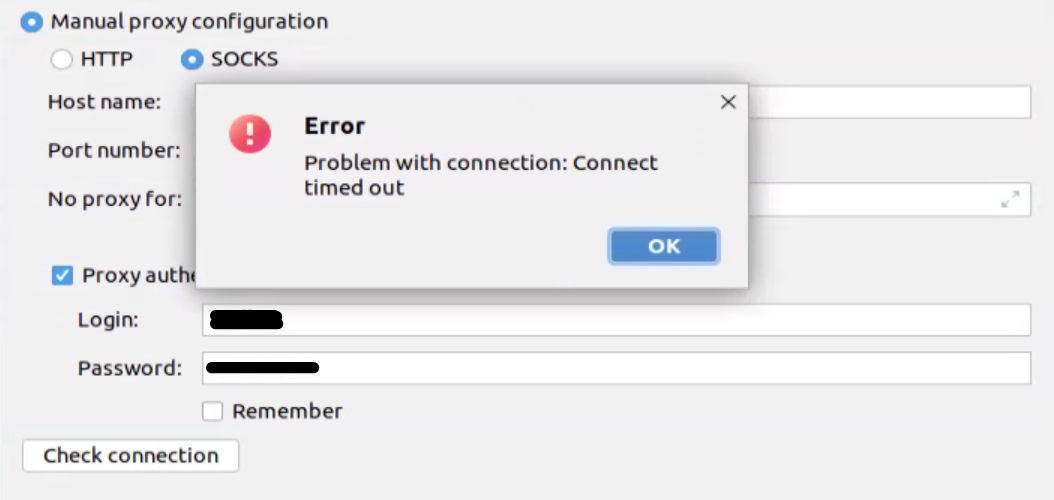
Unfortunately didn't work. Reinstalled OS & CHAOSS but facing same issue. Seems to be a proxy/firewall issue thru Pycharm. Nonetheless, Cloned all the depended repositories into Local system & updated the scripts to call then from Local system instead of the URL's. That way its working for now. Thanks all for the support :)