
chakra-pro-issues

chakra-pro-issues copied to clipboard
 chakra-ui
Not able to install Chakra UI pro theme
Hello Team, I have just downloaded the blueberry pro theme and followed the instructions as mentioned in readme.
I am facing the following issue
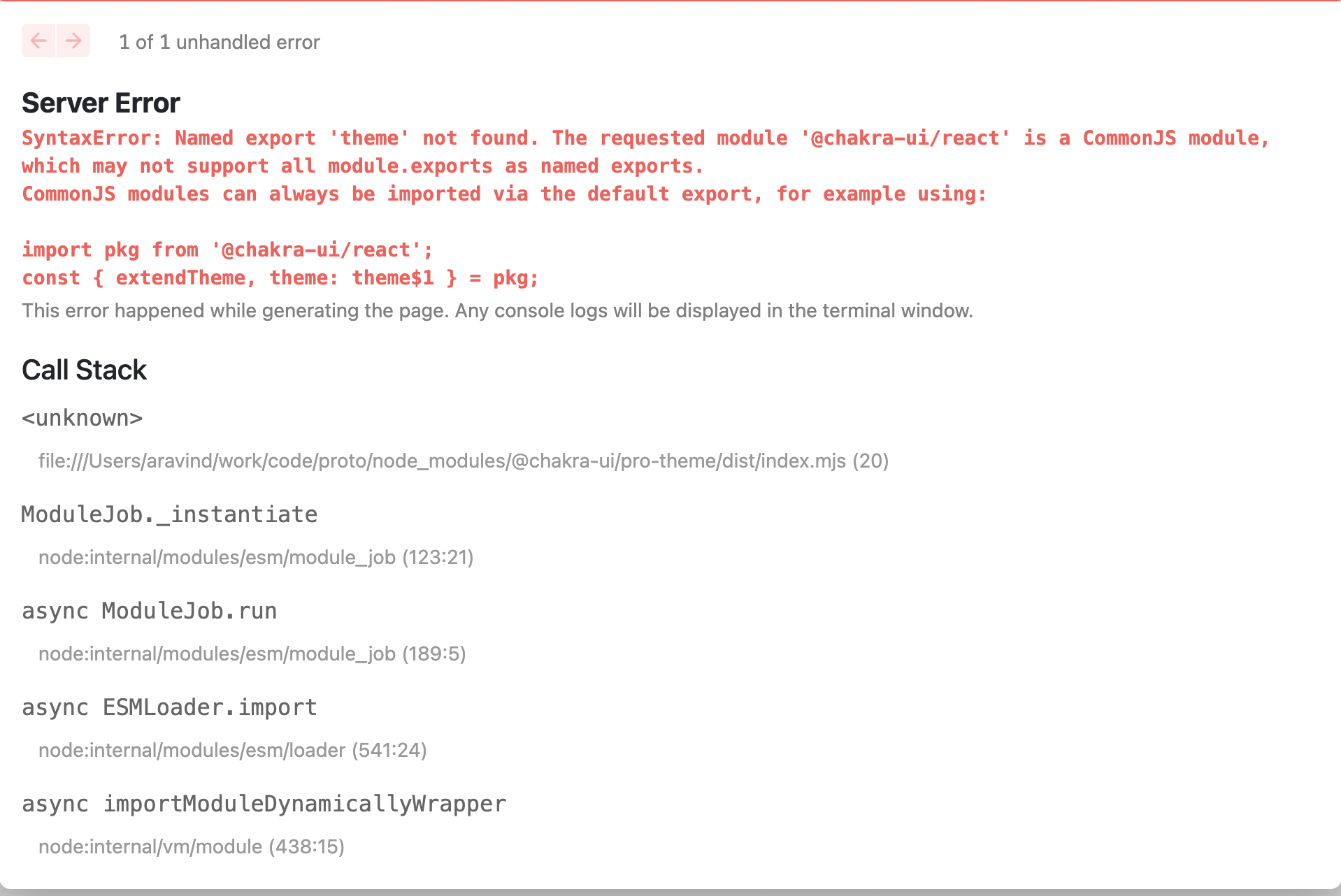
Can you please check whether this is known issue?
We are using the following Charkra ui versions "@chakra-ui/pro-theme": "^0.0.53", "@chakra-ui/react": "^2.2.8", "@chakra-ui/theme-tools": "^2.0.10",

- I would recommend chakra devs should release a bundle version where the import is made without using named exports, as it may be a issue for some React frameworks.
- But we can do this change by:
- Cloning the repository;
- Changing the file;
- Releasing a new npm module deployed under our own user;
- Installing our own package with our changes.
- But as I don't wanna do this work, I've fixed by using patch-package (lazy solution):
- Replaced the following lines of the file
node_modules/@chakra-ui/pro-theme/dist/index.mjs:- line 20:
import chakraReact from "@chakra-ui/react"; - line 1051:
const theme = chakraReact.extendTheme(__spreadProps(__spreadValues({}, foundations), { - line 1053:
colors: __spreadProps(__spreadValues({}, chakraReact.theme.colors), { brand: chakraReact.theme.colors.blue }),
- line 20:
- After changing the file, apply patch-package:
-
yarn add patch-package postinstall-postinstall -
yarn patch-package @chakra-ui/pro-theme -
yarn patch-package - add to
package.jsoninside scripts:"postinstall": "patch-package"
-
- Replaced the following lines of the file
- I would recommend reading patch-package README before doing that.
- Also, it would be better releasing your own package instead of using this work around till devs fix this issue.
