

 cerberustesting
[Enhancement] Open campaign executions with middle mouse button
Hi,
Is it possible to open campaign executions with middle mouse button in Firefox? (It works fine in Chrome) Thank you


Bonjour Benoit!
When you open a "Campaign Execution Reporting" you have all the executions right? If you click with the middle mouse button in an execution it shows that icon you can see in the screenshot. It would be great if it opens in a new tab (and we stay in the "Campaign Execution Reporting"). By the way, this is OK for Google Chrome but unfortunately not for Firefox. Thank you!
Unfortunately I still see no screenshot ;-(.
Anyway, I believe you mean that place:
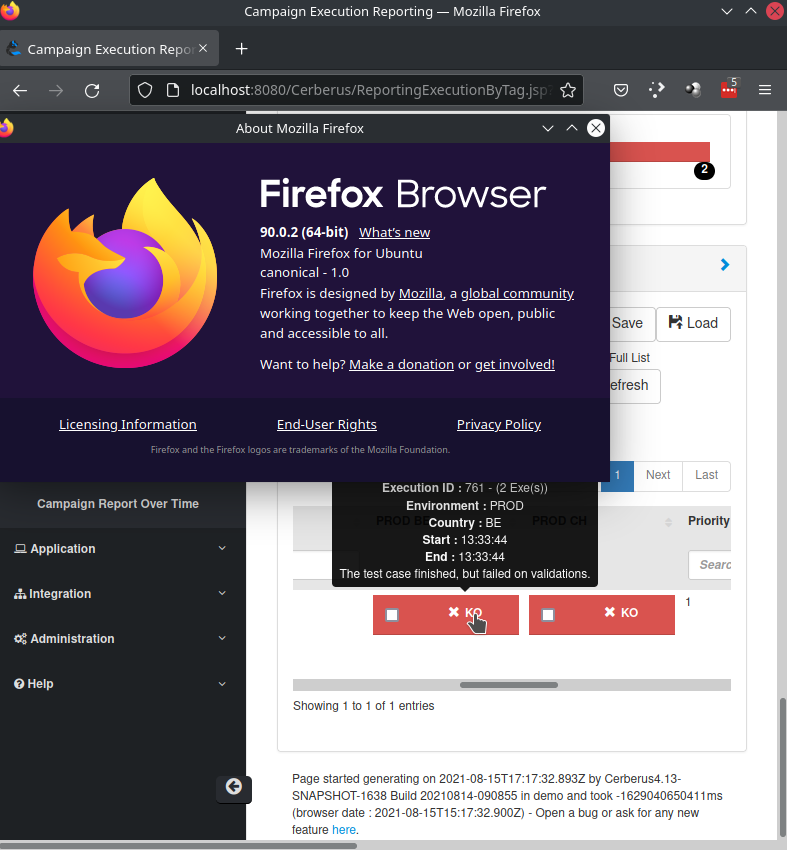
If you confirm, the default behaviour should be with a normal (left) click to open automaticly a new tab for all browser. I tested on my side on both Firefox 90.0.2 and chrome 92.0 and got the same result. A left mouse button open a new tab. A middle mouse button does nothing.
Hello Benoit,
In "Campaign Execution Reporting" we have the executions list. When I click with the middle mouse button in an execution it shows that thing you can see in the screenshot below and it doesn't open the execution in a new tab. I'm using Firefox 91.0.2 (64-bit).
It's true that the left click opens automatically a new tab but the problem is that we go directly to this tab we just opened. Sometimes we need to open several executions in a row and this process it's difficult and slow.. To open a tab with left button, go to to new tab, go back to executions list, open a tab with left button, go to to new tab, go back to executions list, etc, etc..
It would be much easier if we could open with the middle button a new tab. This way the tab opens but we continue in "Campaign Execution Reporting" and we can open several tabs in a row.
I hope I was clear! Anything please tell me. Tks
OK. I better understand now. This is more clear. I will have a look and come back to you.