
Xcode8Extensions
 Xcode8Extensions copied to clipboard
 castus
Place for all my extensions for Xcode 8
Duplicate Line
Xcode's source editor extension to duplicate selected line or lines.
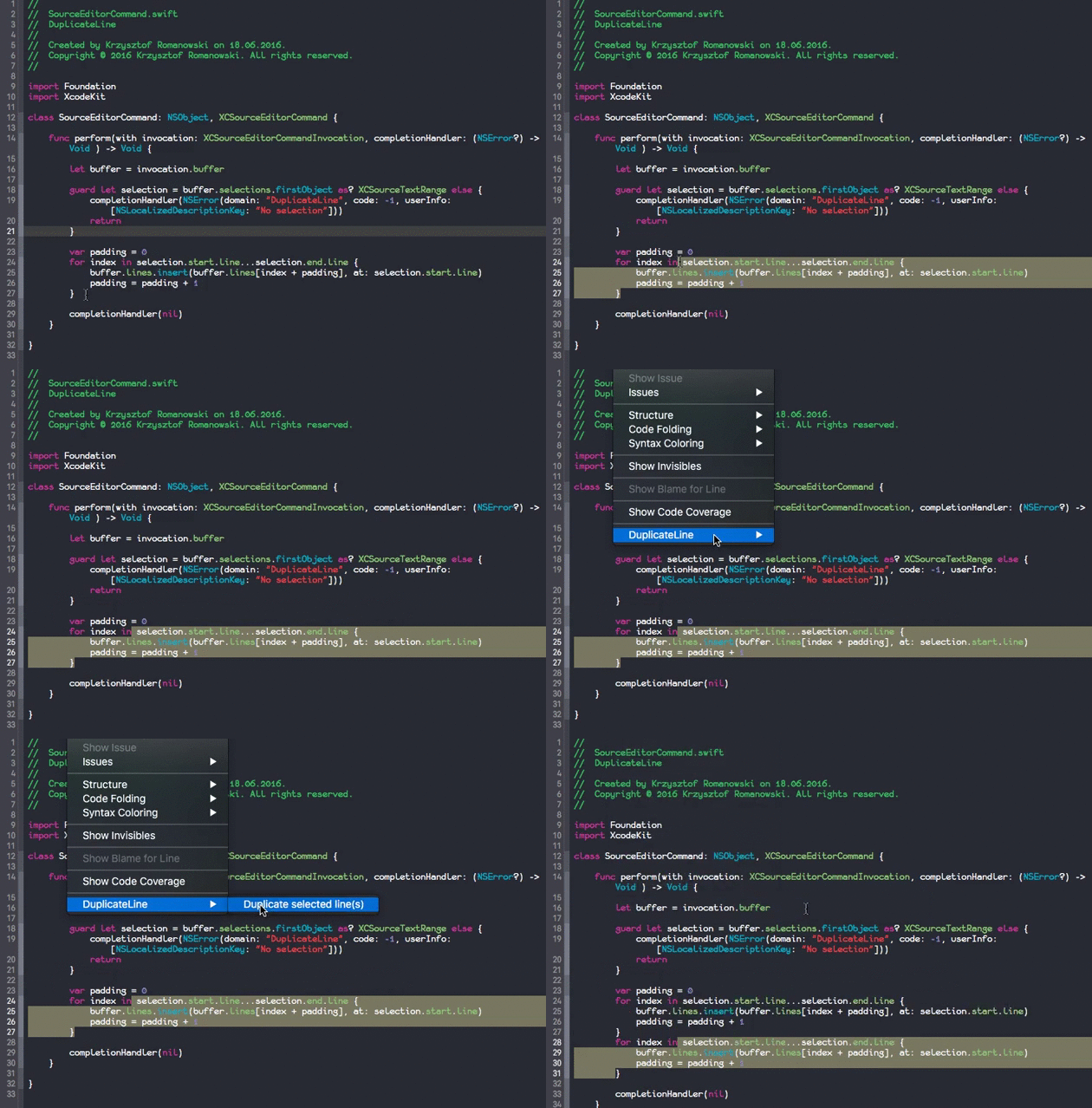
Usage:
- Install Xcode 8
- Run Xcode 8 and install additional system components
- Open terminal.app and execute
sudo /usr/libexec/xpccachectlif you use macOS 10.11 - Reboot your mac
- Open this project in Xcode 8 and run the extension
- Wait for
DuplicateLine Extension startedmessage appears in console - If it isn't appear, you must run the extension once again
- Select your code
- Choose menu
Editor > DuplicateLine
Notice:Currently the Source Editor Extension feature in Xcode 8 Beta is very unstable. You may find that the command is sometimes not showing up, or not available (grayed out).
Xcode 7 version
Available here https://github.com/castus/xcode-duplicate-line
License
MIT License. See the LICENSE file for more information.
 castus