callstack
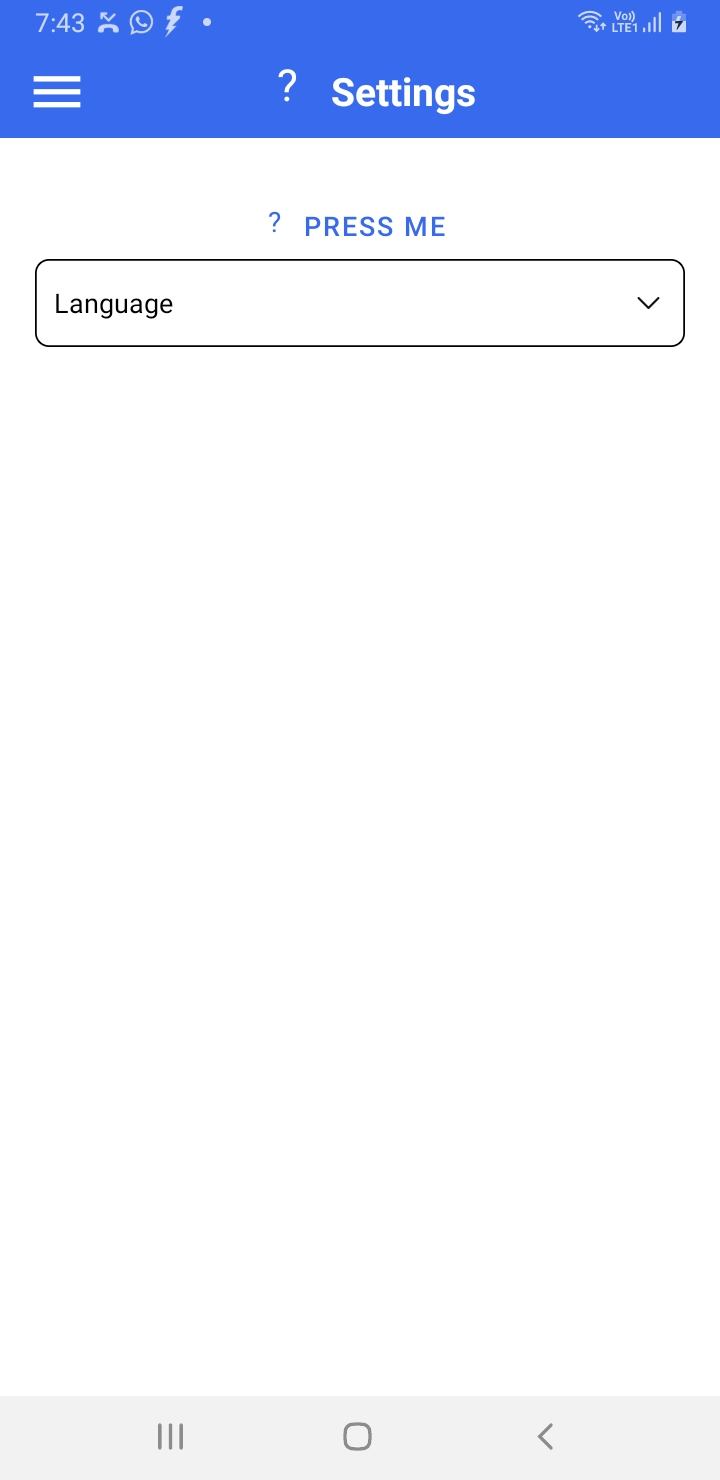
settings-outline icon is not displaying
settings-outline icon is not displaying and it is displaying as question mark (?)
icon should display settings-outline icon
<Button icon="settings-outline"> Press me </Button>
What have you tried
Your Environment
| software | version |
|---|---|
| ios or android | android |
| react-native | 0.63.4 |
| react-native-paper | 4.10.1 |
| npm or yarn | yarn |

Hey! Thanks for opening the issue. The issue doesn't seem to contain a link to a repro (a snack.expo.dev link or link to a GitHub repo under your username).
Can you provide a minimal repro which demonstrates the issue? A repro will help us debug the issue faster. Please try to keep the repro as small as possible and make sure that we can run it without additional setup.
![github-actions[bot] avatar](https://avatars.githubusercontent.com/in/15368?v=4 "Published by a pub.dev verified publisher")
Couldn't find version numbers for the following packages in the issue:
-
react-native-vector-icons -
npm -
yarn -
expo
Can you update the issue to include version numbers for those packages? The version numbers must match the format 1.2.3.
The versions mentioned in the issue for the following packages differ from the latest versions on npm:
-
react-native(found:0.63.4, latest:0.67.0) -
react-native-paper(found:4.10.1, latest:4.11.2)
Can you verify that the issue still exists after upgrading to the latest versions of these packages?
Hey @vipulbuoyancy, looks like there is some issue with that icon, I will check it. I noticed that in the meantime you can use cog-outline icon.