

 calcom
[CAL-1604] team admin: see connected apps of team members
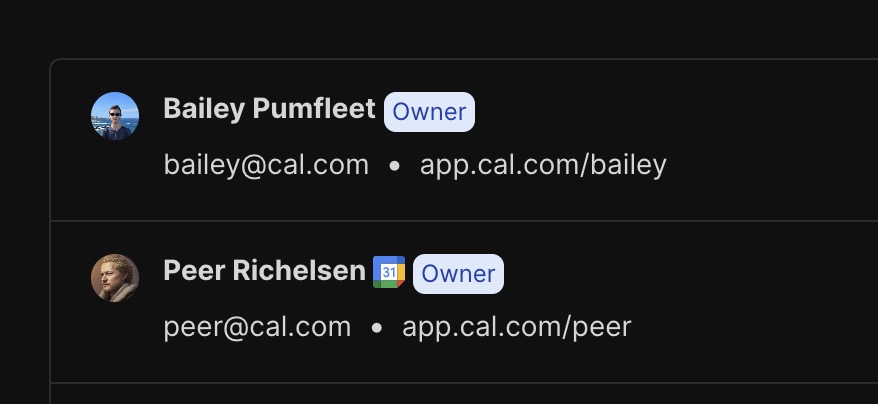
with a tooltip of the connected calendar, i.e. "[email protected]"
remember, someone can have two google calendar


in the same PR can you also change app.cal.com/peer to cal.com/peer?
you can use the same code that's being used here:

@shaikahmadnawaz any update on this?
Sorry @PeerRich, inactive because of exams, I will start working on this today itself and try to complete it 👍🏻
@shaikahmadnawaz are you working on this issue? If not, I'd like to work on this @PeerRich

@shaikahmadnawaz are you working on this issue? If not, I'd like to work on this @PeerRich
Okay carry on @riteshsp2000
💎 $20 bounty created by PeerRich
👉 No need to comment asking to work on it. Just open a PR and claim the bounty with /claim #8564 inside the PR
📝 Before proceeding, please make sure you can receive payouts in your country
💵 Payment arrives in your account 2-5 days after the bounty is rewarded
💯 You keep 100% of the bounty award
🙏 Thank you for contributing to calcom/cal.com!
![algora-pbc[bot] avatar](https://avatars.githubusercontent.com/in/275896?v=4 "Published by a pub.dev verified publisher")
@riteshsp2000 are you still planning to work on this? I'd like to attempt this @PeerRich :)

@PeerRich if it is not solved, I like to work on it, can you define this task more with an example?

Hi @PeerRich can I take this up? can't see any PR attached to this issue.
Cc: @riteshsp2000 @shaikahmadnawaz

Note: The user @riteshsp2000 is already attempting to complete issue #8564 and claim the bounty. If you attempt to complete the same issue, there is a chance that @riteshsp2000 will complete the issue first, and be awarded the bounty. We recommend discussing with @riteshsp2000 and potentially collaborating on the same solution versus creating an alternate solution.
@PeerRich I want to work on this give some more information so i can fix it

Hi Everyone sharing the pathway to solve this issue if anyone is interested can follow this path :)
Requirements
- Find the component where we need to make the necessary changes.
- Identifying from where we can get the relation between the installed apps and the user
- As this is specific to Admin then we need to add an
isAdmincheck to render installed apps to its members.
I think this can help :)
Thank you !
Hi, @PeerRich can you please assign this issue to me?
As per my findings, we need to work on this component team-members-view.tsx ( MembersView )
And the important thing is we won't directly get installed apps of members in
const { data: team, isLoading: isTeamsLoading } = trpc.viewer.teams.get.useQuery(
    { teamId },
    {
      onError: () => {
        router.push("/settings");
      },
    }
  );
The way to solve this issue is we need to get Members installed apps data from the Credential table where we have the relation of installed apps and user
| id | type | key | userId | appId | invlid | teamId |
|---|---|---|---|---|---|---|
| 1 | whatsapp_video | {} | 8 | false | [null] | |
| 11 | metapixel_analytics | {} | 3 | metapixel | false | [null] |
| 13 | telegram_video | {} | [null] | telegram | false | 11 |
As we are getting members' userId from teams so it's pretty straightforward now to get installed apps of members by performing a simple query on the Credential table by passing userId in the where clause.
Once we get members' Installed apps data we can create one helper function with the help of map and reduce to group all distinct apps according to userId
As in the Credential table, we don't get complete info on apps probably we can take reference from the below function
const getEnabledApps = async (userCredentials: CredentialData[]) => {
  const enabledApps = await prisma.app.findMany({
    where: { enabled: true },
    select: { slug: true, enabled: true },
  });
  const apps = getApps(userCredentials);

  const filteredApps = enabledApps.reduce((reducedArray, app) => {
    const appMetadata = apps.find((metadata) => metadata.slug === app.slug);
    if (appMetadata) {
      reducedArray.push({ ...appMetadata, enabled: app.enabled });
    }
    return reducedArray;
  }, [] as (ReturnType<typeof getApps>[number] & { enabled: boolean })[]);

  return filteredApps;
};
As only Admin can see the installed apps of its member so we already have this simple check which we can use to conditional render installed app icons on the member component list 😃
  const isAdmin =
    team && (team.membership.role === MembershipRole.OWNER || team.membership.role === MembershipRole.ADMIN);
  {((team?.isPrivate && isAdmin) || !team?.isPrivate) && (
              <>
                <MembersList team={team} />
                <hr className="border-subtle my-8" />
              </>
            )}
@PeerRich please let me know if my findings are in the right direction.
Thanks :)

Hi @PeerRich, I have few questions.
Is connected app same as installed app? I assumed Yes. but if yes, what should be the tooltip for apps in every category? do we need to display apps of member who didn't accept invitation? I assumed not.
this is how it looks based on above assumption
*connected apps won't be displayed in the memberItem of user(whoever is loggedin as owner or admin), I will change that.

💡 @abhijeetsingh-22 submitted a pull request that claims the bounty. You can visit your org dashboard to reward. 👉 @abhijeetsingh-22: To receive payouts, sign up on Algora, link your Github account and connect with Stripe on your dashboard.
@abhijeetsingh-22: Your claim has been rewarded! 👉 Complete your Algora onboarding to collect the bounty.