

 calcom
Installed apps not shown as installed on listing pages

ok so installed property has been depreceated. page like 'apps/riverside' are making api calls like
  useEffect(() => {
    async function getInstalledApp(appCredentialType: string) {
      const queryParam = new URLSearchParams();
      queryParam.set("app-credential-type", appCredentialType);
      try {
        const result = await fetch(`/api/app-store/installed?${queryParam.toString()}`, {
          method: "GET",
          headers: {
            "Content-Type": "application/json",
          },
        }).then((data) => {
          setIsLoading(false);
          return data;
        });
        if (result.status === 200) {
          const res = await result.json();
          setInstalledAppCount(res.count);
        }
      } catch (error) {
        if (error instanceof Error) {
          console.log(error.message);
        }
      }
    }
    getInstalledApp(type);
  }, [type]);
to check if app has been installed and get installedCount. do you want something like this on /apps page? although i think this would be inefficient as it would require api calls for every app.
is there any other method ?

Can't the server side logic that reads all the apps have installed status? It's just a property addition in that case
Can't the server side logic that reads all the apps have installed status? It's just a property addition in that case
api folder is not public. so can't see what exactly happening on the server side.
the installed status for app displays this when i try to access it
  /**
   * @deprecated
   * Wheter if the app is installed or not. Usually we check for api keys in env
   * variables to determine if this is true or not.
   * */
  installed?: boolean;
  /** The app type */
api is not private api. It is web/pages/api, so you can totally check it out.
Also this installed property is something else. It tells by checking env variables if an app is available to install, even if it's code is there in repo. e.g Zoom app code might be there but it will be available to install only if required keys are set in environment
api is not private api. It is web/pages/api, so you can totally check it out.
Also this installed property is something else. It tells by checking env variables if an app is available to install, even if it's code is there in repo. e.g Zoom app code might be there but it will be available to install only if required keys are set in environment
oh okay got it.
just to be clear now what we need to here is a installedStatus property which is to be fetched something like this
const installedApp = await prisma.credential.findMany({
        where: {
          type: appCredentialType as string,
          userId: userId,
        },
      });
on web/pages/apps/index.tsx . we just have to getServerSideprops instead of getStaticProps because we want the page to personalised for every user and show buttons installed if installed.
correct me if am wrong

@Udit-takkar I didn't know it was using getStaticProps. There are two options now:
- One that you mentioned where we move it to getServerSideProps and make the page render again and again for all users/
- We keep it static only and using a single separate query we update the installation status later for all apps.(till it's updated we can keep a skeleton loader running in place of Add button, the way we do it for the Install button on /apps/jitsi page e.g.)
In the second approach, the apps page would load instantly and only the installation status would load later. I think I like second approach better. cc @zomars
Tried the second approach. do you want to display only installed and add or all other buttons like in /apps/jitsi. ( Globally installed, Add another for multiple installs allowed app) . cc @hariombalhara
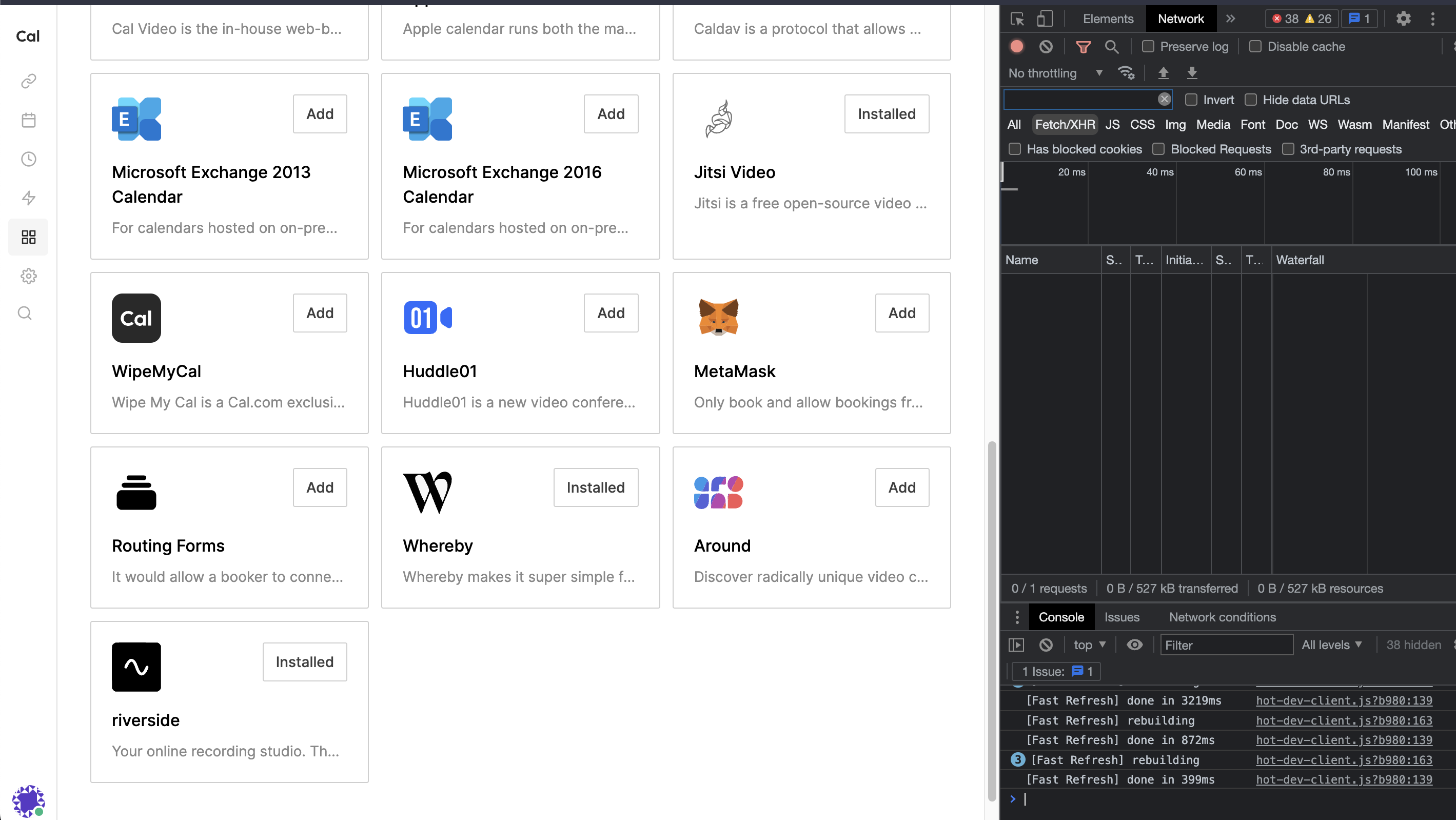
I guess for now installed is okay. If user want's do another install he can go to the app specific page and do it from there.