

 cadon
cadon
[Feature Request] Make tag system easier to apply/use.
Can we please make the tag system easier to apply on dinos and see what dinos have what tags? At the moment we can only add or edit tags, or see if a dino has any by clicking on them and pressing F3 (or using the option under edit).
It would be nice if
- Make new tags without having to be in a dino to do it. This caused one of my dinos to get bugged with tags that don't seem to want to be removed from him no matter how many times I uncheck the box's and tell it to apply.
- We could right-click a dino and tell it to add/remove tag.
- On dino edit info we could also see the tags it has set and add /removethem from there.
- Auto add dino to set tag (not sure if this is a thing, if it is, it's not clear how to do it) i.e if a dinos born with a mutation, to have it auto added to a mutation tag.
- If the library highest stat view (the dark green around the stats + yellow name for the highest stat dino) took into account the dinos filtered/hidden from the list.
As is I like keeping 2 breeding lines for my dinos, one a pure no mutation line, another that pops out mutations. (the no mutation line is needed for super breeding with s+ mutators later on)
But if I hide the dinos with mutations from the library list, the colors of the stats to show who has the high ones, as well as the dino sorting still seems to include those hidden. It throws me off as I'm a very visual person.
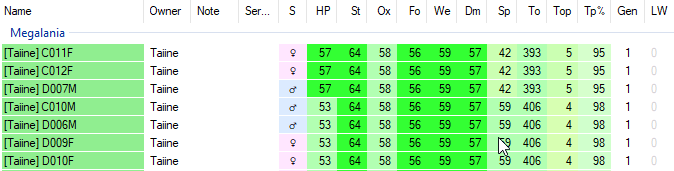 For example, I have the dinos with mutations hidden in the above image, it should say I have 6 of the 8 stats as its just the health from my females and the speed from the males that need to clump together. But it isn't as it's still including those with mutations even though there filtered off the list.
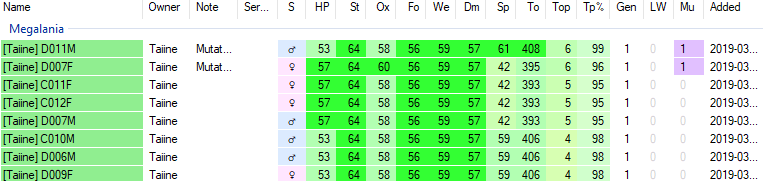 With the mutated ones shown with their ox and speed mutations. An undesired fix to this is being forced to mark them as unavailable.
 - Make it clear that this exists. As is I didn't know this was a thing until this last week.
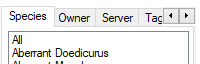 I think instead of having these scroll bar for the tabs, you just have it as a set of buttons to press.

Also, could the breeding plan also take into account the filters? I don't want these mutated dinos to appear in the best stats for the library. It be nice if it showed best of what is filtered to be shown.
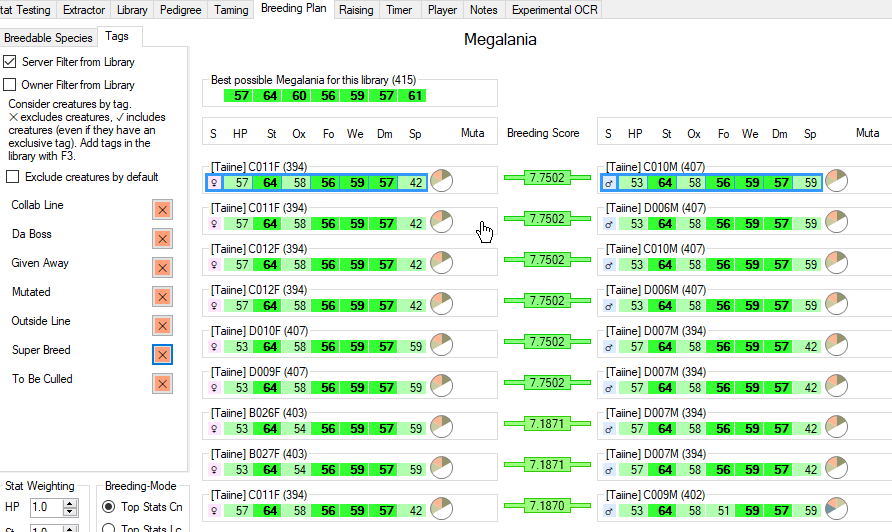
Because as is even though I have these tags all turned to not be included, it is still included as the best for the library.
Or this
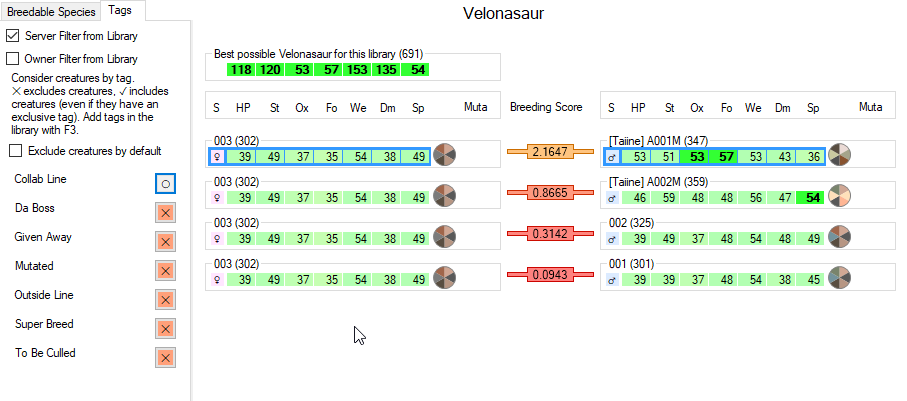
It's including the ones I was given as an event reward thats partly super bred. Over all its kind of screwing me up and trying to sort stats.
Have you tried the mutation limit filter?
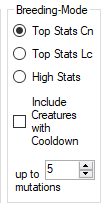
It's also very hard to know why your tag filters are failing without some detail about what tags are on which creatures. In testing here, tag filtering is working just fine in the breeding planner.
As an aside, mixing issues like this will only confuse matters.

Hi, thanks for the feedback. It seems most issues would be sorted out if all the library filters could be applied to the breeding-planner as well, I'll put this on the todo list. Regarding the tags, you can easily see what tags a creature or multiple creatures have by selecting them in the library. The applied tags are shown in the third row at the info panel at the top. Other ways to apply tags are on the todo-list, but don't have high priority right now.

@coldino yes I have, it still includes their stats as the 'best' that I have.
The issue still is also the color coding for the dinos high stats. Because mutated dinos get the higher stats than my no mutation line, their stats are always the brighter green even when filtered out.
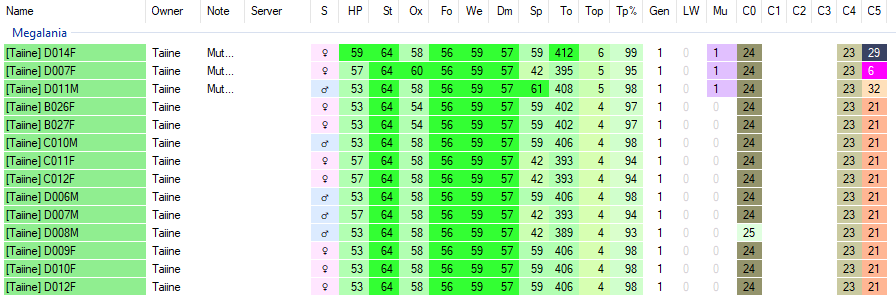 Without filters applied.
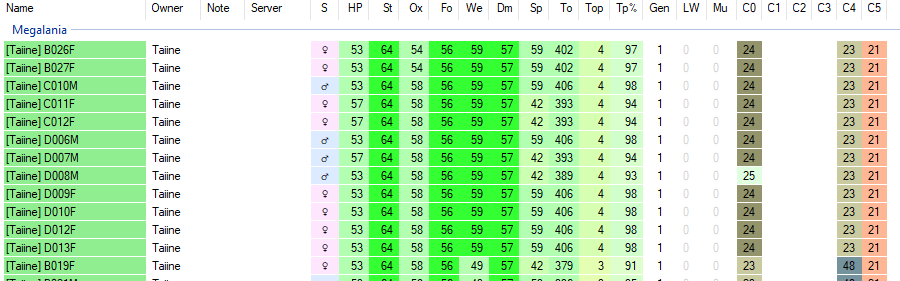 and with filters applied. It still counts the stats as if they were still there.
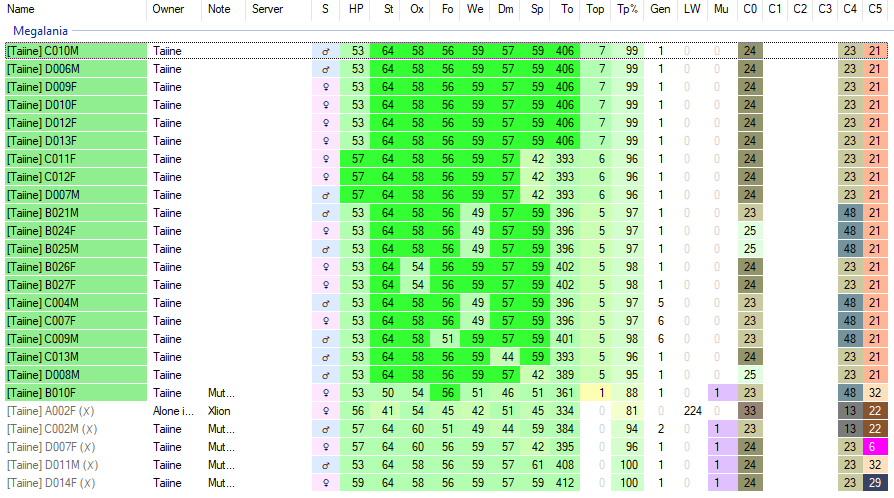 My only 'fix' thus far has been to just mark those mutated, given away, collab lines, etc etc as unavailable. Only then do their stats not get counted. This includes not counting them for the breeding planner as well. This is what I thought the filtering system would do. So I didn't have to keep toggling unavailable on these guys when I want to breed them, vs breeding my pure line.
The tag system really is confusing to find and figure out what is being applied or not. That's probably my only complaint of the software. I don't even use neuter/spay, pay much attention to mutations, worry about multiple owners in the tribe, etc... and it's still giving me problems. Some of the dinos set to available and ready to breed were not showing up in the breeding planner without selecting "best breeding partners". Clicking "unset restriction" after that is only temporary. I'm really not sure how after clicking around for more than half an hour I got most of them appearing but some still have the "unset restriction" option on them if individually opened.
After reading the online manual, FAQs, and a few other explanations of the software I don't entirely understand what is going on or how to fully use the tags. The only "tags" tab I found on the library is the bottom left and the only option I have ever seen is a checkbox for n/a. Unchecking it removes all dinos from the library window. F3 does bring up a window but having to remember that off the top of my head repeatedly is annoying. Also despite a dino saying there is a tag restriction when I hit f3 while it's selected in the library I still don't see what tag is causing it.
Since the software does so much else I'm just doing the turn unavailable on or off and selecting "best breeding partners" as needed so I can go back to playing instead. Overall the tag system is just getting in my way and the only thing I've really had to spend any time figuring out.

@kealas That was me a few weeks ago, then I found the tag system by chance spotting the whole 'press F3' thing when I misclicked in the breeding planner and hit the tag's tab. I was like holy cow its a thing?! So yeah, select a dino, hit F3 and it opens the tags. make em on the right side, and you can turn them on and off there too. though turning them off don't seem to work.
But the issue still stands that even though you can make tags, and set dinos to these tags to be hidden or not that the dinos are still counted to the over all stats.
Another example.
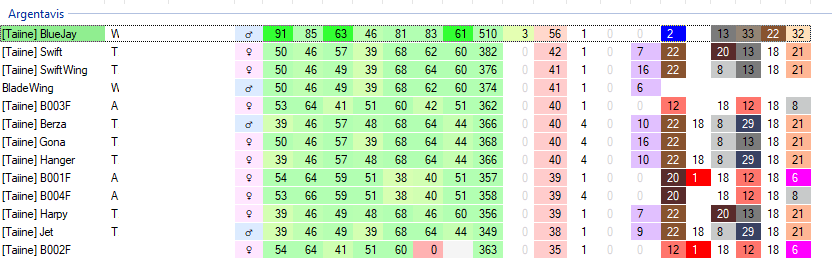
My argis. Notice something? All the names are whited out now. Nothing outside the one has any 'high stats'
That is because of...
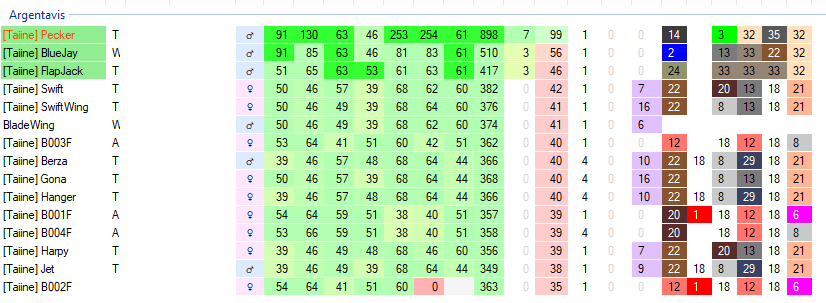 These two birds I was given... who although I have as an 'outside line' tag to filter them out. They don't get filtered out. All the tags do is let you toggle and hide tames from the list, It don't cover up or filter their stats out of what's visible. So in one way tags are nice, but in another there also useless.
So like before, I have to label these birds as unavailable
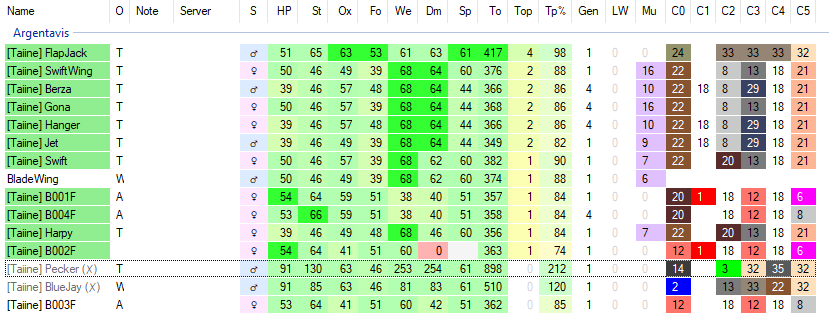 Like so, just to properly see what stats I have to work with, and so their stats don't come up as 'best possible' in the breeding planner.