
editor

editor copied to clipboard
 bridge-core
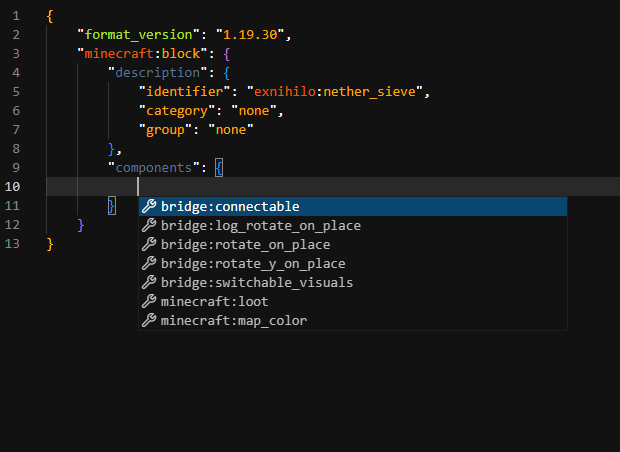
Wrong block autocompletion
Summary Wrong block autocompletion
To Reproduce Steps to reproduce the behavior:
- Import my project below to bridge
- Create an new block with
format_version1.19.30 - Go to
componentsinminecraft:block - Ctrl + Space
Observed behavior Wrong block components autocompletion
Screenshots / File Attachments
 https://www.mediafire.com/file/2mie8naho4sc3t6/Exnihilo_Bedrock.brproject/file
Platform:
- OS: Windows 11
- App Version: Bridge 2.3.5 & Bridge Nightly 2.3.5

Make sure you have enabled the "Holiday Creator Features" exp toggle in your project. You can do so by toggling the options in the project selection window.

Make sure you have enabled the "Holiday Creator Features" exp toggle in your project. You can do so by toggling the options in the project selection window.
I definitely enabled this feature before