SmartThings_SenseMonitor

SmartThings_SenseMonitor copied to clipboard
 brbeaird
Configure.js file
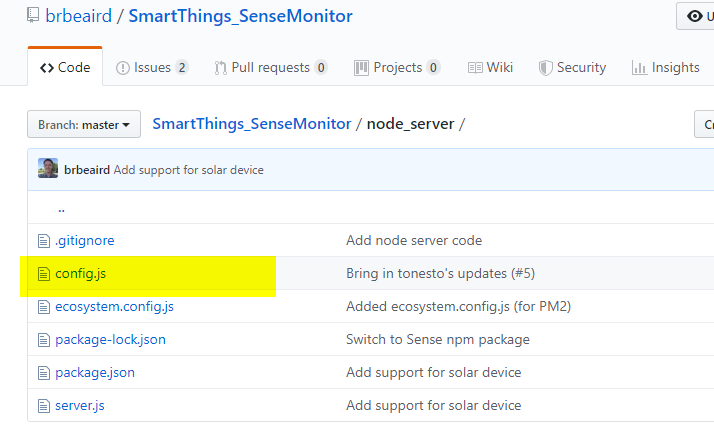
I'm new to Node so please bear with me. I'm stuck on step 5 (see below) in the node setup. I cannot find the config file anywhere in the setup. What am I missing?
Open the config.js file in a text editor and put in your Sense login information and SmartThings hub IP under the required settings section. You can find your hub IP in the SmartThings IDE by clicking the Hub link, then clicking your hub, then scrolling down to IP Address. Be sure to save your changes.
Thanks, Lisa

The config.js file should be under SmartThings_SenseMonitor/node_server/
https://github.com/brbeaird/SmartThings_SenseMonitor/blob/master/node_server/config.js