

 bramus
OpenStreeMap tiles are overlapping directions
Environment
-
Android buildToolsVersion = "28.0.3" minSdkVersion = 16 compileSdkVersion = 28 targetSdkVersion = 28 googlePlayServicesVersion = "17.0.0"
-
"react-native": "0.62.2",
-
"react-native-maps": "0.27.1",
-
"react-native-maps-directions": "^1.8.0",
The Problem
I'm using the OpenStreeMap tiles. Before the tiles are loaded, I can see the directions on map, but after the OpenStreetMap are overlapping the directions.
What I did
I've created map with react-native-maps-directions and open-street-map.
   <MapView
        initialRegion={region}
        style={{
          height: 200,
        }}
        mapType={mapType}
      >
        <UrlTile
          urlTemplate="https://a.tile.openstreetmap.org/{z}/{x}/{y}.png"
          maximumZ={19}
          flipY={false}
        />
        {origin && destination && (
          <MapViewDirections
            origin={origin}
            destination={destination}
            apikey={GOOGLE_MAPS_APIKEY}
            strokeWidth={3}
            strokeColor="hotpink"
          />
        )}
  </MapView>
What I expected
To see the directions over the map pointing to the origin and destination markers
Result
The "directions" is not showing after open-street-map load.
Screenshot
It's using default "google" provider

It's using open-street-maps tiles.
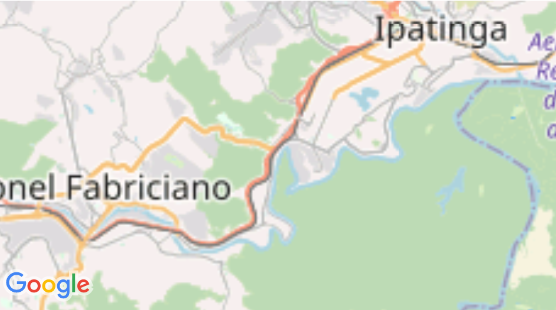

What if you move the order of the code/components, so that <MapViewDirections> comes before <UrlTile>?

What if you move the order of the code/components, so that <MapViewDirections> comes before <UrlTile>?
I tried it, but it didn't work. It's weird, due to the route is appearing before the tile is loaded.
Did a quick search in react-native-maps itself, as I suspect is an issue on their end, and found this: https://github.com/react-native-community/react-native-maps/issues/1181
Did a quick search in react-native-maps itself, as I suspect is an issue on their end, and found this: react-native-community/react-native-maps#1181
Owh! Ok. I gonna follow this thread. Thanks @bramus