

 brainhubeu
"clickToChange" prop used with "value" generates error

Describe the bug "clickToChange" prop used with "value" generates error
To Reproduce Steps to reproduce the behavior: I reproduced it here https://codesandbox.io/s/react-playground-ijunv
Expected behavior When I click on the slide the current slide becomes active and the value is updated
Actual behavior When I click on a lide to make it current I get "e.props.onChange is not a function" error
Environment
- please paste the result of
npx @brainhubeu/envinfo@latest --preset brainhubeuSystem: OS: Windows 10 10.0.18363 CPU: (8) x64 Intel(R) Core(TM) i5-8265U CPU @ 1.60GHz Memory: 1006.50 MB / 7.85 GB Binaries: Node: 12.16.2 - C:\Program Files\nodejs\node.EXE Yarn: 1.22.4 - C:\Program Files (x86)\Yarn\bin\yarn.CMD npm: 6.14.4 - D:\4linee\combo\node_modules.bin\npm.CMD Browsers: Edge: 44.18362.449.0 Internet Explorer: 11.0.18362.1 - desktop
- Browser Chrome
IssueHunt Summary
Backers (Total: $0.00)
Become a backer now!
Or submit a pull request to get the deposits!
Tips
- Checkout the Issuehunt explorer to discover more funded issues.
- Need some help from other developers? Add your repositories on IssueHunt to raise funds.

The problem here is that when you pass a value property you are taking control of the state for the component. The carousel component itself cannot update your value variable so you need to tell it how to update that value. This can be done by passing an onChange property to the Carousel component, this can just be the setCurrentSlide function from the state hook.
Codepen updated - https://codesandbox.io/s/react-playground-ri7du

@bobthekingofegypt
If you know how to fix that, I invite you to open a PR.
I also invite you to like this issue (👍) so more 👍it has, it's more likely to be finished in the nearest time.

@piotr-s-brainhub has funded $11.00 to this issue.
- Submit pull request via IssueHunt to receive this reward.
- Want to contribute? Chip in to this issue via IssueHunt.
- Checkout the IssueHunt Issue Explorer to see more funded issues.
- Need help from developers? Add your repository on IssueHunt to raise funds.
![issuehunt-oss[bot] avatar](https://avatars.githubusercontent.com/in/29881?v=4 "Published by a pub.dev verified publisher")
@piotr-s-brainhub has funded $10.00 to this issue.
- Submit pull request via IssueHunt to receive this reward.
- Want to contribute? Chip in to this issue via IssueHunt.
- Checkout the IssueHunt Issue Explorer to see more funded issues.
- Need help from developers? Add your repository on IssueHunt to raise funds.
Here is a working example in codesandbox: https://codesandbox.io/s/react-playground-lmxv0
The problem at hand is, that when value prop is set by user, isControlled is true, therefore looking for onChange prop which the user might forgot, leading to the onChange is not a function error.
Like can be seen in the example below, I would suggest to either console.warn the user or more strict, let him run into a throw new Error.
@piotr-s-brainhub What is the expected behavior supposed to be?
  render() {
    const { value, onChange, ...rest } = this.props;
    const isControlled = !isNil(value);

    if (isControlled && !onChange) {
      console.warn('A controlled component needs onChange to work correctly!');
      throw new Error('A controlled component needs onChange to work correctly!');
    }

    return (
      <Carousel
        value={isControlled ? parseInt(value) : this.state.value}
        onChange={isControlled ? onChange : this.onChange(onChange)}
        {...rest}
      />
    );
  }

@mhatvan
I don't understand your question clearly.
For me it's obvious, onChange should be called with the value of the value props.
@piotr-s-brainhub I will try to be more clear:
e.props.onChange is not a function error occurs when user set value prop, BUT forgot to provide a custom onChange function as prop which is necessary for a controlled component.
I adapted the initial codebox example from the issue author and only added onChange={setCurrentSlide} to <Carousel /> and it all works then.
I think the only way you can help the user here is to either emit a console.warn or throw new Error so the user knows what he did wrong, in this case A controlled component needs onChange to work correctly!
IMO it should still work even without onChange being set but maybe console.warn would be good. I'll confirm that with my team.
No, a controlled component can't work without onChange, you can see an example from React here: https://reactjs.org/docs/forms.html#controlled-components
When you remove the onChange prop, React throws this message at you in the dev tools:
"Warning: Failed prop type: You provided a value prop to a form field without an onChange handler. This will render a read-only field. If the field should be mutable use defaultValue. Otherwise, set either onChange or readOnly. in input (created by NameForm) in label (created by NameForm) in form (created by NameForm) in NameForm"
@piotr-s-brainhub has cancelled funding for this issue.(Cancelled amount: $11.00) See it on IssueHunt
@piotr-s-brainhub has cancelled funding for this issue.(Cancelled amount: $10.00) See it on IssueHunt
An example applicable in the docs:
<Carousel
  clickToChange
  slidesPerPage={2}
  centered
  value={1}
>
 <img src={imageOne} />
 <img src={imageTwo} />
 <img src={imageThree} />
</Carousel>
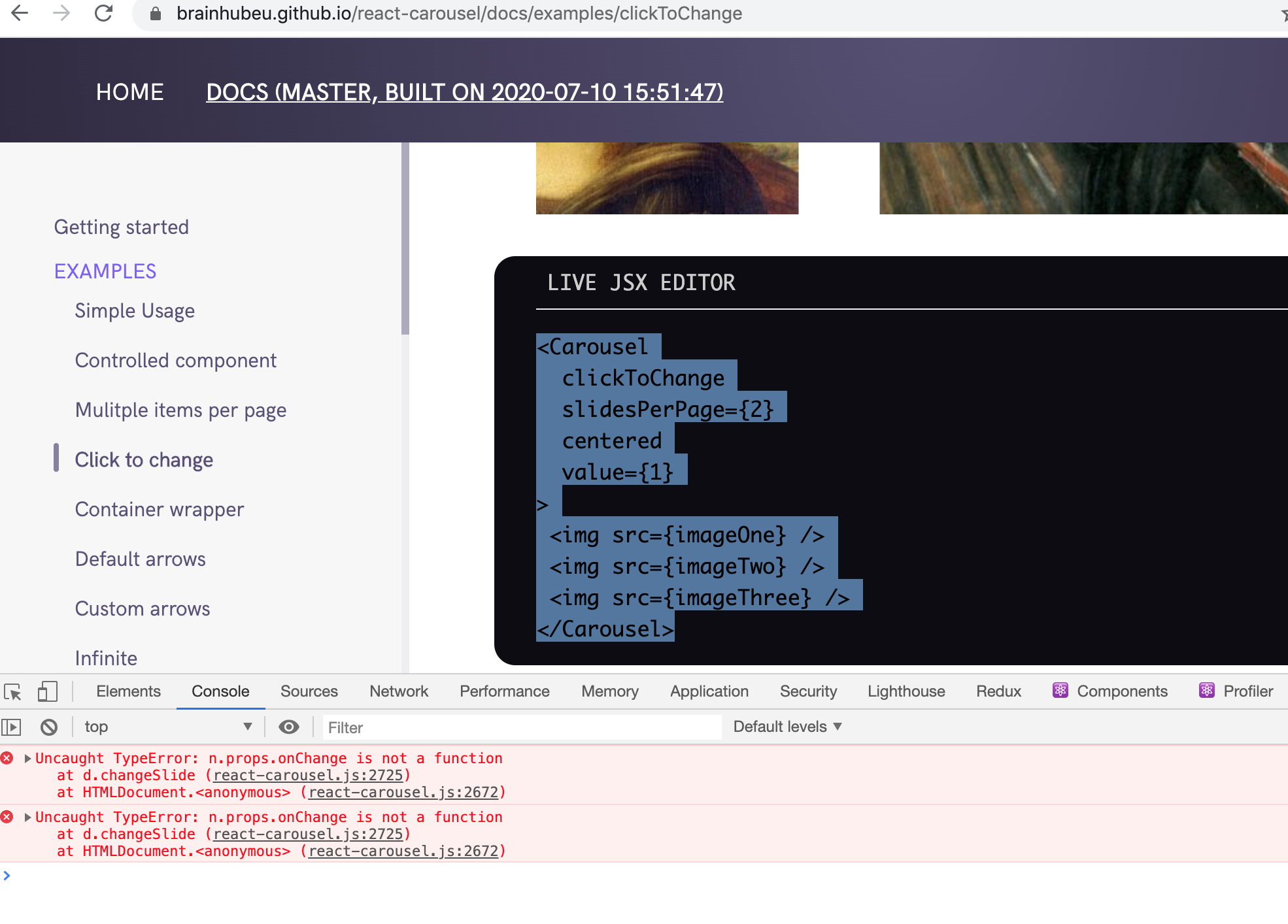
However, without the value set, I get the same error, and even when I define onChange, I get this error.
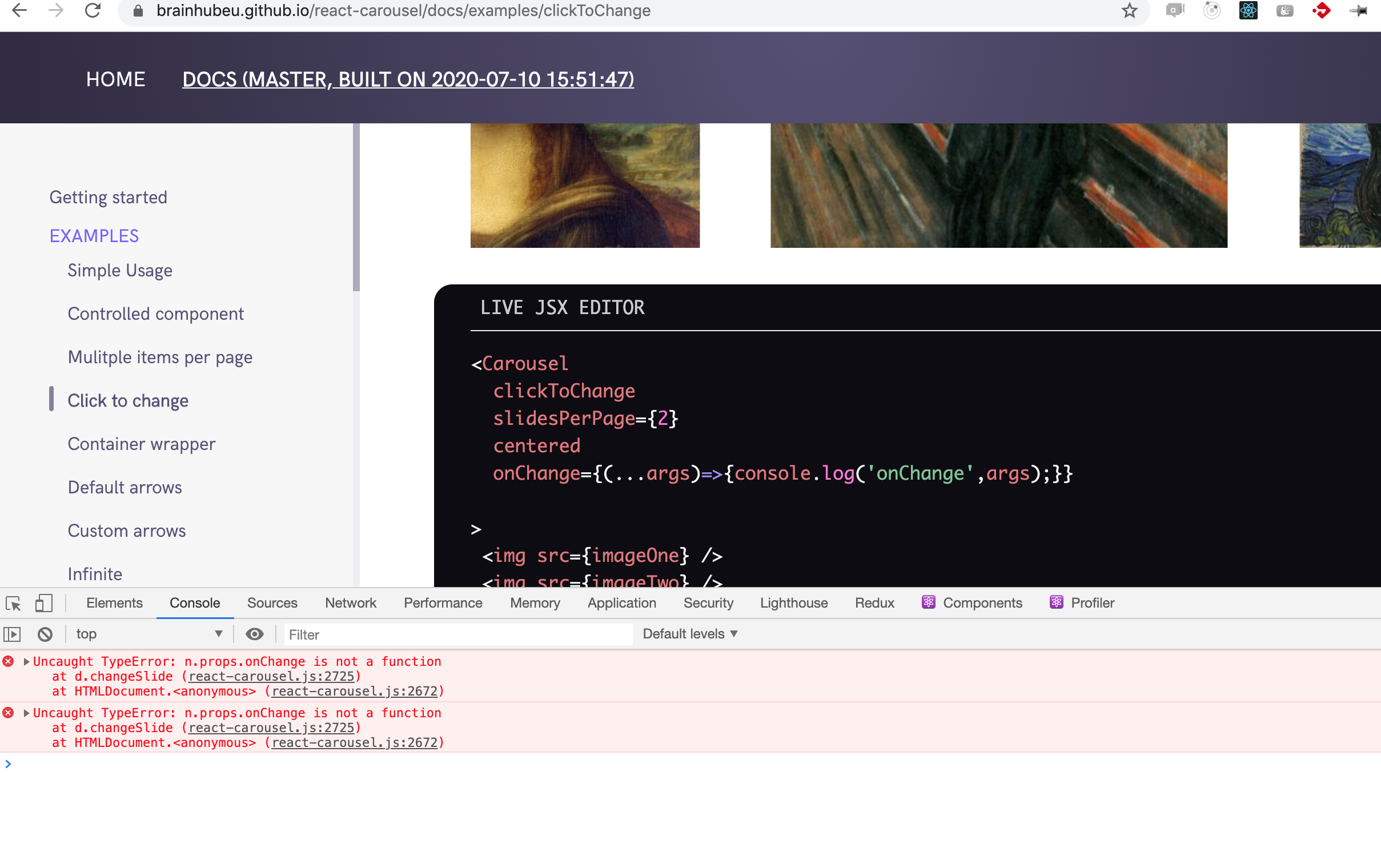
@piotr-s-brainhub I will try to be more clear:
e.props.onChange is not a functionerror occurs when user setvalueprop, BUT forgot to provide a customonChangefunction as prop which is necessary for a controlled component.I adapted the initial codebox example from the issue author and only added
onChange={setCurrentSlide}to<Carousel />and it all works then.I think the only way you can help the user here is to either emit a
console.warnorthrow new Errorso the user knows what he did wrong, in this caseA controlled component needs onChange to work correctly!
I think we can go with this solution
