

 bootchk
How to use library as GIMP heal
Hi,
I take this image
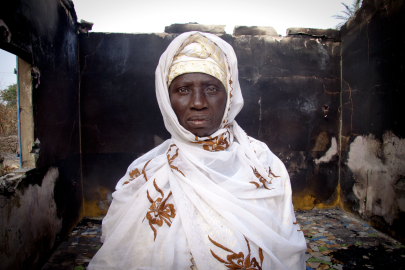
with this selection applied (white pixels)

and with 50 pixels, all around, random GIMP heal selection gives:
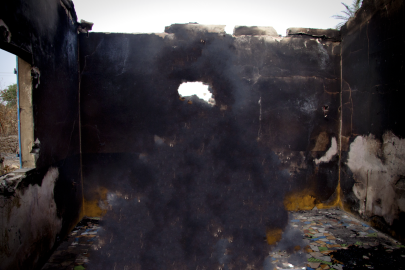
Now trying to do the same with the library
parameters are
param.isMakeSeamlesslyTileableHorizontally = false;
param.isMakeSeamlesslyTileableVertically   = false;
param.matchContextType                     = 1;   -- Match context, synthesize randomly
param.mapWeight                            = 0 --0.5;
param.sensitivityToOutliers                = 0.117; --// 30/256
param.patchSize                            = 16 --50 --30;
param.maxProbeCount                        = 500 --500 --200;
Mask is the same as shown in selected pixels above
An alpha channel is added to the image as the white pixels
(growing the selection and creating a donut)
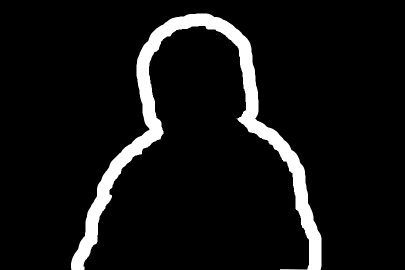
the ressult is:
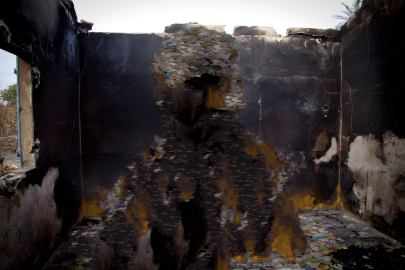
If the image alpha channel is inverted the result is
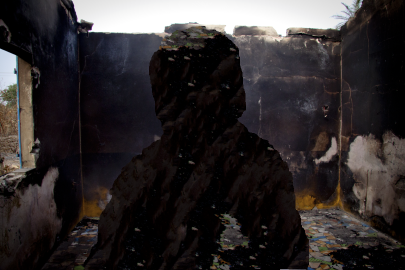
Results are different What should be done?

With selection growing by 1 pixel only
I get this
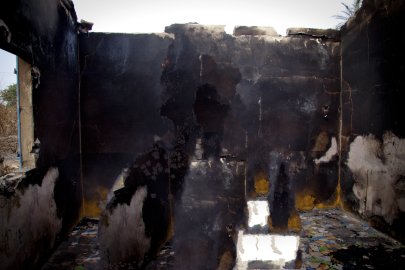
It is obviously sampling parts of the image out of this 1 pixel grow, should this happen?
The SimpleAPI only gets one mask (in Gimp, usually called the selection mask.) It defines the target (what is to be synthesized), and its inverse defines the corpus (what pixels to synthesize from.)
(One could adapt to the complete API of the engine, which takes two separate masks. But that adaption API doesn't exist yet, only the AdaptSimpleAPI. The AdaptGimpAPI uses the complete API of the engine, and the Python plugins futz with the selection mask to create two separate masks that usually give better results than just inverting the selection mask, to be passed as the second mask. E.G. the Python plugins create a donut or frisket mask for the second mask, on the corpus.)
To use Gimp>Heal selection to approximate what the library will do using the AdaptSimpleAPI, you must choose a very large context width (not the default of 50) so that the engine searches all the image outside the selection. Your first example image using GImp used the default of 50, so the result would not match the result of calling the library directly using the AdaptSimpleAPI.
In other words, the plugins add some intelligence to the use of the engine.
In your other examples, I think you tried to simulate passing two masks by adding an alpha channel. I think that should be possible, but I am not sure you did it right. I think you would need to make transparent: everything in the image outside a donut around the selection you want to heal. As I recall, the engine will not use as a source pixel any image in the corpus that is totally transparent. (This answer is off the top of my head, I would need to study more to be sure.)
Also, the test case you give is a difficult one for the resynthesizer engine. (It has edges that are hard to resynthesize properly, etc.) The resynthesizer engine definitely has limitations, and some use cases need the human touch. Which the plugins do by giving users choices (e.g. heal inwards)
Could you provide the result of calling the library on the image with the selection shown in the first example (without messing with alpha?)

My computer just got broken!! So I will need to repair it first. But notice that in previous posts, the alpha channel of image affects the results.
Ok, just repaired
This is a version without alpha channel in image
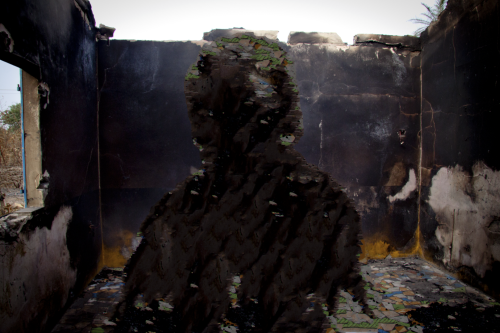
Still different from heal-selection. Now I am trying to understand the gimp API in order to find the differences...
Documentation on engine function would make everything much easier. Could you please do that?
Ok, I made some progress: defined imageSynth2 which takes two masks one for target and another for corpus so I can tell engine where to take samples from
This one takes samples from the wall
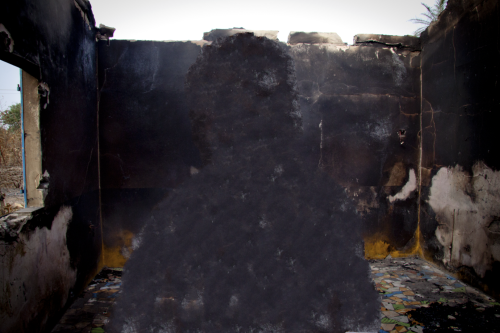
This one takes samples from a frisket around trying to emulate heal-selection
but does not work as expected as it is only sampling from the ground in the frisket
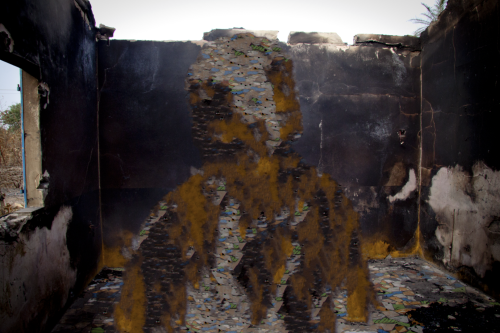
Still some doubts about alpha channel of image, which has some influence but which is not clear to me.
(of course there are also doubts about the influence of map_in_drawable and map_out_drawable in the engine called from GIMP)