boltgolt
Installing howdy issue
Please describe the issue in as much detail as possible, including any errors and traces.
If your issue is a camera issue, be sure to also post the image generated by running sudo howdy snapshot.
Upgrading pip to the latest version
Traceback (most recent call last):
File "/var/lib/dpkg/info/howdy.postinst", line 110, in
I've searched for similar issues already, and my issue has not been reported yet.
Linux distribution (if applicable): Kubuntu 21.10
Howdy version (sudo howdy version): howdy doesn't work but shows as it's installed

I faced the same issue and in my case this was caused by having pip install via pip (I once did a sudo pip3 install -U pip).
To fix the issue, first verify that pip3 is installed via pip itself. In this case, a which pip3 will give you /usr/local/bin/pip3. You then have the uninstall this "pip3 from pip" and install the Ubuntu pip3 package:
sudo pip3 uninstall pip
sudo apt install --reinstall python3-pip
If all goes well, which pip3 should give you /usr/bin/pip3 (i.e. not in local) and the installation script should find pip.

I faced the same issue and in my case this was caused by having pip install via pip (I once did a
sudo pip3 install -U pip).To fix the issue, first verify that pip3 is installed via pip itself. In this case, a
which pip3will give you/usr/local/bin/pip3. You then have the uninstall this "pip3 from pip" and install the Ubuntu pip3 package:sudo pip3 uninstall pip sudo apt install --reinstall python3-pipIf all goes well,
which pip3should give you/usr/bin/pip3(i.e. not in local) and the installation script should find pip.
This worked and a wrong installation of pip seems to be the actual problem. I saw a lot of issues similar to this one

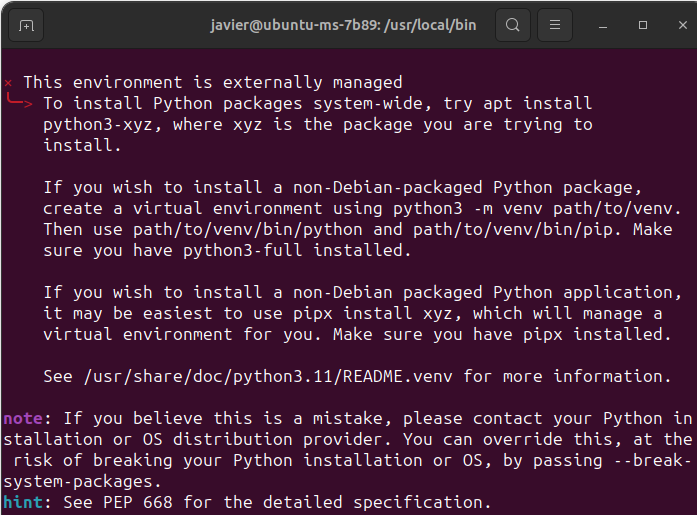
I tried to follow the steps above but I obtain the error "externally-managed-environment" when trying to uninstall. It happens too with other programs that interact the same way with python. Thank you for your help