

 bokuweb
React RND drag position x,y not working properly with different screen resolution
I am working on a project where the user will enter the text something like below 'custom user text' and the user will drag and drop it anywhere inside the parent div something like website header div.
The problem is React RND stores the drop area position in pixels like transform: translate(18px, 18px); so If I test this in different screen resolutions this is not working as expected since it's going out of the view if I use small resolution.
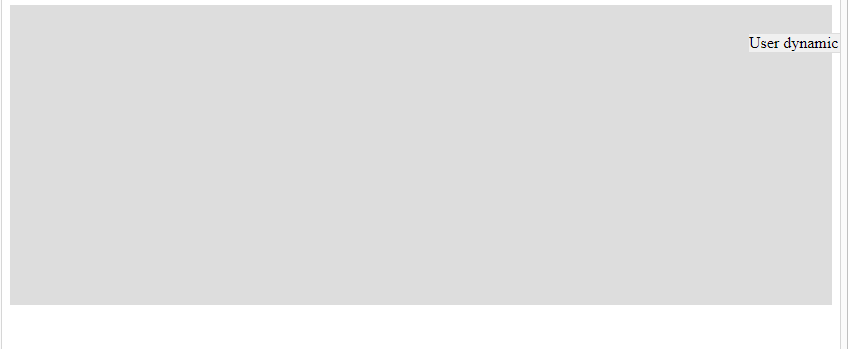
Above I tested this in smaller screen size and the text is hidden due to static pixel size, Once the user dropped the text in some position like right bottom, that text will be saved once dropped. Any help on this really commendable.
code demo available here
Example code:
import React from "react";
import { render } from "react-dom";
import { Rnd } from "react-rnd";

const style = {
  display: "flex",
  alignItems: "center",
  justifyContent: "center",
  border: "solid 1px #ddd",
  background: "#f0f0f0"
};

const parentDivStyle = {
  width: "auto",
  height: "300px",
  background: "#ddd"
};

class App extends React.Component {
  constructor() {
    super();
    this.state = {
      width: "auto",
      height: "auto",
      x: 10,
      y: 10
    };
  }

  render() {
    return (
      <div id="parentDiv" className="parentDivClass" style={parentDivStyle}>
        <Rnd
          style={style}
          bounds=".parentDivClass"
          size={{ width: this.state.width, height: this.state.height }}
          position={{ x: this.state.x, y: this.state.y }}
          onDragStop={(e, d) => {
            this.setState({ x: d.x, y: d.y }, () => console.log(this.state));
          }}
          enableResizing={false}
        >
          User dynamic text
        </Rnd>
      </div>
    );
  }
}

render(<App />, document.getElementById("root"))

I have the same issue on my project, static positions are not responsive. The library should allow us to put percents as position values.

Same issue here.
When you try to window.print() your screen, all the draggable items are not responsive

我的项目也有同样的问题,静态位置没有响应。该库应该允许我们将百分比作为位置值。
I need to center it vertically and horizontally at different resolutions
