
expose

expose copied to clipboard
 beyondcode
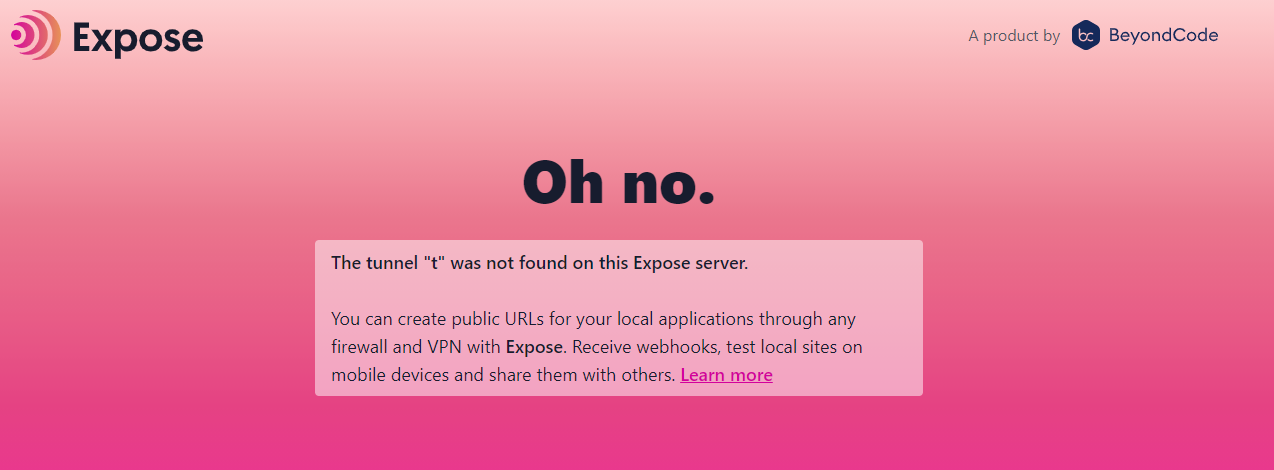
Getting oh no was not found at root host
Hi this is my nginx configs
server {

    listen 80;
    server_name t.mydomain.cyou ;
    #log_subrequest on;


    location / {
        proxy_pass http://localhost:3001;
        proxy_read_timeout     60;
        proxy_connect_timeout  60;
        proxy_redirect         off;

        # Allow the use of websockets
        proxy_http_version 1.1;
        proxy_set_header Upgrade $http_upgrade;
        proxy_set_header Connection 'upgrade';
        proxy_set_header X-Real-IP $remote_addr;
        proxy_set_header X-Forwarded-For $proxy_add_x_forwarded_for;
        proxy_set_header X-Forwarded-Proto http;
        proxy_set_header Host $host;
        proxy_cache_bypass $http_upgrade;
    }
}
I'm always getting
This is how I have deployed it
expose:
        image: beyondcodegmbh/expose-server:latest
        ports:
            - ${EXPOSE_PORT}:${EXPOSE_PORT}
        environment:
            port: ${EXPOSE_PORT}
            domain: t.mydomain.cyou
            username: ${EXPOSE_ADMIN_USERNAME}
            password: ${EXPOSE_ADMIN_PASSWORD}
        restart: always
        volumes:
            - ${EXPOSE_DATA_PATH}/database/expose.db:/root/.expose
This is what I get for expose.t.mydomain.tld
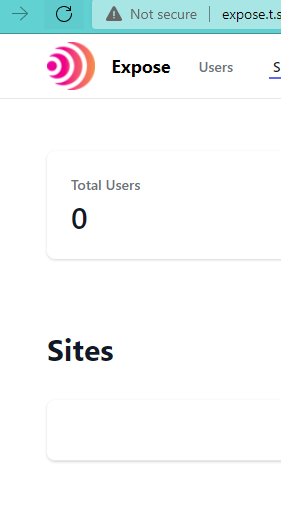
This prevents authentication and cannot create any tunnel. By removing proxy_set_header Host $host; I always get welcome screen. What am I missing?
