
BZGFormField
 BZGFormField copied to clipboard
 benzguo
A text field with a validity indicator
BZGFormField
BZGFormField is a text field with a validity indicator. UI/UX inspired by @muffs

The left indicator changes color based on the validity of the field's text - just pass the field a text validation block:
[self.passwordField setTextValidationBlock:^BOOL(BZGFormField *field, NSString *text) {
    return (text.length >= 8);
}];
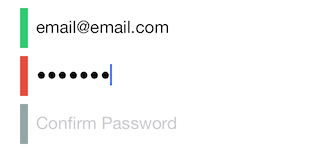
When the text field returns, the indicator expands and becomes tappable.
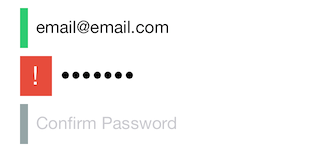
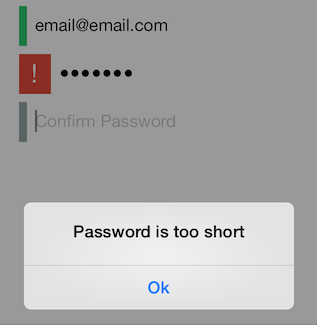
When the indicator is tapped, an alert view is displayed - you can configure the alert view in the text validation block.
[self.passwordField setTextValidationBlock:^BOOL(BZGFormField *field, NSString *text) {
    if (text.length < 8) {
        field.alertView.title = @"Password is too short";
        return NO;
    } else {
        return YES;
    }
}];
Installation
If you're using cocoapods, add pod 'BZGFormField' to your Podfile. Otherwise, add BZGFormField/BZGFormField.h and BZGFormField/BZGFormField.m to your project.
Usage
Check out the sample Xcode project in Example
 benzguo