

 benjaminkott
Do not get a menu, can not configure colors
Im running TYPO3 10.4.13 and bootstrap_pakage 11.0.2 but I have some problems
- I can not configure backgroud colors for top and footer and below foot
- I do not get a menue at all
Search in Google for days now Need some hint or example thanks
RAinetr

Hi, you will find an answer to
- https://github.com/benjaminkott/bootstrap_package/wiki/Customize-Footer-Colors
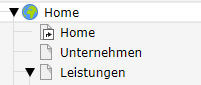
- you will need a proper root page
 a lot of settings are done via constants editor

Thank you, that helped a lot Rainer
Andrea Moroni [email protected] 10:59 08.03.2021 >>> Hi, you will find an answer to
- https://github.com/benjaminkott/bootstrap_package/wiki/Customize-Footer-Colors
- you will need a proper root page
a lot of settings are done via constants editor
-- You are receiving this because you authored the thread. Reply to this email directly or view it on GitHub: https://github.com/benjaminkott/bootstrap_package/issues/987#issuecomment-792636170
Menu works fine now, but colors have no effect. I think I´m right to put this in template to constants, as I can see i.e modified primary value in constant editor. Cleared cache and even temp files. Do I have to do more. Rainer
Got a solution for footer, but still problems with teh navbar backgroud. There are a lot of navbar settings in constant editor, but I can chance everything concerning colors nothing changes Need hint, thanks Rainer
Solution for footer (bootstrap4-theme.css) and navbar (in bootstrap4-rte.css), I have a site package, adding this in template include in last position Then searching the bootstrap css files the relevant definitions found in the relevant Css files and copying these to site package Css file and replacing the original values with the individual needed. I do not if that is the recommended way, but it works for me. If anyone knows a better way please post here. At least this is a solution for colors that can not be configured with constant editor
Rainer
About navbar colors, I was wondering the same thing. With all the existing customization options it seems odd that this one is missing. I mean, there are constants for the exact tones of all the different "gray" values, but not the navbar color.

same "problem", i can't find a good way to change the colors for navbar and footer (sure for footer there is a TypoScript constant, but an option in the constant editor would be awesome).
