

 benbuck
WhatsApp not minimised, there are two "windows".
Windows 11 x64 (latest).
Full size Window, is Ok.

When push minimize (Right up corner WhatsApp).
Also I tried did minimise WhatsApp use two method minimise windows.
The result was always the same, how on the screen under.

I don't know what changed in application, but earlier I could minimize WhatsApp to Tray. Icon application was not shown on the taskbar. Icon was shown only in Tray.


Update on current behaviour for minimised form.
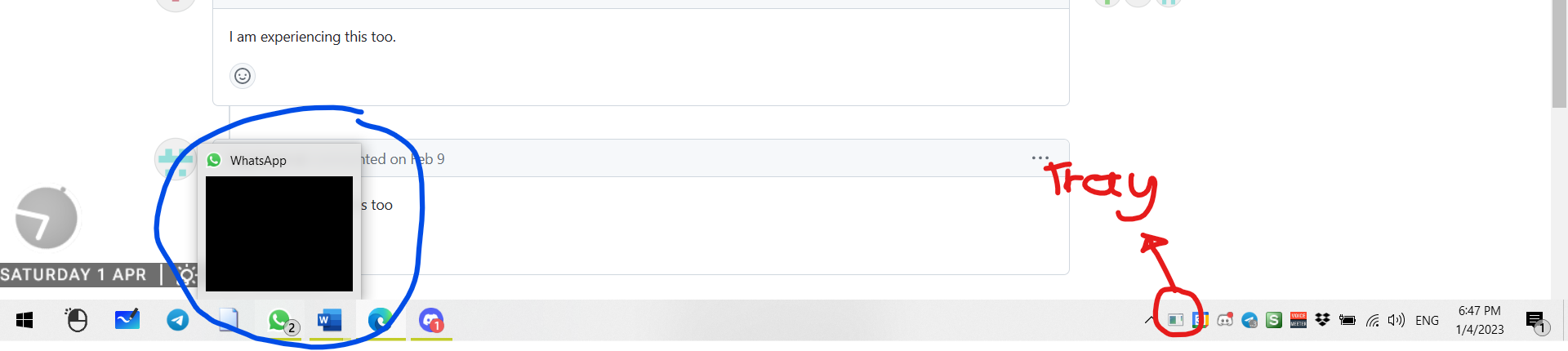 Red arrow: Icon appears on tray.
Blue circle: Icon appears on window, can be hovered over, but can't be selected. Also can't be alt-tabbed into.
Red arrow: Icon appears on tray.
Blue circle: Icon appears on window, can be hovered over, but can't be selected. Also can't be alt-tabbed into.
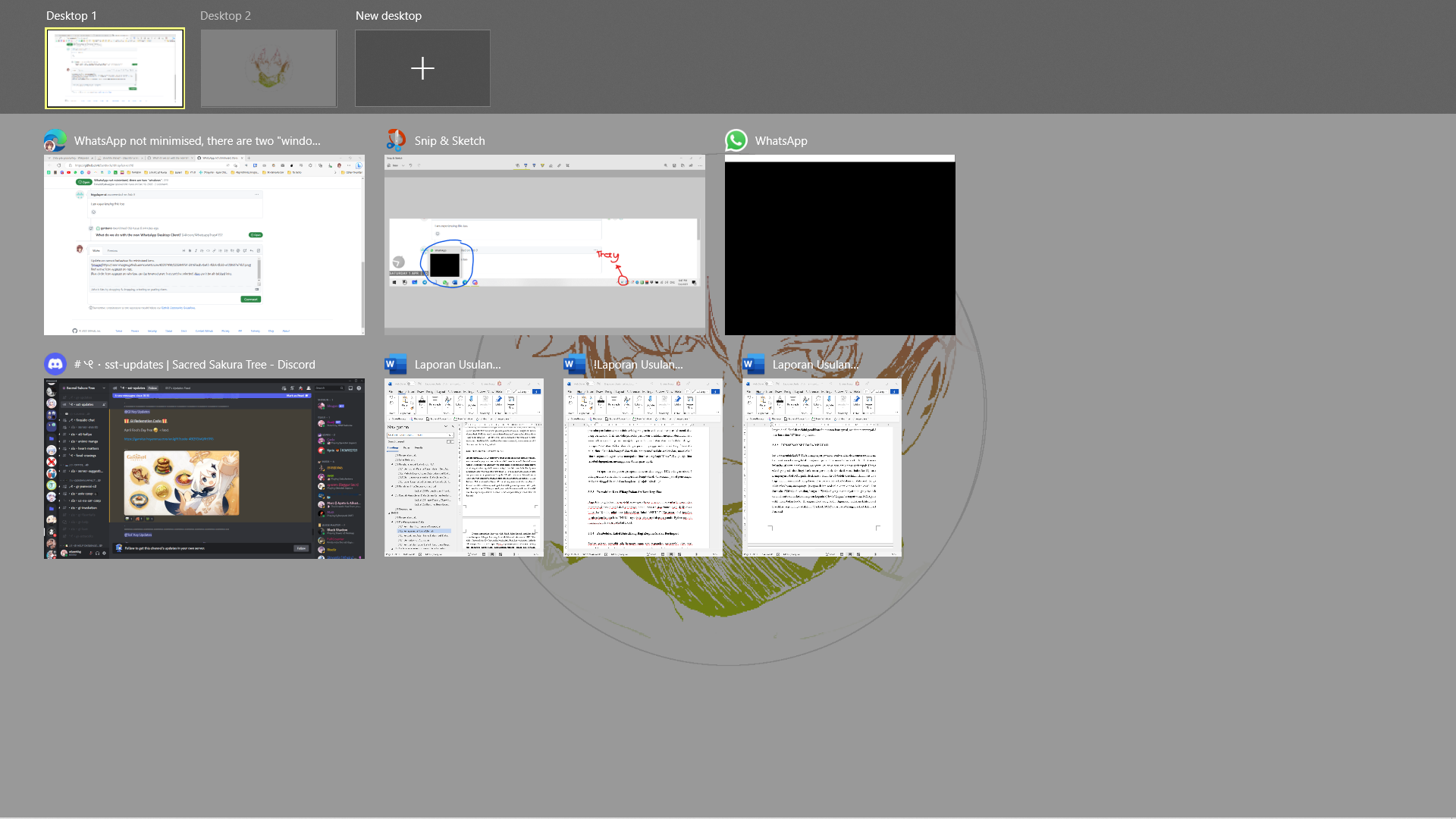 How Windows+Tab looks like. WhatsApp is a black window and can't be selected.
Windows is restored upon clicking the Whatsapp tray icon.
