

 benbaker76
AppleIntelInfo - no data generated
Using the Get AppleIntelInfo utility fails to generate any information in v 3.5.9 This occurs in Big Sur and Catalina, not sure if it happens in other versions of macOS. The process asks for the user password, starts running the process, with the usual popup window visible, but no data is generated or rather nothing is added to the information window.

I'm not sure this feature can be made available due to security restrictions introduced in macOS.
Check out my Github release of AppleIntelInfo. If you can get it working manually I can update it in Hackintool.

Well it's easy to fix. The key points it's how to load AppleIntelInfo.kext
I used to turn off sip first. then I used this command: systemextensionsctl developer on to enable extension developer status (not sure this step is required or not). After that, use command sudo cp -a /Applications/Hackintool.app/Contents/Resources/Kexts/AppleIntelInfo.kext /Library/Extensions/ && sudo chown -R root:wheel /Library/Extensions/AppleIntelInfo.kext to install AppleIntelInfo.kext. Finally use command sudo kmutil load -p /Library/Extensions/AppleIntelInfo.kext -z to load AppleIntelInfo.kext. A reboot is required after that. Then it will works normally.
Tested in macOS 11.5
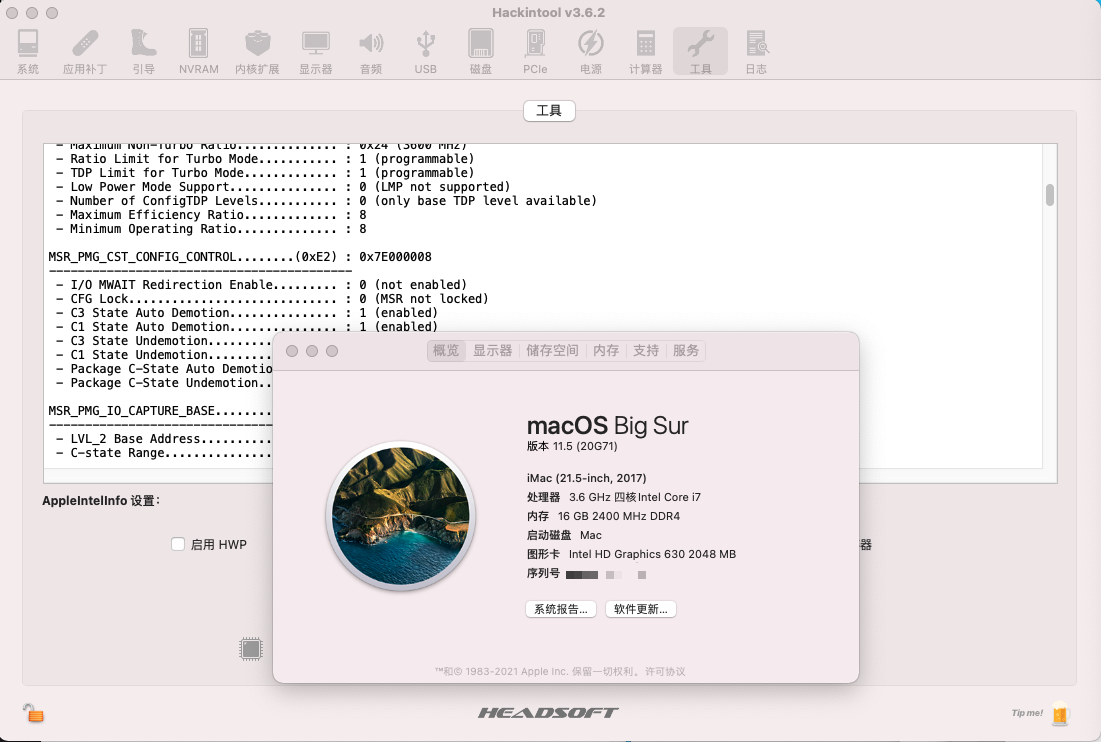

Update: I just notice this: https://github.com/headkaze/AppleIntelInfo#:~:text=Warning%3A%20Do%20not%20copy%20the%20kext%20to%3A%20/System/Library/Extensions%20or%20/Library/Extensions%20and%20do%20not%20inject%20it%20with%20help%20of%20the%20boot%20loader!
So just run command: sudo chown -R root:wheel /Applications/Hackintool.app/Contents/Resources/Kexts/AppleIntelInfo.kext
then sudo kmutil load -p /Applications/Hackintool.app/Contents/Resources/Kexts/AppleIntelInfo.kext -z.
Reboot is still required.
The key point is when you was try to load AppleIntelInfo.kext, system ask you enable it in the Security & Privacy menu. But infact it won't show up in the Security & Privacy menu. use -z argument in kmutil load command to bypass it.
The key point is when you was try to load AppleIntelInfo.kext, system ask you enable it in the Security & Privacy menu. But infact it won't show up in the Security & Privacy menu. use -z argument in
kmutil loadcommand to bypass it.
Update: Well, it won't show up in the Security & Privacy menu is because my /private/var/db/SystemPolicyConfiguration/KextPolicy file is broken, so I re-built it. However, even I enabled it in Security & Privacy menu, it's still not work.

@Halo-Michael works for me with Big Sur 11.6.5. I did the following (not sure all steps were necessary):
- Downloaded PikeRAlpha's AppleIntelInfo.kext and built with XCode 13.2.1
- Change AppleIntelInfo.kext ownership and permissions
- Temporarily disabled SIP
- Loaded AppleIntelInfo.kext with
sudo kmutil load -p AppleIntelInfo.kext -z - First attempt to load AppleIntelInfo.kext results in "You must reboot" error, so I rebooted and repeated the AppleIntelInfo.kext load command
- Opened Hackintool v3.8.4's Utilities Tab and clicked the "Get AppleIntelInfo" icon
My system is running Big Sur 11.6.5 with OC 0.7.9.
