
powerline-shell
 powerline-shell copied to clipboard
 bcmarinacci
A Powerline-style shell prompt written in pure Bash
Powerline Shell
A Powerline-style shell prompt written in pure Bash
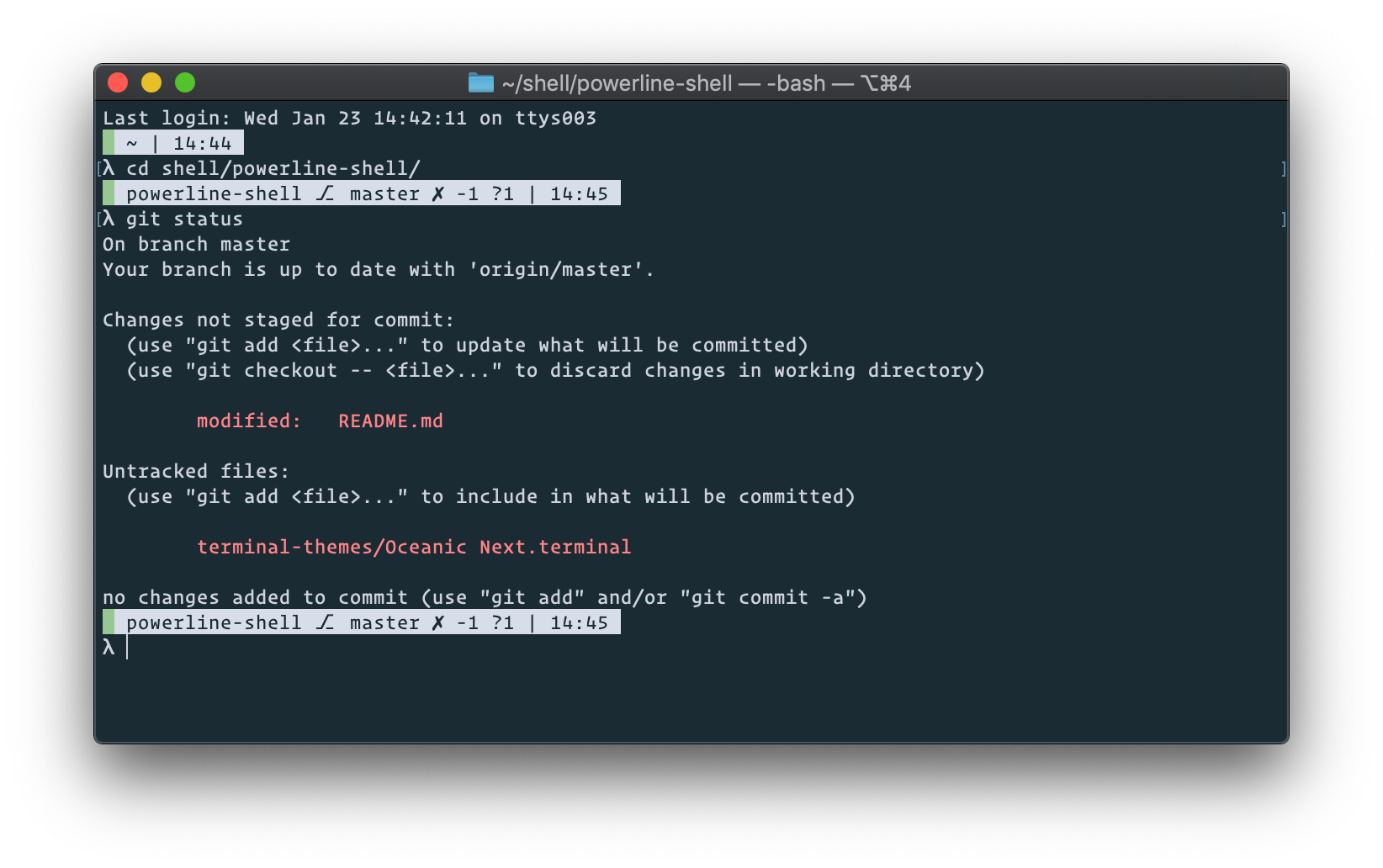
Features
- The path relative to the repository's top-level directory is displayed if the current working directory is a Git repository
- The absolute path of the directory is displayed if the current working directory is not a Git repository
- The start of the prompt is green if the exit code of the last command was 0
- The start of the prompt is red if the exit code of the last command was a nonzero number
Git Status Indicators
⎇: currently checked-out branch, tag, or short SHA-1 hash if the head is detached✓: repository is clean✗: repository is dirty+n: there arenstaged files-n: there arenunstaged files?n: there arenuntracked files¢n: there arenstashes⇡n: local is ahead of remote byncommits⇣n: local is behind remote byncommits
Installation
Download the Bash script:
$ curl https://raw.githubusercontent.com/bcmarinacci/powerline-shell/master/powerline-shell.bash > ~/.powerline-shell.bash
Then source it in your .bashrc (or .bash_profile):
$ printf ". ~/.powerline-shell.bash\n" >> ~/.bash_profile
Prior Art
https://github.com/magicmonty/bash-git-prompt
https://github.com/powerline/powerline
https://github.com/riobard/bash-powerline
Themes
https://github.com/arcticicestudio/nord-terminal-app
https://github.com/chriskempson/tomorrow-theme
https://github.com/robinbentley/oceanic-next-macos-terminal
https://github.com/voronianski/oceanic-next-color-scheme
Metadata
16
Stars
3
Forks
Watchers
Owner
 bcmarinacci
Metadata
A Powerline-style shell prompt written in pure Bash