bbepis
How to modify the text to make the translated string appear larger or smaller
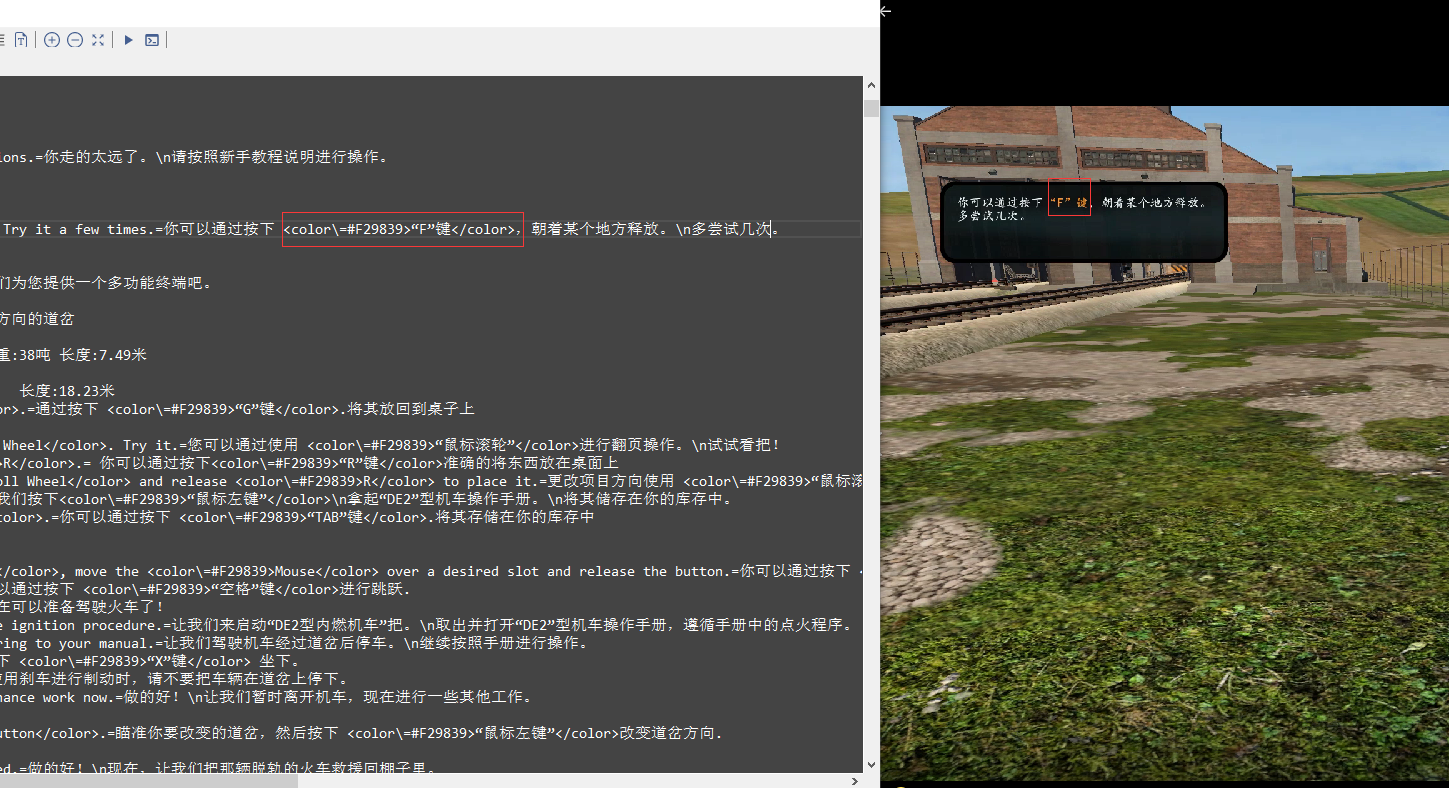
Hi, as mentioned in the title. I would like to know how can I modify the translated text to achieve the above effect. I already know that adding <color=#F29839>"Any String" to the AutoGeneratedTranslations translated string can make the specified string highlighted. So what can I do to make the string bigger or smaller to display?
The above content is translated by Google Translator
 !
!

try this http://digitalnativestudios.com/textmeshpro/docs/rich-text/ [TextMesh Pro] html tags http://digitalnativestudios.com/textmeshpro/docs/rich-text/#size <size=100%>Echo <size=80%>Echo <size=60%>Echo <size=40%>Echo <size=20%>Echo maybe should work
By the way, as I see everything is OK with the font ?? Or are you using some other mod?

试试这个 http://digitalnativestudios.com/textmeshpro/docs/rich-text/ [TextMesh Pro] html 标签 http://digitalnativestudios.com/textmeshpro/docs/rich-text/#size <size=100%>Echo < size=80%>Echo <size=60%>Echo <size=40%>Echo <size=20%>Echo 应该可以
顺便说一句,正如我所见,字体一切正常??或者你正在使用其他一些mod?
Hello Atamg1994! Thank you for your reply. I have localized this game by 99% since I used the plugin you sent last time. Whenever there is a "mouth" in the game, I just need to exit the game and reopen the game to load and display normally. , I have now advanced to the stage of localization of game textures. By the way, I referenced the command usage on the link you sent me and found that the description is not very accurate. For example: "String A=<size=80%>A" This is a wrong usage. If this command is used in the translated text, the XUnity.AutoTranslator plugin will not recognize this command, and the plugin will only regenerate a string and perform the translation operation. . The correct usage of the instruction is: "string A=<size=80%>A" Only in this way can the plugin recognize the instruction normally and reduce the string to 80% of the original size. Of course, you can also like me to want some strings to be highlighted and displayed in a suitable size, the command is: "string A=<size=80%><color=#FFFFFF>A” You should now see a highlighted and appropriately sized string. The above content is translated using Google.
你好,Atamg1994!
感谢你的回复,自从上次使用了你发过来的插件以后我已经把这款游戏本土化了99%,每当游戏出现“口口”我只需要退出游戏,重新打开游戏即可正常加载显示,目前我已经进阶到游戏贴图本土化阶段了。
顺带一提,我参考了你发送给我的链接上面的命令用法,发现描述的不是很准确。
例如:“字符串A=<size=80%>A“这是错误用法,如果这样子在翻译文本中使用XUnity.AutoTranslator插件将无法识别这个命令,插件只会重新生成一个字符串并执行翻译操作。
指令正确用法为:“字符串A=<size=80%>A” 只有这样做插件才能正常识别指令,将字符串缩小至原大小的80%。
当然,你们也可以向我一样想要某些字符串突出并大小合适显示,指令为:“字符串A=<size=80%><color=#FFFFFF>A”
你就可以看到一段高亮显示并且大小合适的字符串了。
以上内容使用Google翻译。
字符串A=<size\=80%>A</size>
the description is just accurate if you play without a translator and localize the game during development but yes commands must be used through \= "<size\=80%>A" since the translator uses the = sign to separate the translation before and after, so he escapes the other signs =
ps I'm glad that I helped you with the fonts) have a nice game
By the way, you may find it useful
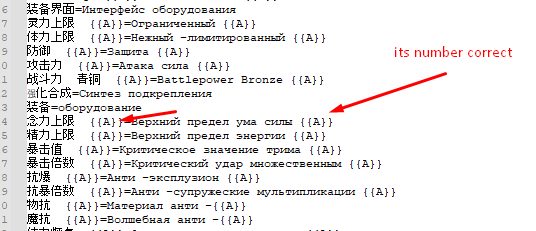
sometimes a translator duplicates the translation of the same text due to a change in the number symbol
in general, I had such a problem, it is solved by turning on this setting TemplateAllNumberAway=True
before
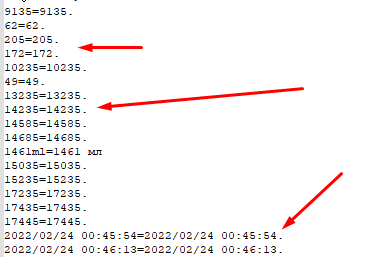
after