

 bavc
bavc
crashes using audio-only files
Hi
Following prs #261 (& #476 ?)and issue #255 would someone be able to document what builds, environment settings, ffmpeg build, or whatever else is necessary to be able to work with audio-only files? I get frequent crashes just trying to load audio files, and when I am able to load an audio file QCT typically crashes as soon as I interact with the file (selecting different graphs, clicking on the timeline, clicking on a [blank] thumbnail, trying to play the file [yes I know it isn't going to play, but it's hard to resist!]). My QCtools and ffmpeg are both installed via homebrew.
It sounds from #261 that it's possible to get some output and I can sometimes get as far as outputting an xml report, but I also inconsistently get all null values (blank graphs).
I would be happy to know "it doesn't really work outside of exotic environments and it isn't going to for the time being," but maybe someone could add that to the documentation?
Here are some crash logs: mcq_qc-tools_crash-logs.zip
I think the last couple are from crashes that happened just as I load an audio file.
Thanks so much!

document what builds, environment settings, ffmpeg build, or whatever else is necessary to be able to work with audio-only files?
There are a "All in one package" on a QCTools source code page, which provides builds, environment settings, ffmpeg build, or whatever else is necessary to be able to work with QCTools. About "with audio-only files" part of the request, issue is not the build environment (really, if we know how to build a version without bugs, why would we deliver a version with bugs?), issue is that we have bugs, with audio files as well as with other files, this is the life of any software.
I would be happy to know "it doesn't really work outside of exotic environments and it isn't going to for the time being," but maybe someone could add that to the documentation?
Issue is to define "exotic environments", some people having "exotic environments" have no problem while some others with a different "exotic environments" have problems.
IMO it would be better to report your "exotic environment", indicate the kind of file makes QCtool to crash, and if we can't reproduce with the files we have, providing a file so it is easier to reproduce; instead of a generic "it does not work", as you saw some people were interested enough in the issues and they provided patches. And if nobody is interested in solving your issue for free, and thanks to open source, it is possible for you to develop a patch and to offer it to the upstream QCTools, or to sponsor someone for doing it. Remind that QCTools is open source and free, but development is not free.
For the historical background, entities who sponsored the development were interested in video first, audio came later with some specific needs, and QCTools evolves when someone wants it to evolves. It is actually up to you for improving QCTools, either by developing or by supporting the development in the direction you decide. You can be more than a spectator, you can be an actor, and if you really want it, QCTools could be bug-free for your environment, "audio files" included.


@dericed I don't disagree... fwiw I wasn't looking for someone to 'solve my issue for free' but to start a conversation since I had tried to create the same environments as are mentioned in the previous threads I referenced and ran into some unexpected behavior. If that conversation is best left for later or for other people, no worries. We are not expecting or trying to use QCTools for audio, just spectators doing some experimenting. Cheerio, mcq
@mcampos-quinn, such comments and discussions are very welcome. Whether work done happens now or later depends on who's up for what, but such conversations are fine in the issue tracker. I've been curious about using qctools for audio, but haven't heard of much experimentation with it, so comments welcome.
FYI: The same issue came up on Thursday, during the Memoriav workshop, as well. I will try to find the time to post the details during next week (no guarantee, because from time to time I have to work for my living).

I tested (on Windows) with a basic BWF file, and on Windows no crash but the UI is not complete (no graph). So OK, I guess no need of more detail, "audio-only" information is enough.

OK neat. I will try to document some more controlled tests next week.
I've just checked on Windows - works just fine with randomly-selected mp3 file. I can even see charts for Audio Phase, levels, Aud diffs etc.
I'm on the latest master

FYI: On Thursday at the Memoriav workshop we had many crashes by using the last release on Windows and macOS. I’ll try to post somewhere the used files.
@retokromer We're 157 commits past the last release after a lot of work on stability. Could you retest on the master branch?
@dericed On course I can (and will), but I don’t use to recommend the HEAD when teaching, because in my experience end users tend to better update releases than the HEAD.
With QCTools_0.9.20180309_mac I didn’t experience a crash, but I got only:
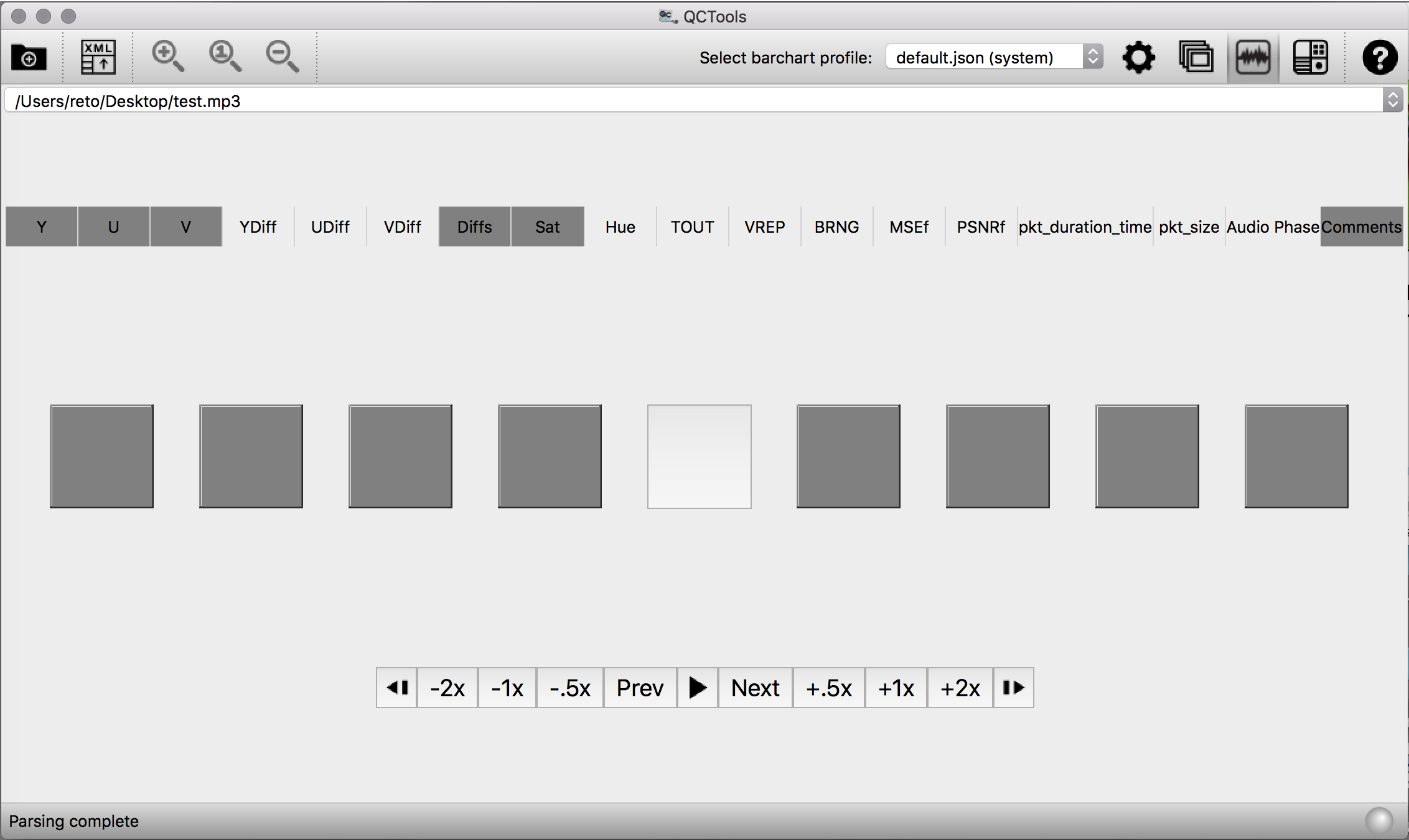
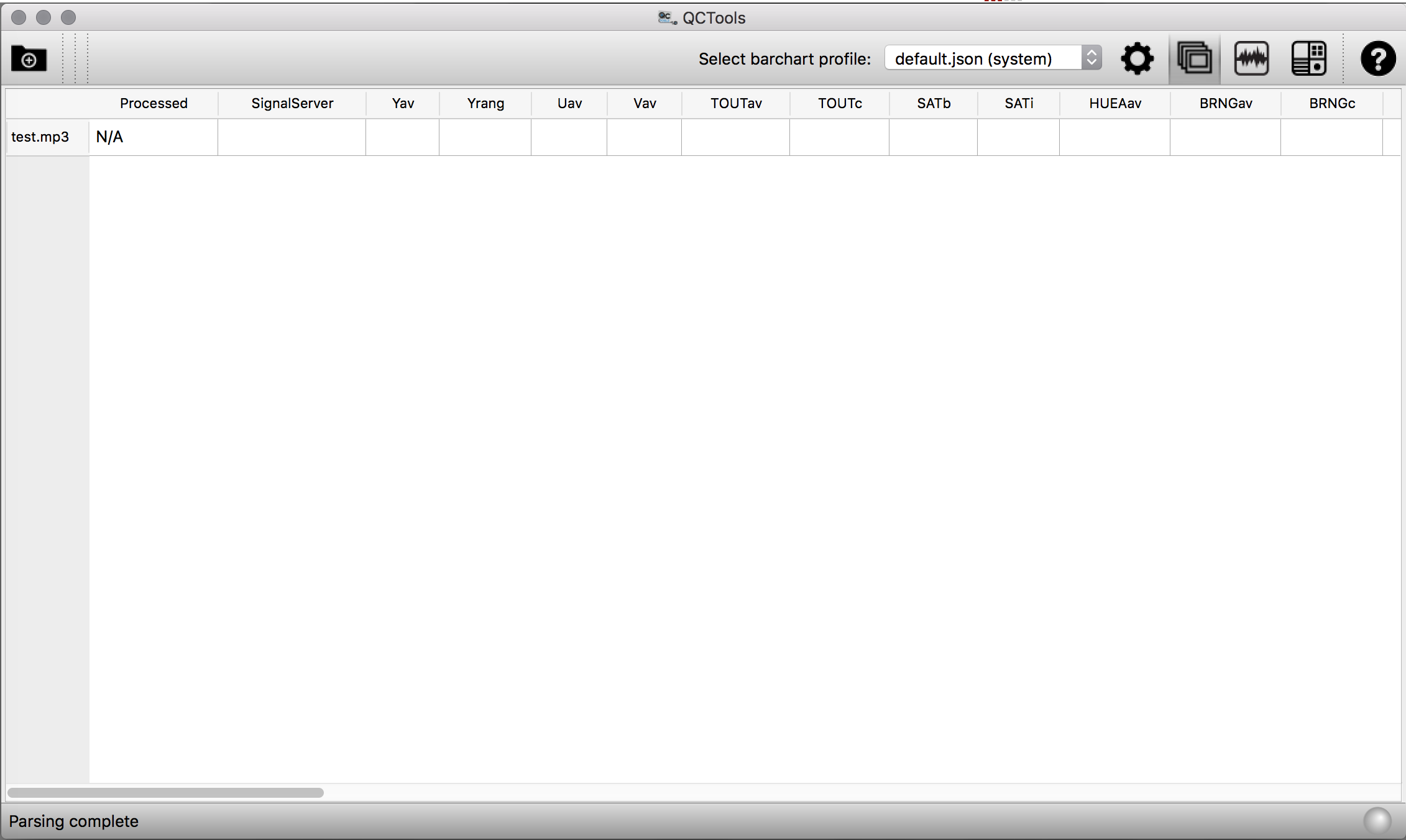
ffmpeg -f lavfi -i "sine=frequency=1000:sample_rate=48000:duration=5" test.mp3
No, the Audio Phase filter is enabled by default when installing. Yet even if I select all:
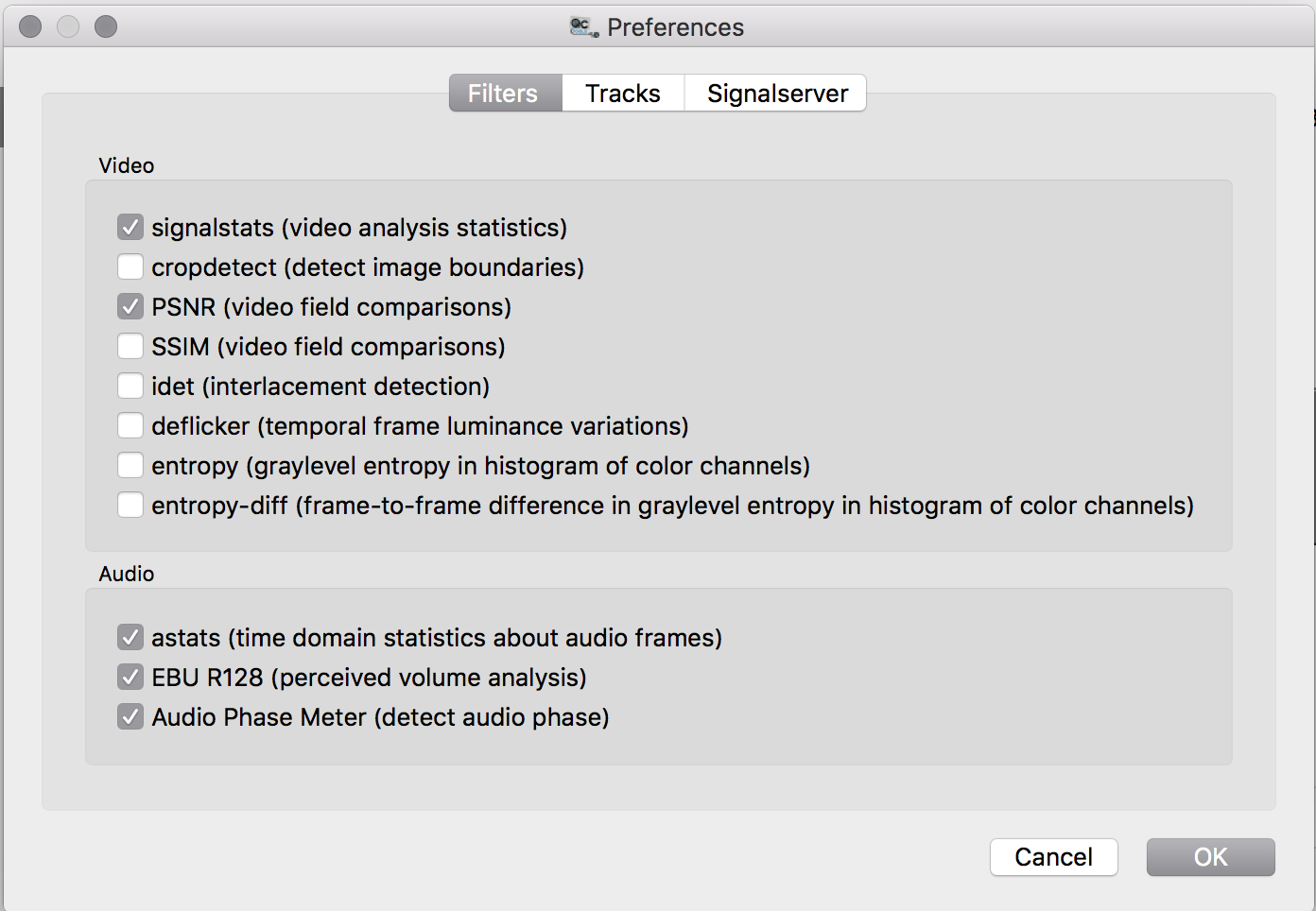
I get the same result.
Yes, I've been also able to reproduce it. Interesting. It worked just fine with my mp3 'Samael - Eternal - 03 - Together.mp3'
I gathered a test batch of files and ran the following tests on one machine with just a basic install of the latest release. I left the preferences at defaults. Last week I had used 3 different Macs, using both El Capitan and Sierra, if I have time I will try to test on them as well; I'll at least try using git HEAD and rerun the same tests below. I used one wav file produced by our recording system and edited in Adobe Audition (20121208_Lost-highway_Perdita-durango_Barry-Gifford.wav ), one file created using audiorecorder (johnson_side-a.wav), and one random mp3 I pulled off of archive.org. I also made 5 second extracts of the wav files.
I put all the audio files, the crash reports, and screen grabs in this box.com folder if you want to reference them. If there are other details that would be helpful in any future efforts please let me know!
Below are notes from testing.
FILES USED:
20121208_Lost-highway_Perdita-durango_Barry-Gifford.wav 299.4 MB Input #0, wav, from '20121208_Lost-highway_Perdita-durango_Barry-Gifford.wav': Duration: 00:51:58.82, bitrate: 768 kb/s Stream #0:0: Audio: pcm_s16le ([1][0][0][0] / 0x0001), 48000 Hz, 1 channels, s16, 768 kb/s
gifford_extract.wav 479 KB Input #0, wav, from 'gifford_extract.wav': Metadata: encoder : Lavf57.83.100 Duration: 00:00:04.99, bitrate: 768 kb/s Stream #0:0: Audio: pcm_s16le ([1][0][0][0] / 0x0001), 48000 Hz, 1 channels, s16, 768 kb/s
johnson_side-a.wav 1.14 GB Input #0, wav, from 'johnson_side-a.wav': Metadata: comment : johnson_side-a.wav originator_reference: johnson_side-a date : 2018-03-07 creation_time : 15:04:10 time_reference : 0 coding_history : encoder : Lavf57.71.100 Duration: 00:32:55.66, bitrate: 4608 kb/s Stream #0:0: Audio: pcm_s24le ([1][0][0][0] / 0x0001), 96000 Hz, stereo, s32 (24 bit), 4608 kb/s
johnson_extract.wav 2.9 MB Input #0, wav, from 'johnson_extract.wav': Metadata: comment : johnson_side-a.wav date : 2018-03-07 encoder : Lavf57.83.100 Duration: 00:00:05.00, bitrate: 4608 kb/s Stream #0:0: Audio: pcm_s24le ([1][0][0][0] / 0x0001), 96000 Hz, stereo, s32 (24 bit), 4608 kb/s
Input #0, mp3, from 'test_64kb.mp3': Metadata: title : test Duration: 00:00:19.62, start: 0.050113, bitrate: 64 kb/s Stream #0:0: Audio: mp3, 22050 Hz, mono, s16p, 64 kb/s Metadata: encoder : LAME3.97 Side data: replaygain: track gain - 5.600000, track peak - unknown, album gain - unknown, album peak - unknown,
Computer details: Mac OS 10.11.6 Processor 3.1 GHz Intel Core i5 RAM 16 GB 1867 MHz DDR3 Graphics Intel Iris Pro Graphics 6200 1536 MB
USING 0.9 INSTALLED WITH HOMEBREW ffmpeg details:
ffmpeg version 3.4.2 Copyright (c) 2000-2018 the FFmpeg developers built with Apple LLVM version 8.0.0 (clang-800.0.38) configuration: --prefix=/usr/local/Cellar/ffmpeg/3.4.2 --enable-shared --enable-pthreads --enable-version3 --enable-hardcoded-tables --enable-avresample --cc=clang --host-cflags= --host-ldflags= --disable-jack --enable-gpl --enable-ffplay --enable-libfdk-aac --enable-libfreetype --enable-libmp3lame --enable-libopus --enable-libx264 --enable-libxvid --enable-opencl --enable-videotoolbox --disable-lzma --enable-nonfree libavutil 55. 78.100 / 55. 78.100 libavcodec 57.107.100 / 57.107.100 libavformat 57. 83.100 / 57. 83.100 libavdevice 57. 10.100 / 57. 10.100 libavfilter 6.107.100 / 6.107.100 libavresample 3. 7. 0 / 3. 7. 0 libswscale 4. 8.100 / 4. 8.100 libswresample 2. 9.100 / 2. 9.100 libpostproc 54. 7.100 / 54. 7.100
TESTS
- crashed when trying to load 20121208_Lost-highway_Perdita-durango_Barry-Gifford.wav
produced loading_20121208_Lost-highway_Perdita-durango_Barry-Gifford.crash
- loaded gifford_extract.wav ok, produced levels graph.
crashed when clicking on thumbnail. produced clicking-thumbnail-with_gifford_extract.wav.crash
- loaded johnson_side-a.wav ok. Produced empty graphs (see screenshot). But produced what looks like correct xml sidecar file. Loading from the qctools.xml.gz also displays empty graphs though.
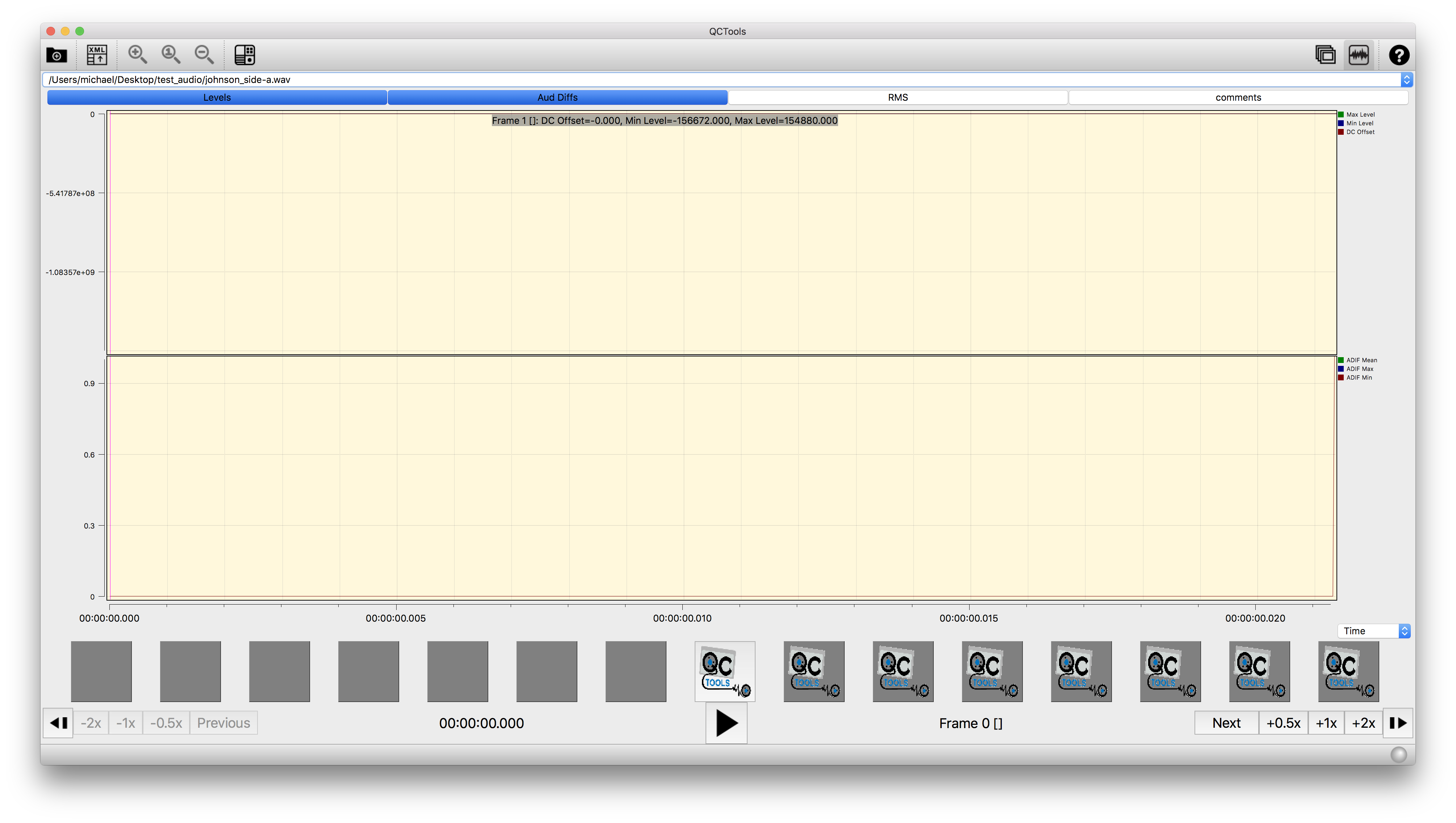
- loaded johnson_extract.wav ok. produced levels graph.
crashed when clicking on thumbnail. produced clicking-thumbnail-with_johnson_extract.wav.crash
- loaded test_64kb.mp3 ok. produced levels and diffs graphs. produced xml sidecar.
The first time I loaded the file the timeline was zoomed in but I could see a scroll bar and scroll through the file. Other times the clip's graphs are compressed into the far left of the screen (see screenshot from loaded xml file from this file) and zoom in/out are greyed out. Opening the file again has produced empty graphs and I can't get them to load again.
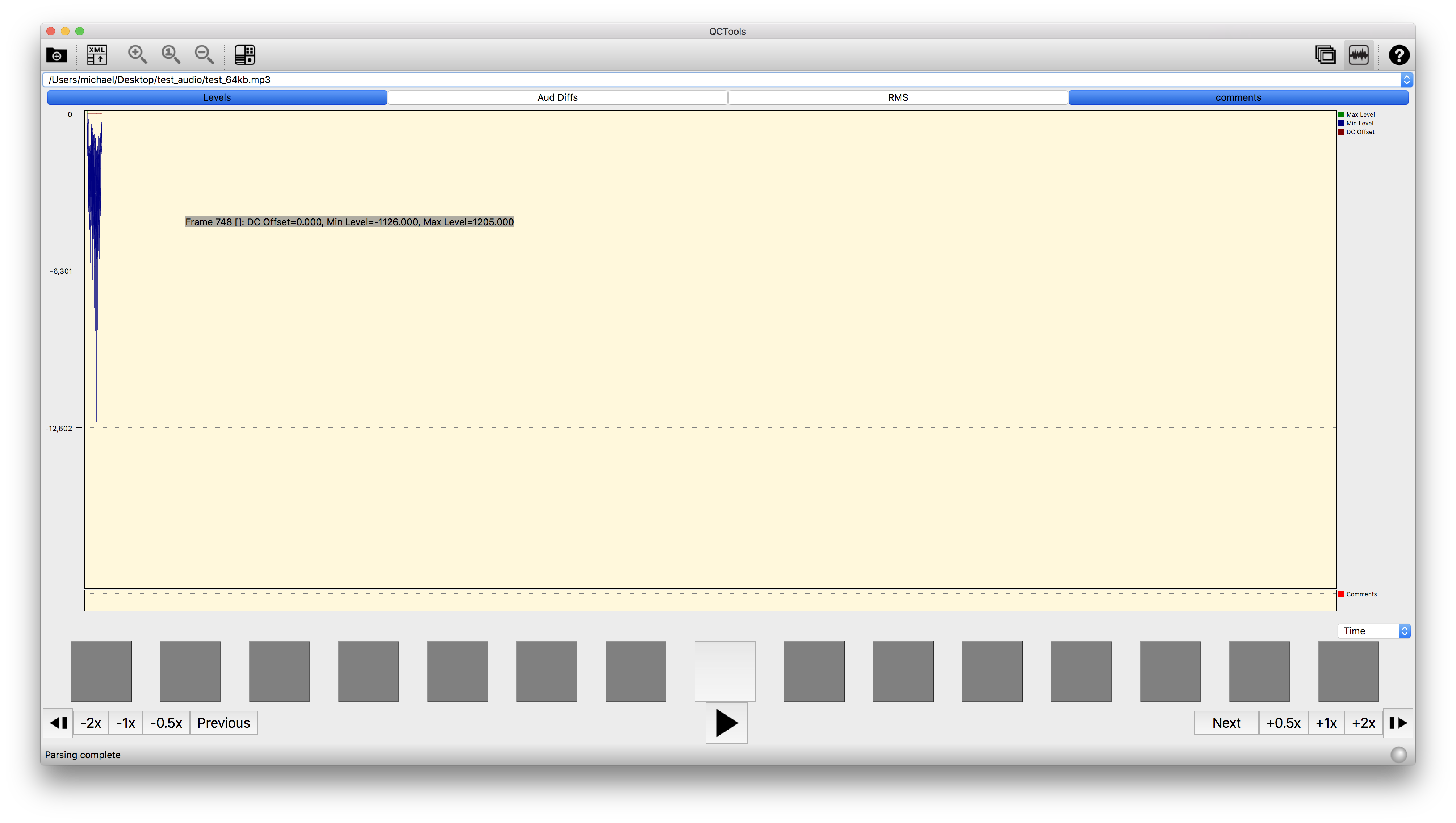
- Woah I got johnson_side-a.wav to produce graphs. Check out those diffs! (see screenshot) Double clicking on a frame point in the diff graph produced double-click-on-frame_johnson-side-a.crash I was able to double click and add comments after reopening the file.
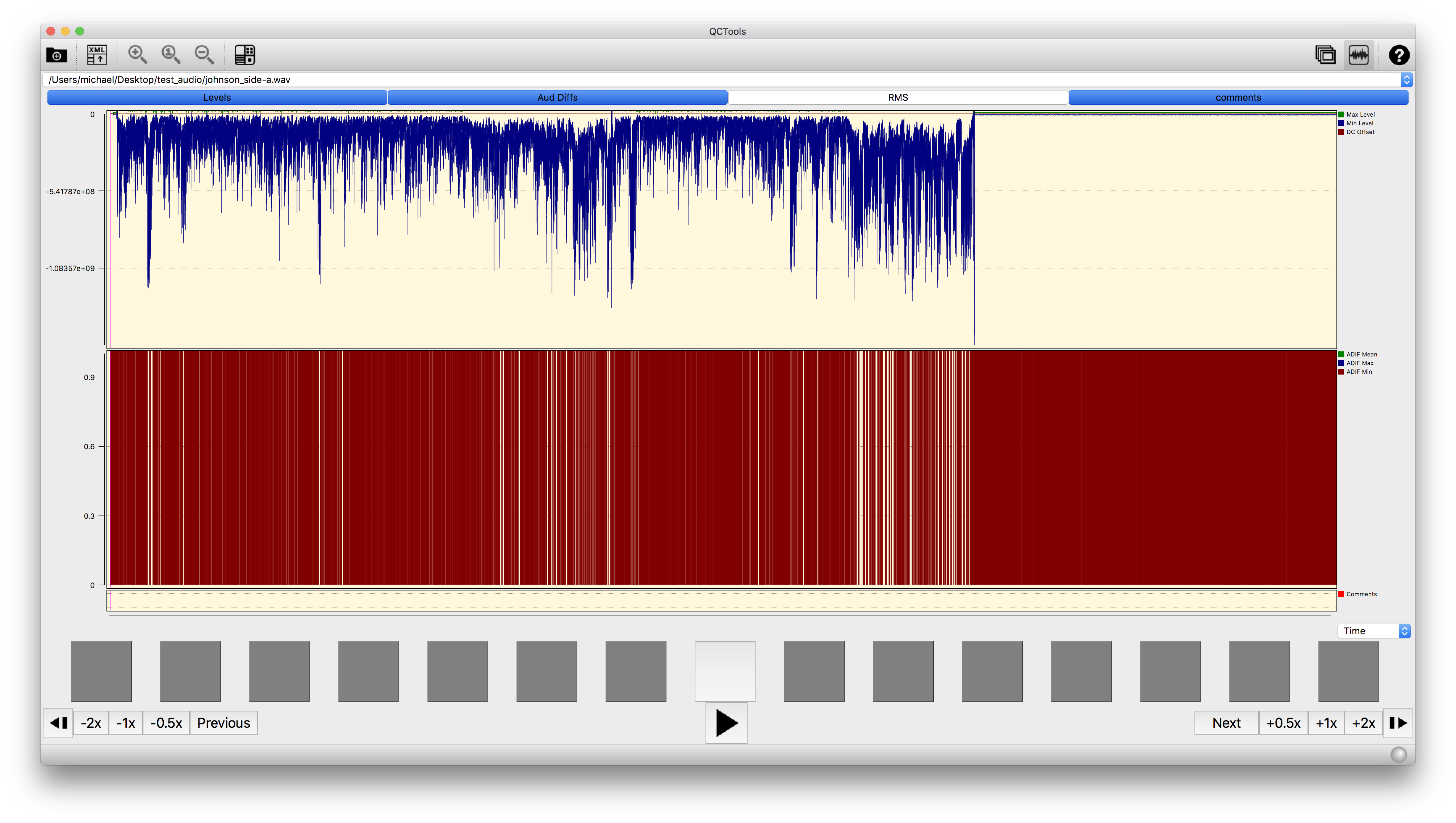
It was easy enough to reinstall from git HEAD (and ffmpeg at HEAD as well) and the output was simpler to make sense of. Zero crashes, for starters! Time allowing I will run these same tests on Sierra. Here are my notes:
Running QCTools installed from git HEAD:
-
johnson_side-a.wav loads ok, but displayed an empty graph. I exported what seems like a correct xml sidecar file. I tried loading it again to get a screenshot and the graphs displayed as expected.
-
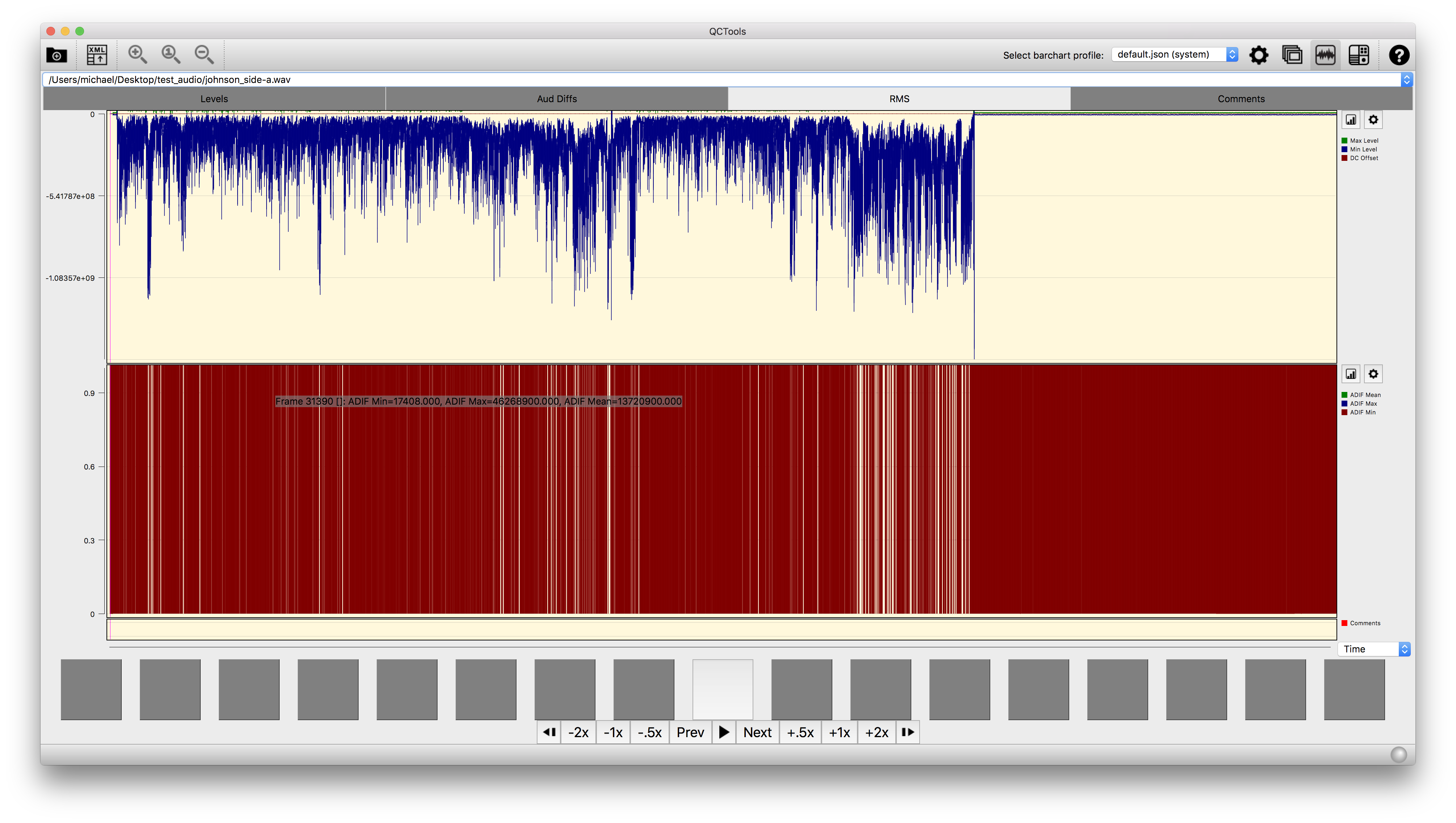
johnson_extract.wav loads ok, displays an empty graph. (see screenshot) Exports correct xml sidecar.
- 20121208_Lost-highway_Perdita-durango_Barry-Gifford.wav loads, but is not processed. Same output display as Reto's empty screenshots above, with no graphs (not even empty ones) displayed.
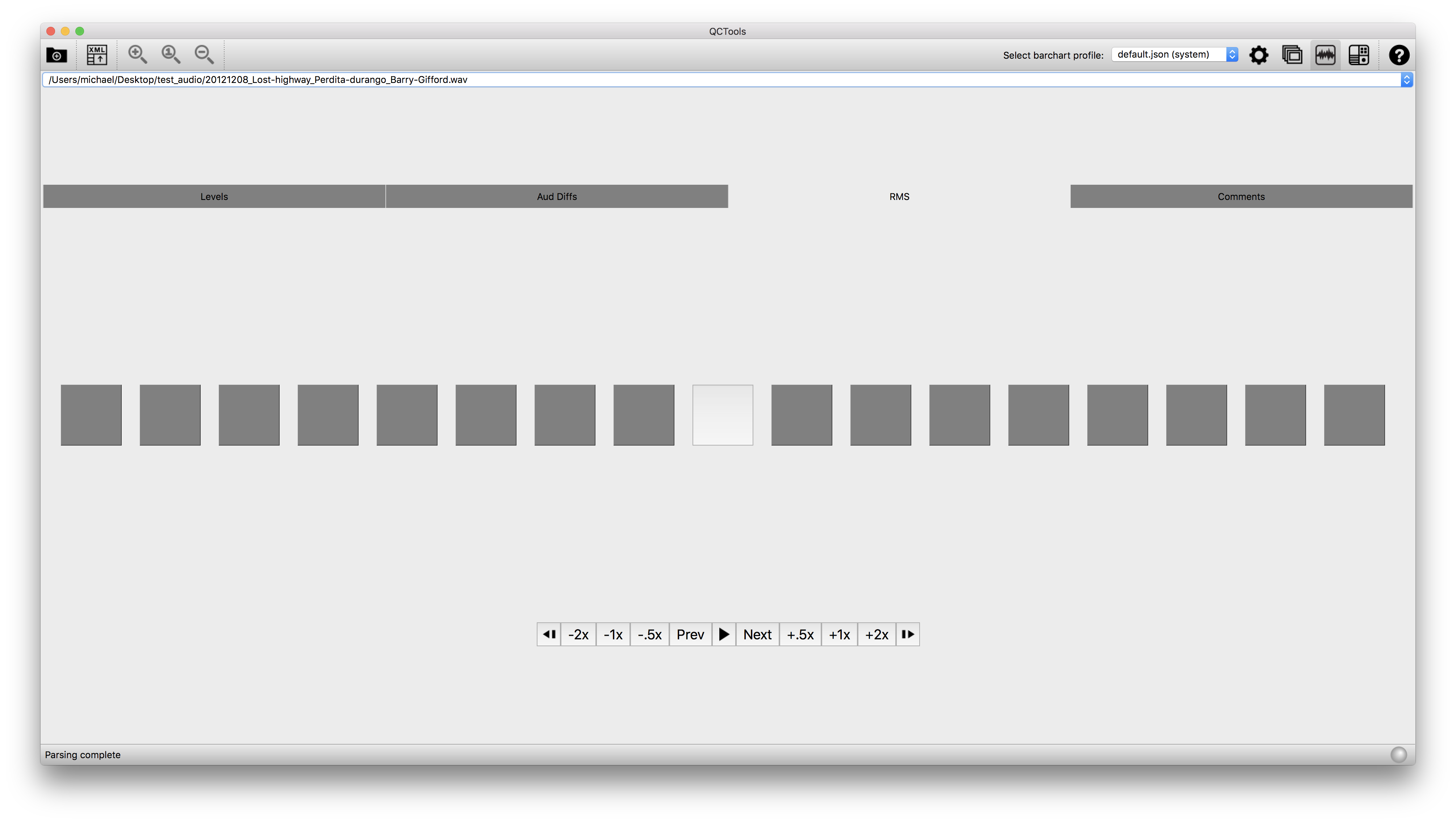
Produces an empty xml report.
<streams>
        <stream index="0" codec_name="pcm_s16le" codec_long_name="PCM signed 16-bit little-endian" codec_type="audio" codec_time_base="1/48000" codec_tag_string="[1][0][0][0]" codec_tag="0x0001" sample_fmt="s16" sample_rate="48000" channels="1" channel_layout="unknown" bits_per_sample="16" r_frame_rate="0/0" avg_frame_rate="0/0" time_base="1/48000" start_pts="-9223372036854775808" start_time="-192153584101141.156250" bits_per_raw_sample="0">
            <disposition default="0" dub="0" original="0" comment="0" lyrics="0" karaoke="0" forced="0" hearing_impaired="0" visual_impaired="0" clean_effects="0" attached_pic="0" timed_thumbnails="0"/>
        </stream>
</streams>
<format filename="/Users/michael/Desktop/test_audio/20121208_Lost-highway_Perdita-durango_Barry-Gifford.wav" nb_streams="1" nb_programs="0" format_name="wav" format_long_name="WAV / WAVE (Waveform Audio)" start_time="-9223372036854.775391" duration="3118.824000" size="299409408" bit_rate="768005" probe_score="99"/>
-
gifford_extract.wav loads, processes, but displays blank graphs. Produces a complete xml report.
-
test_64kb.mp3 loads and displays correct graph. Only issue is the same squeezing described in my comment above where all the data is squished into the left side of the screen.
@mcampos-quinn, thx for these helpful notes and for testing on the master branch. Seems worthwhile to work on adjusting how the y-axis min and max are set (these would be conditional based on bitdepth, float, etc).