

 basler
GRAB AND SAVE IMAGES USIUNG MULTIPLE CAMERAS AT SAME TIME
HEREBY ATTACHING A CODE WITH ERROR , OF INDEX . HEREBY ATTACHING MY CODE, HELP ME TOP FIND RESULT ###############################################################################

Hi @thasnimolvs Please edit and format your issue according to formatting code in GitHub docs to make it readable.
Plus provide Operating system Camera model Pypylon version And the output of calling your script

hi @thiesmoeller
Camera model is basler ace aca 1440-220 um
Using ubuntu 18.04,
Pylon 6.2.0 software
pypylon 1.6
when i run this code instead of 1sec , the total time is increased to 4.5sec
sorry sir/madam i dont know how to write it in format code, could you plz help me to work it properly @ @
@thasnimolvs ... when "HEREBY ATTACHING A CODE WITH ERROR , OF INDEX " is the issue you report. please show what is not working, by posting e.g. the error message.
To format code see above: formatting code in GitHub docs
@thiesmoeller
Sir,
in this code whenever i tried
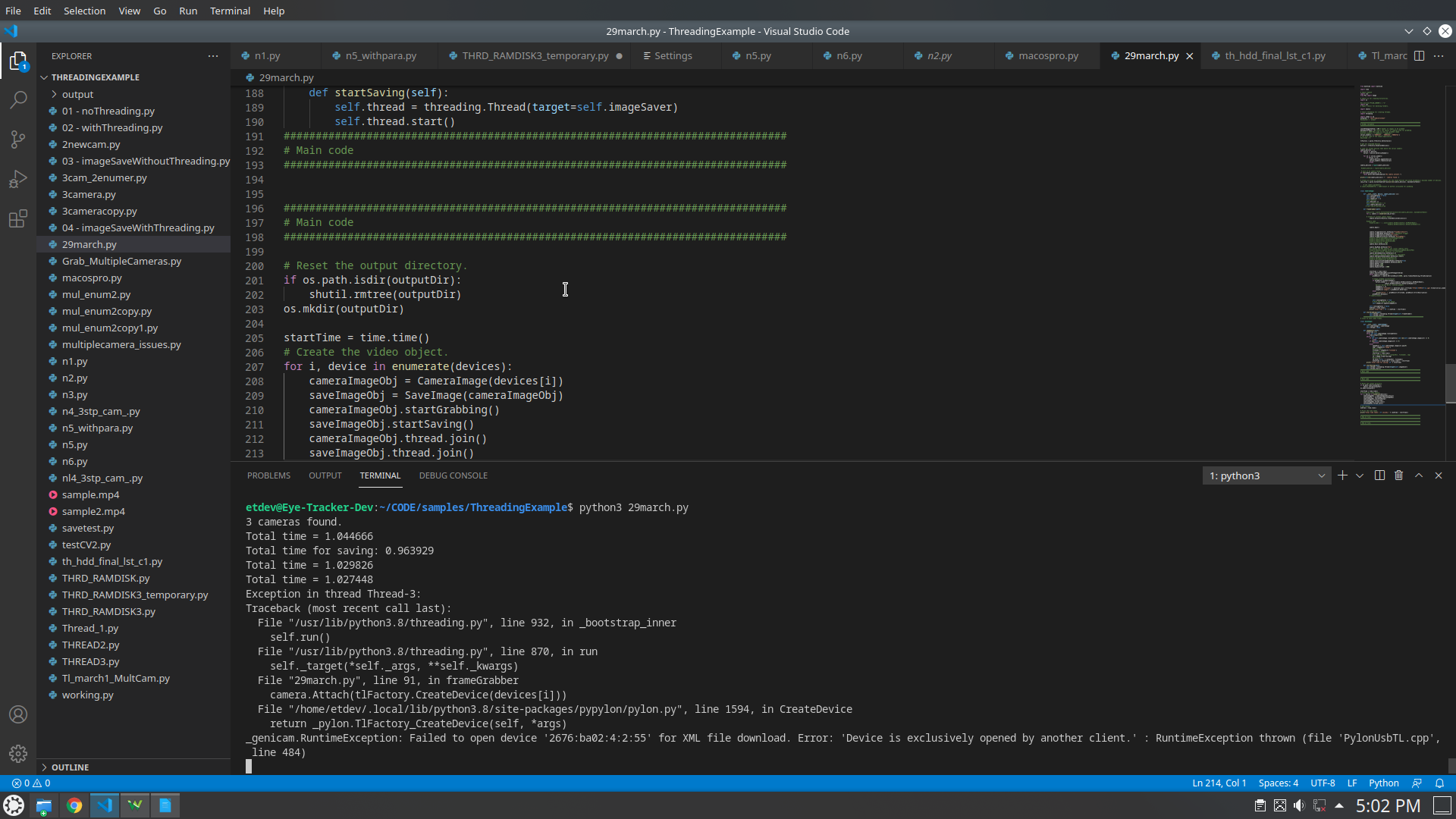 this is the error message i got
@thiesmoeller
https://github.com/basler/pypylon/issues/371
here i posted one more code related to this but it is working properly , but shows an error like
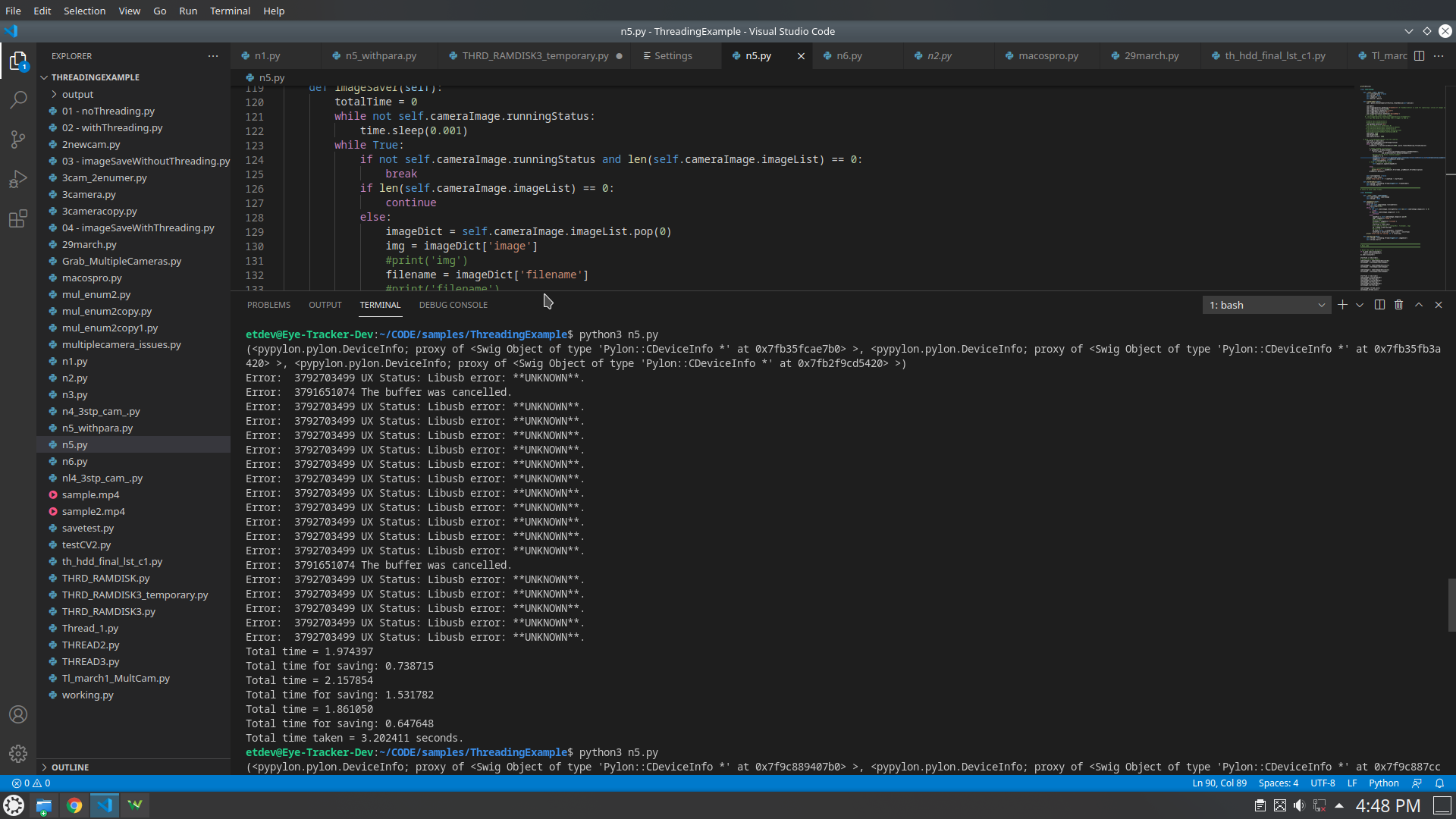
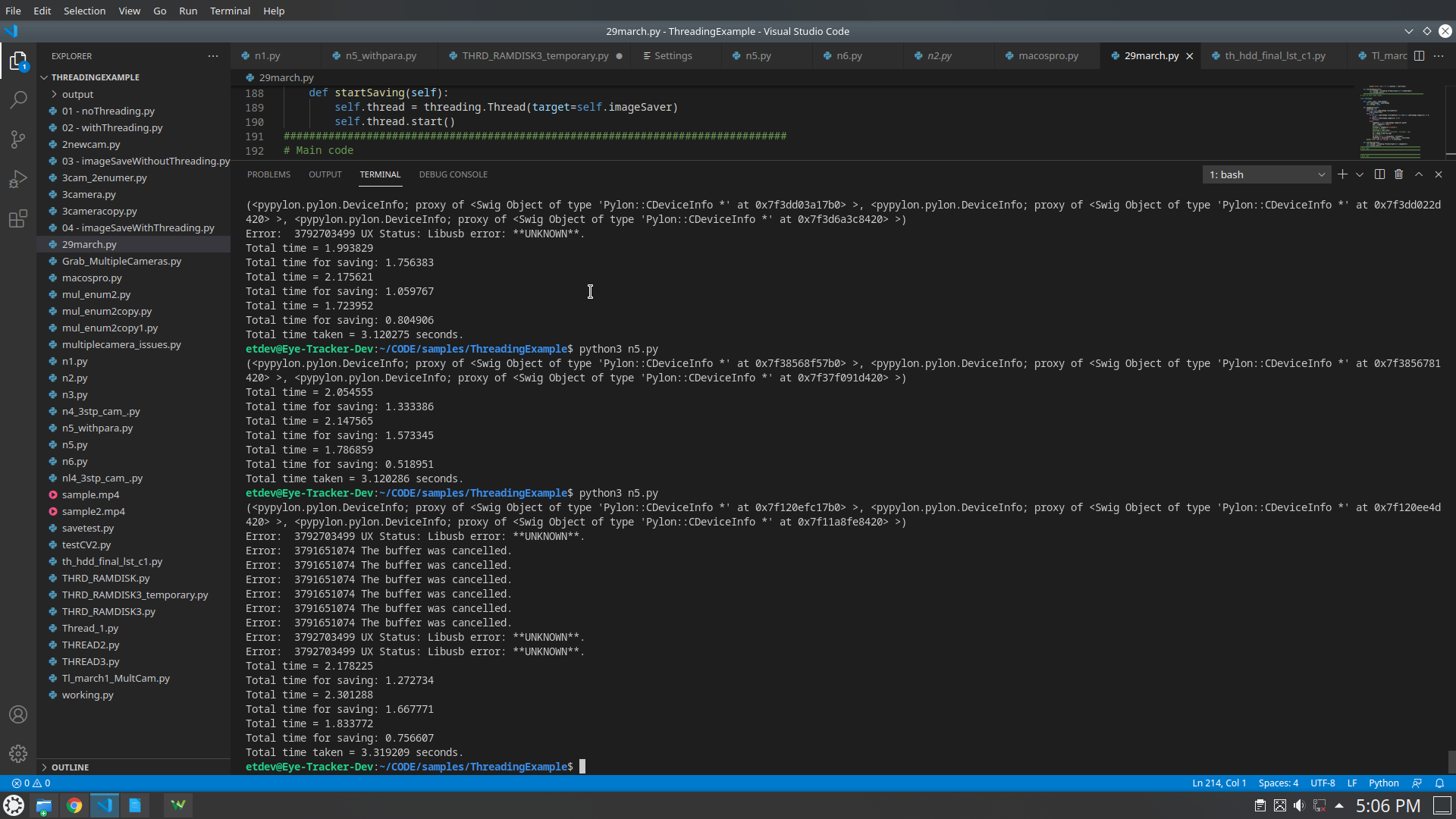
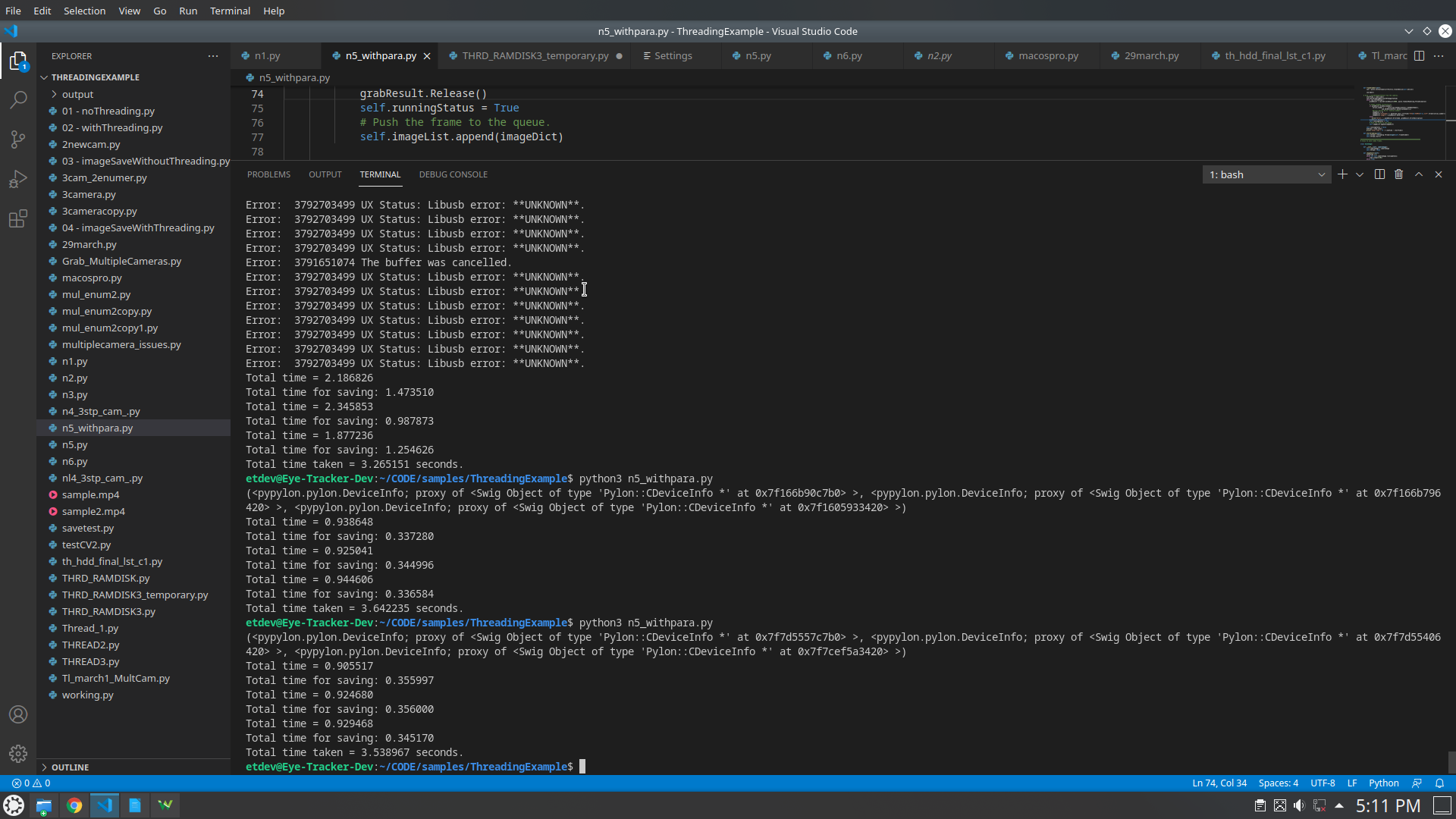
and i found one solution in github so based on that i changed the bandwidth but same error again
after that i gave 3 different trigger signal to 3 cameras
like 1st start by 0,10, 20,
2nd 3,13,23
3rd 6,16,26
again same error
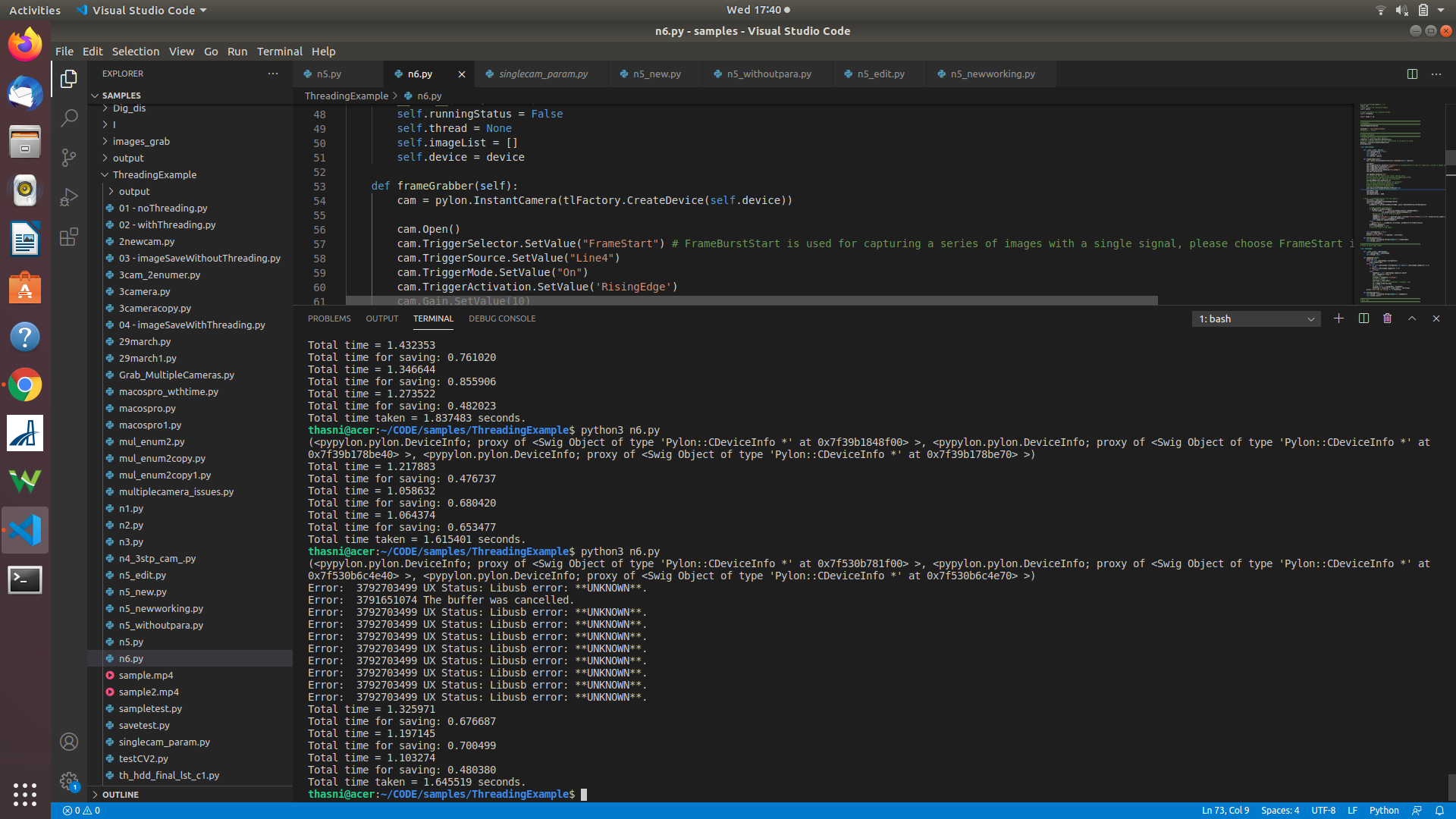 System Details:
UBUNTU 18.04
PYPYLON 1.6
PYLON 6.2.0
ramdisk size is 1gb
System Details:
UBUNTU 18.04
PYPYLON 1.6
PYLON 6.2.0
ramdisk size is 1gb
first: the camera is still open by some other process. Perhaps in your IDE the background threads are somewhere still running. so check this. the camera can only be open once ( like the error message reports )
second: have you followed the steps to increase your transfer size? and increase the usbfs memory? as described in the readme, when you install the pylon for linux package on your system? other reason could also be very bad cables or connectors, so the number of failed USB transfers is way out of normal levels
@thiesmoeller second: sir, in your that github solution related to bandwidth manager , i tried it but no change, i dont have any awareness about usbfs . no sir, didnt do anything related to usbfs and all - till now , am not aware of this things sir, i will search for it.
@thiesmoeller
sir, when i increased the maximum number of buffers , it is working ,
thankyou.
but i have one more doubt, with this actually 3 cameras working at same time with 200fps, but for 3 cam it tooks more time. why it is like that?
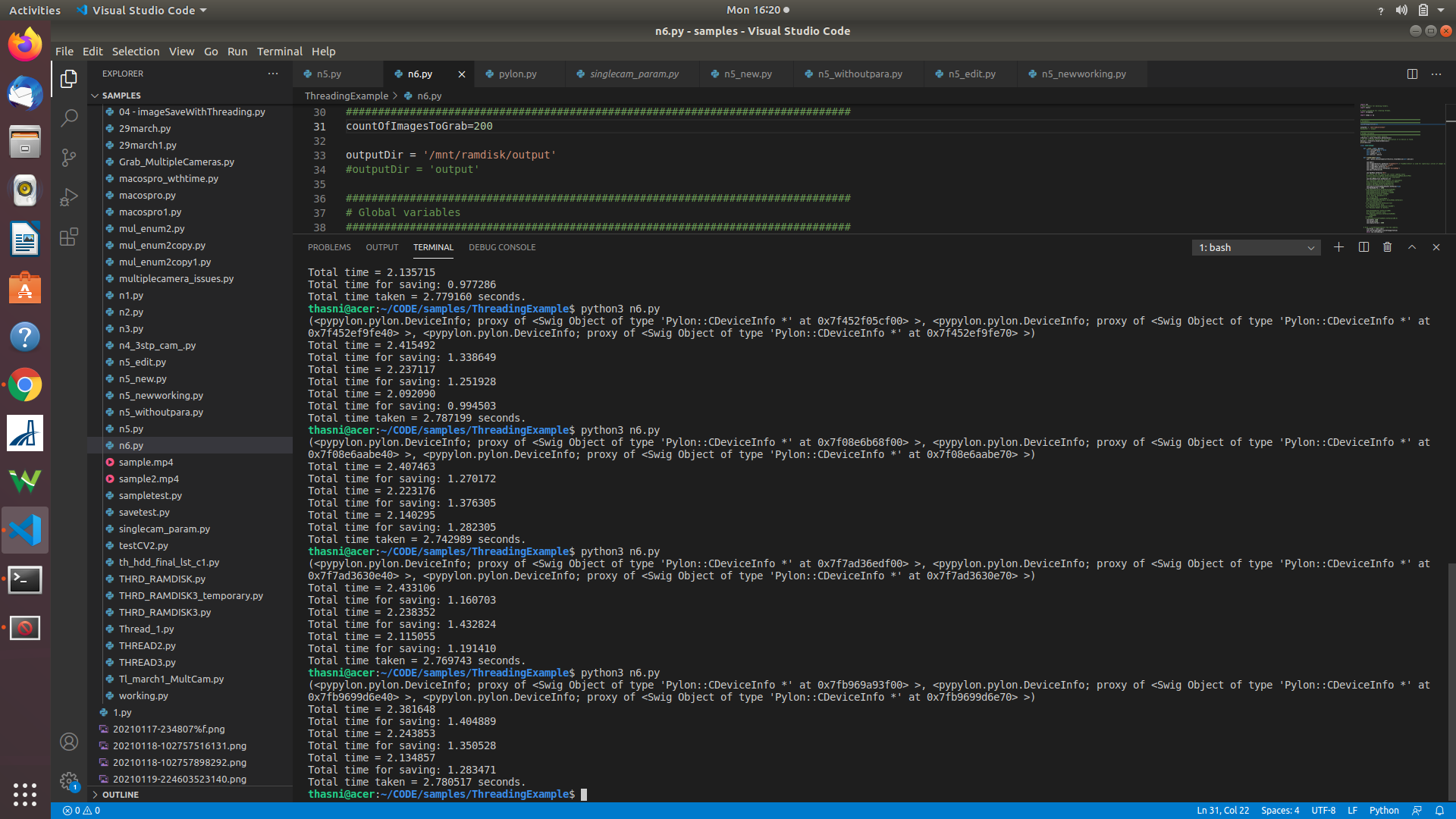
If you are implementing code, that is running at framerate, you should measure the time you need for the processing. Propose to log this over longer times, to identify if there are events, where e.g. saving an image takes longer.
In your example you only have 5ms per frame to store the data to the filesystem. The number of buffers, that you queue in per camera allows to compensate for fluctuations that happen when saving your image data ( > 5ms ) But of course this should only occur seldom.
In a perfect world you only need two buffers: buffer-0 -> the buffer where the current live video data from the camera is stored into buffer-1 -> the buffer that is currently written to a file
If saving is always faster than 5ms buffer-1 will be added to the queue, before it is needed by the capture engine
@thiesmoeller hi, i have one more doubt, when i run this code i set the count of images to 4000, fps is 200 , and at hardware triggering for every 5ms set the frequency as 200hz, but it saves 12000 images from total 3 cameras,, but noramally fps means it will save thiese many no of images in 1 sec , here 200 images at each sec from 3 cameras, toral 600 images , why it will save 12000
- if i want to run the code for 10minut or 5 minut which value should i need to change, a, fps, count of images (also basler camera capacity maxm 227 fps )
could you please answer these question too, for my task
@thiesmoeller
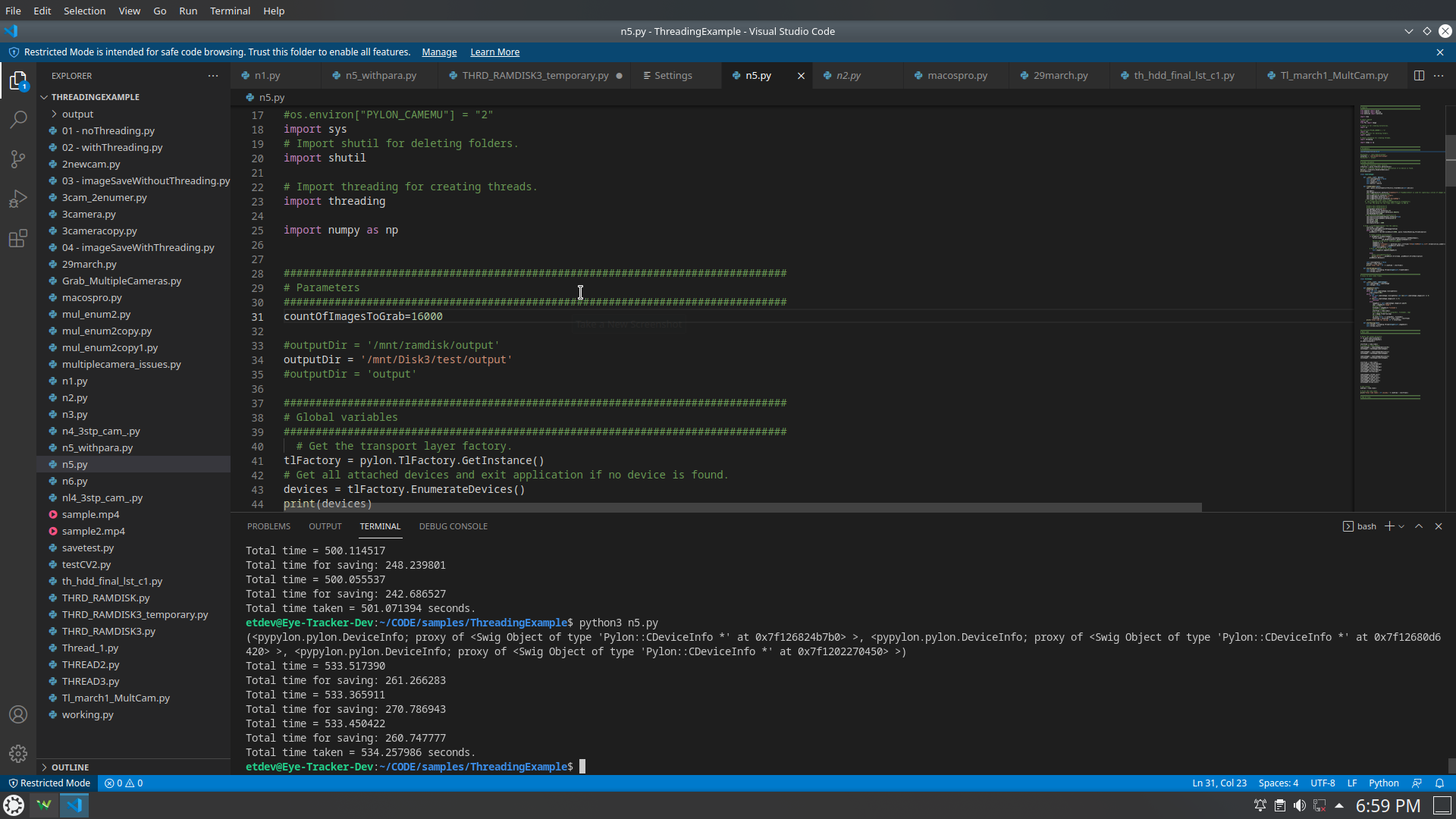
Sir, I want to run this code for 10 minutes , currently what am doing is increasing the count of images to 16k something , and set the fps to 60,
But without setting the count....it automatically capture images to folder for 10 minut..how it's possible with this code ..eg : as shown in figure..it will took 534 sec.ie 8.9 minut.
If your hardware trigger is 200 Hz and your camera is capable of more than 200fps you are fine on this side. You have to make sure that you are capable to process and save your images in less than 1/200s on average.
If you want to run in your code for 10 minutes ... you have to grab 200 * 60 * 10 frames.
If your number of images is not matching your expectation, one thing to focus on is, if the trigger is not operating at 200fps or if you loose images in between...
Your code could be cleaned up. If you are fast enough, you could stay in the camera thread to handle the saving and thus save some copying of the video data ..
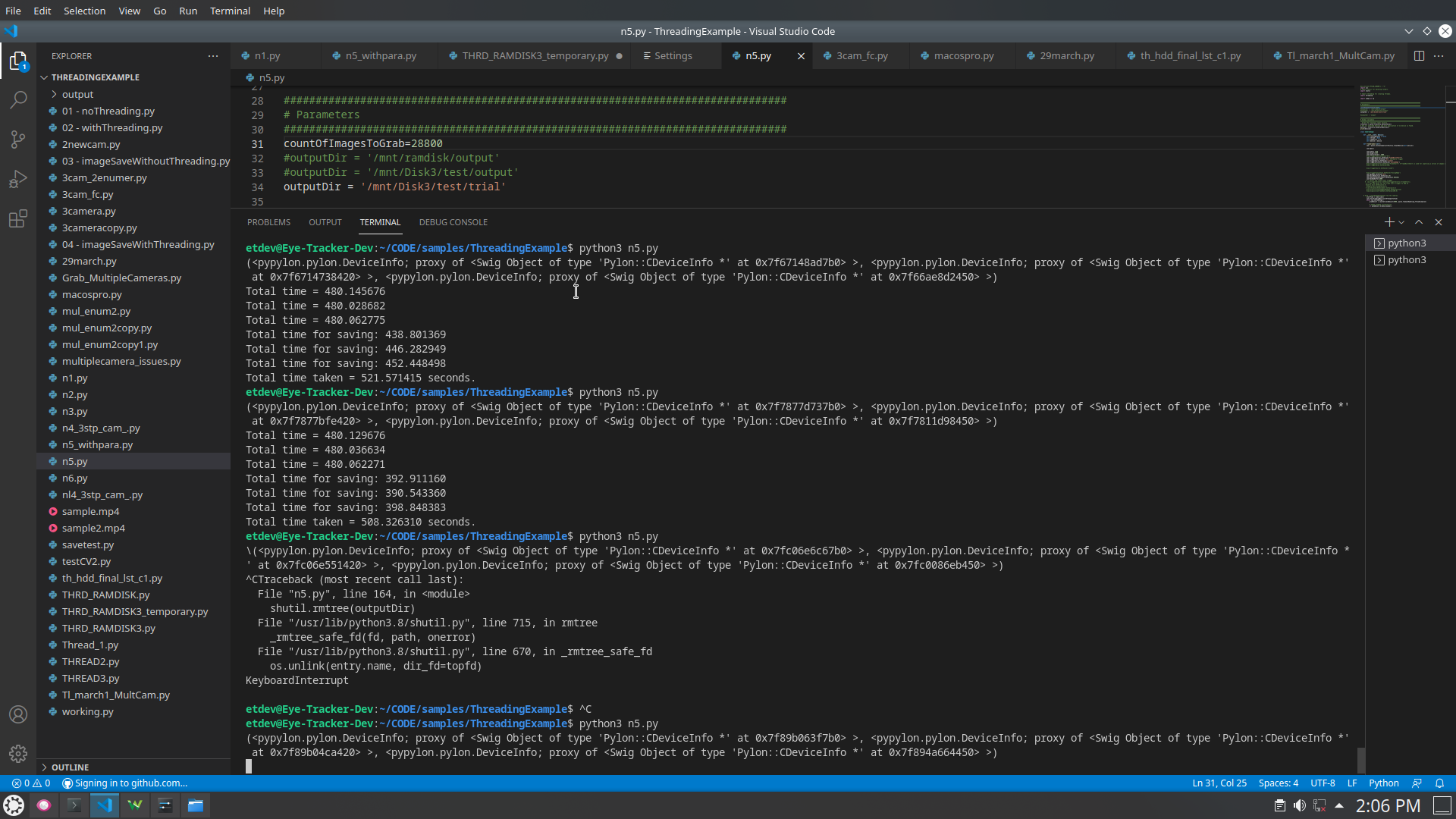
@thiesmoeller sir, actually in my case for 60fps with 3 camera, 601060*3=10,8000 these no of images will save to the folder , but using this code if i use ramdisk or normal disk it will take more time some times doubles, so is it possible to reduce that timing? what is the reason behind it? becoz when i use single cam, it will save exact no of images with correct timing. in one comment you mentioned about the buffers, but i dont get much idea behind it? could you plz give any suggestion for reducing the time for capture? i already change the usbfs size to 1000mb
hereby attaching some example for 8 minut code = 3608*6=86400 images at 60 fps but it will take 8.69 0r 8.47 minut for full run
@thiesmoeller
helo sir,
one more doubt, at 20 fps to 80 fps for 10 minutes it capture and save images properly, but after that it shows one error,, when i run 200fps it shows the error as given below
@thiesmoeller
helo sir,
one more doubt, at 20 fps to 80 fps for 10 minutes it capture and save images properly, but after that it shows one error,, when i run 200fps it shows the error as given below
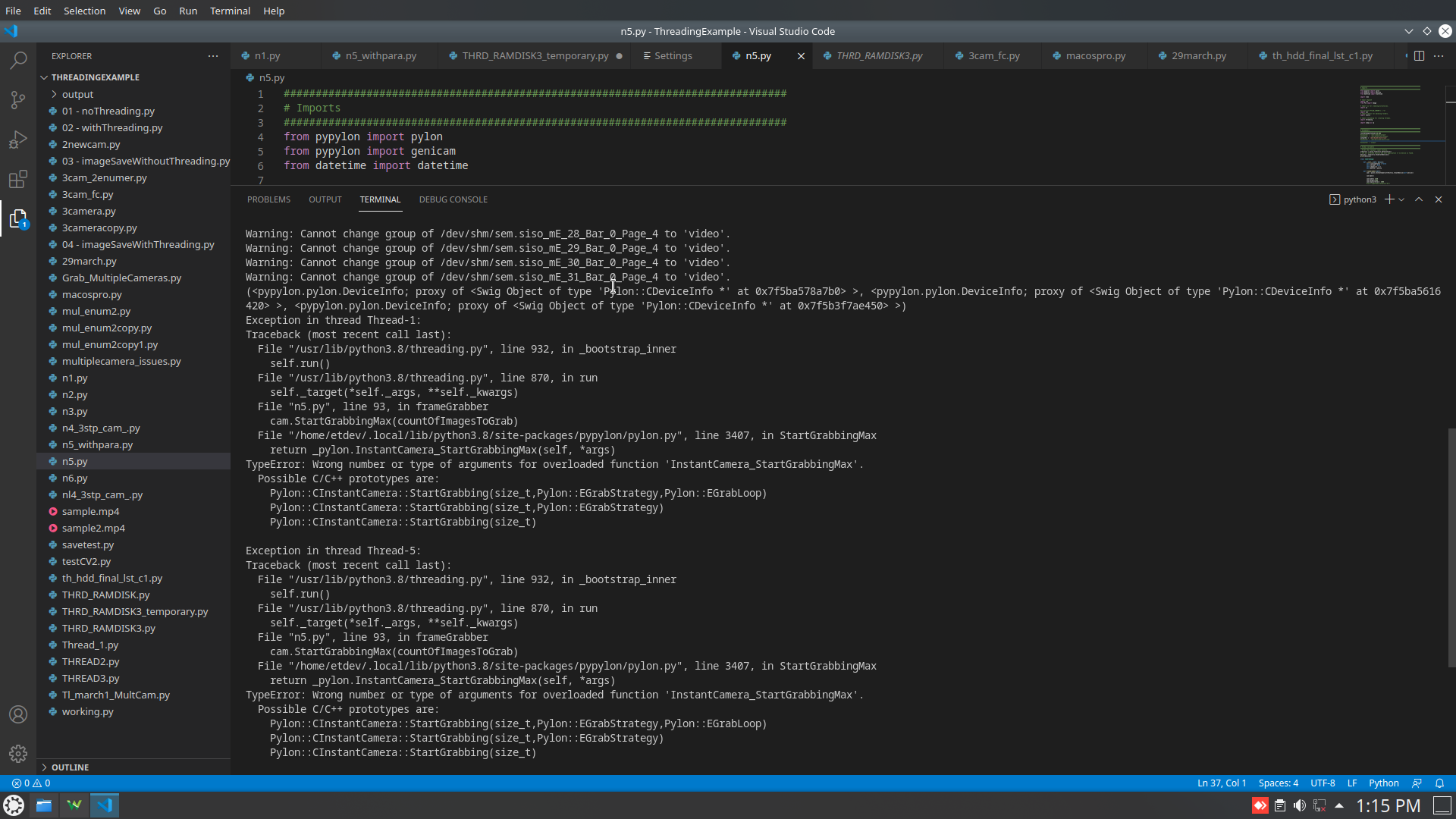
As I don't know your code ...
But could it be that you are using some formula to.calculate the number of images and the result is a float?
Please cast to an int before giving the value to StartGrabbingMax
@thiesmoeller No sir I directly calculate no of images and given to it
This is my code..but upto 80 fps it's working properly. If fps is 200 , no of img= 200* 6010 3 like
is it due to any bandwidth issue ? becoz i alrdy increase the buffer size and all @thiesmoeller then by direct calcualtion put the no of images in code
Repeating from before
If your hardware trigger is 200 Hz and your camera is capable of more than 200fps you are fine on this side. You have to make sure that you are capable to process and save your images in less than 1/200s on average.
If you want to run in your code for 10 minutes ... you have to grab 200 * 60 * 10 frames.
If your number of images is not matching your expectation, one thing to focus on is, if the trigger is not operating at 200fps or if you loose images in between...
Your code could be cleaned up. If you are fast enough, you could stay in the camera thread to handle the saving and thus save some copying of the video data ..
Have you measured the performance of your code? Are you capable to process frames faster than 1/200 s? The usage of a thread to save and PIL is not very efficient as there are image copies involved. Saving with opencv from the grab loop is faster.
And check your hardware trigger source if it is giving stable 200hz
@thiesmoeller OK sir checked
is it possible to run the code continuously, until that variable is true , then when i set it to false then it will terminate ? without giving time and count of images? i tried to add awhile loop inside that, but the thing is that, when i remove the count of images it is not working , otherwise the code will be like upto that code is running based on the vcount only. and i stopped it using keyboard interrupt, after two times control+c , then only the code stops running
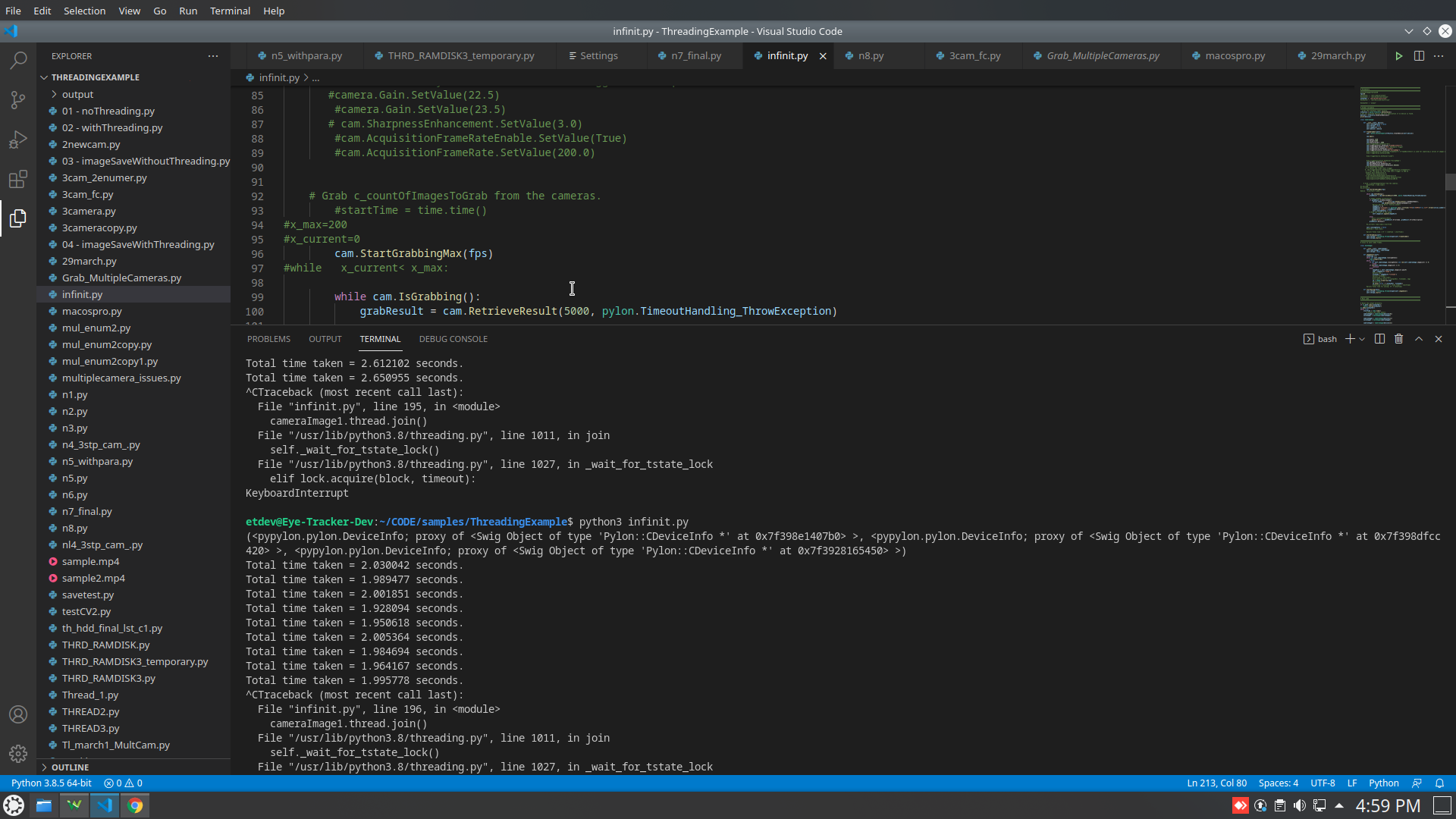
https://github.com/thasnimolvs/3camera_code