
bspwm

bspwm copied to clipboard
 baskerville
phantom persistent window across all workspaces
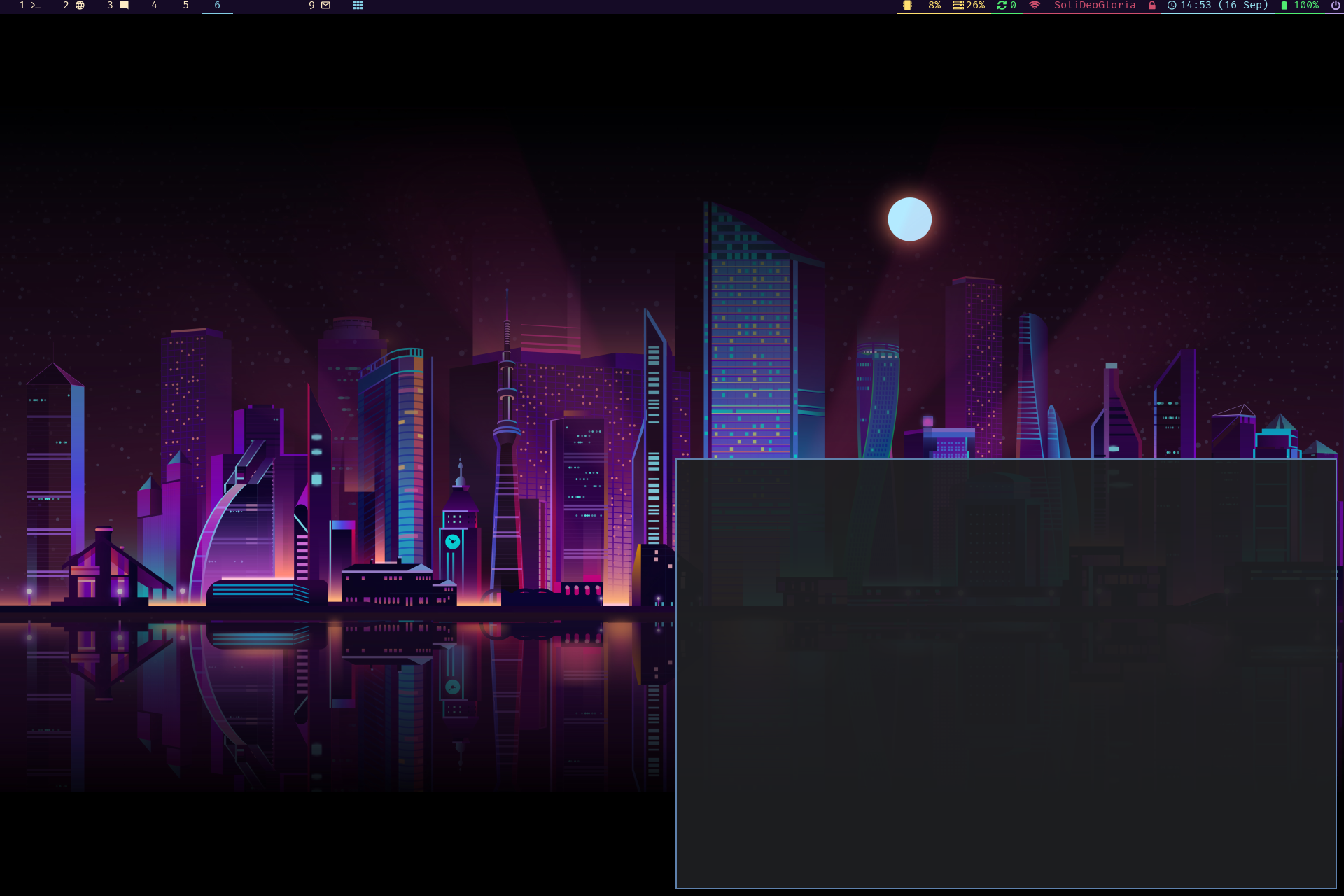
When starting a PyQt app from the terminal, it creates two extra windows: the actual app, and this phantom window that stick around on every workspace and cannot be selected. It goes away when I kill the PyQt app, but stays in the foreground of everything else until then. Any idea what that could be?
Config:
#### AUTOSTART ####
setxkbmap -option caps:swapescape
xset r rate 200 50
inputplug -c ./.config/bspwm/kbdetect.sh
dunst -print &
compton &> /dev/null &
conky &
sxhkd &
nitrogen --restore &
./.config/polybar/launch.sh &

#### MONITORS ####
num_monitors=$(xrandr --query | grep " connected" | wc -l)
echo $num_monitors
if [ "$num_monitors" == "1" ]; then
  bspc monitor eDP-1 -d 1 2 3 4 5 6 7 8 9
elif [ "$num_monitors" == "3" ]; then
  bspc monitor eDP-1 -d 1 2 3
# bspc monitor DisplayPort-1 -d 1 2 3 4 5 6 7 8 9
# bspc monitor HDMI-A-0 -d 1 2 3 4 5 6 7 8 9
fi

#### BSPWM configuration ####
#bspc config border_radius                8
bspc config border_width                  2
bspc config window_gap                    10
bspc config top_padding                   20
bspc config bottom_padding                0
bspc config left_padding                  0
bspc config right_padding                 0
bspc config single_monocle                false
bspc config click_to_focus                true
bspc config split_ratio                   0.50
bspc config borderless_monocle            true
bspc config gapless_monocle               true
bspc config focus_by_distance             true
bspc config focus_follows_pointer         true
bspc config history_aware_focus           true
bspc config remove_disabled_monitors      true
bspc config merge_overlapping_monitors    true
bspc config pointer_modifier mod4
bspc config pointer_action1 move
bspc config pointer_action2 resize_side
bspc config pointer_action3 resize_corner

#### BSPWM coloring ####
bspc config normal_border_color		      "#4c566a"
bspc config active_border_color	          "#1e1e1e"
bspc config focused_border_color	      "#5e81ac"
bspc config presel_feedback_color	      "#5e81ac"
bspc config urgent_border_color 	      "#dd2727"

#polybar hidden when fullscreen for vlc, youtube, mpv ...
#find out the name of your monitor with xrandr
xdo below -t $(xdo id -n root) $(xdo id -a polybar-main_DisplayPort-0)
xdo below -t $(xdo id -n root) $(xdo id -a polybar-main_DisplayPort-1)
xdo below -t $(xdo id -n root) $(xdo id -a polybar-main_HDMI-A-0)

bspc rule -a Gimp desktop='^8' state=floating follow=on
bspc rule -a Chromium desktop='^2'
bspc rule -a mplayer2 state=floating
bspc rule -a Kupfer.py focus=on
bspc rule -a Screenkey manage=off
