

 b4rtaz
Extension is not apparently operating
VSCode info:
Version: 1.56.2 (system setup)
Commit: 054a9295330880ed74ceaedda236253b4f39a335
Date: 2021-05-12T17:13:13.157Z
Electron: 12.0.4
Chrome: 89.0.4389.114
Node.js: 14.16.0
V8: 8.9.255.24-electron.0
OS: Windows_NT x64 10.0.19042
Extension info:
Voice Assistant
b4rtaz.voice-assistant
Version 0.1.1
Installed, with default settings and a voice-assistant.json file in the root folder of the project.
Steps taken:
Start VSCode with the extension installed and bring up the command palette.
Type "Reload definition" and see that it appears in the menu.
Choose it. Get the following error message:

Command 'Reload definition' resulted in an error (command 'voiceAssistant.reloadDefinition' not found)
Output on VoiceAssistantServer during this time:
VoiceAssistant.Server 0.1.0.0
10:55:28 PM Listening on localhost:9999...
VSCode never attempts to connect based on what the log shows.
Troubleshooting steps:
Reinstall the extension and make sure to set all parameters to default.
Connect to localhost:9999 in a web browser to confirm it's responsive on that port. Which it is.
Check firewall settings. No issues there, manually added VoiceAssistantServer to be 100% sure.

This error appears when you have not opened any folder. Try open some project by File > Open folder. I'll fix this later.

That doesn't seem to have helped-- either loading the workspace or directly just opening a single folder, it gives the same error.
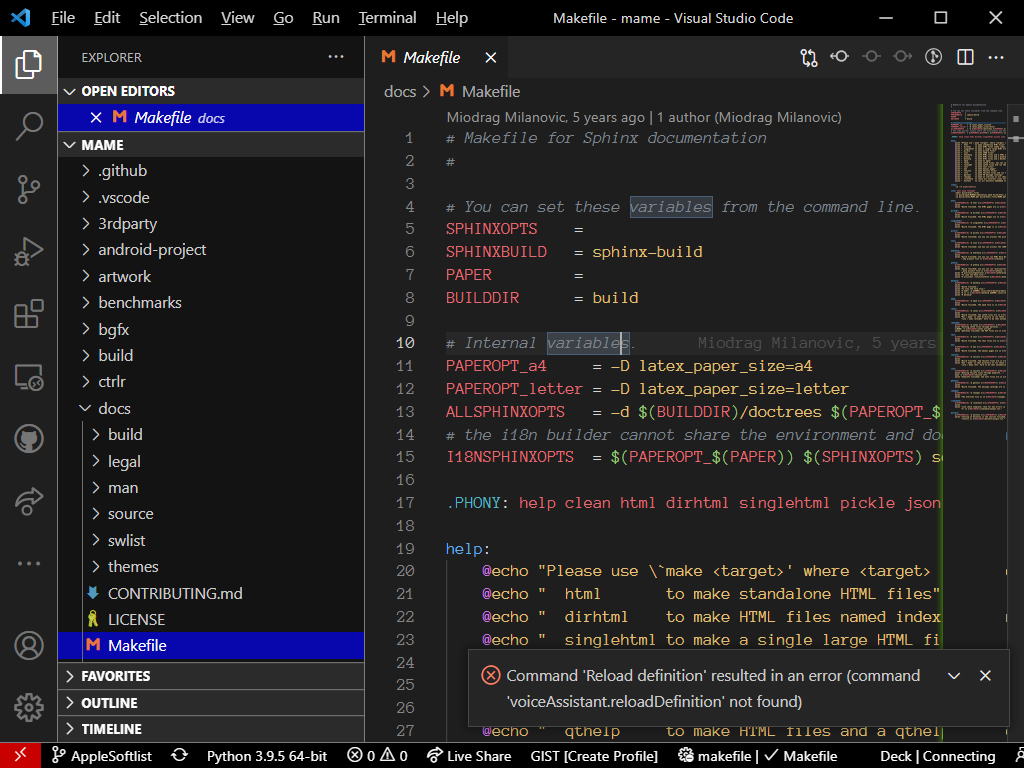
I've just released 0.1.2 version. I've changed file system access method to vscode.workspace.fs.
It's on my PC. but a few of the workspace folders were from WSL2 mounted at the L: drive-- this was done because while some of the scripting requires Linux-side work, actual compilation needs to be done from Windows.
I'll update and take another look.
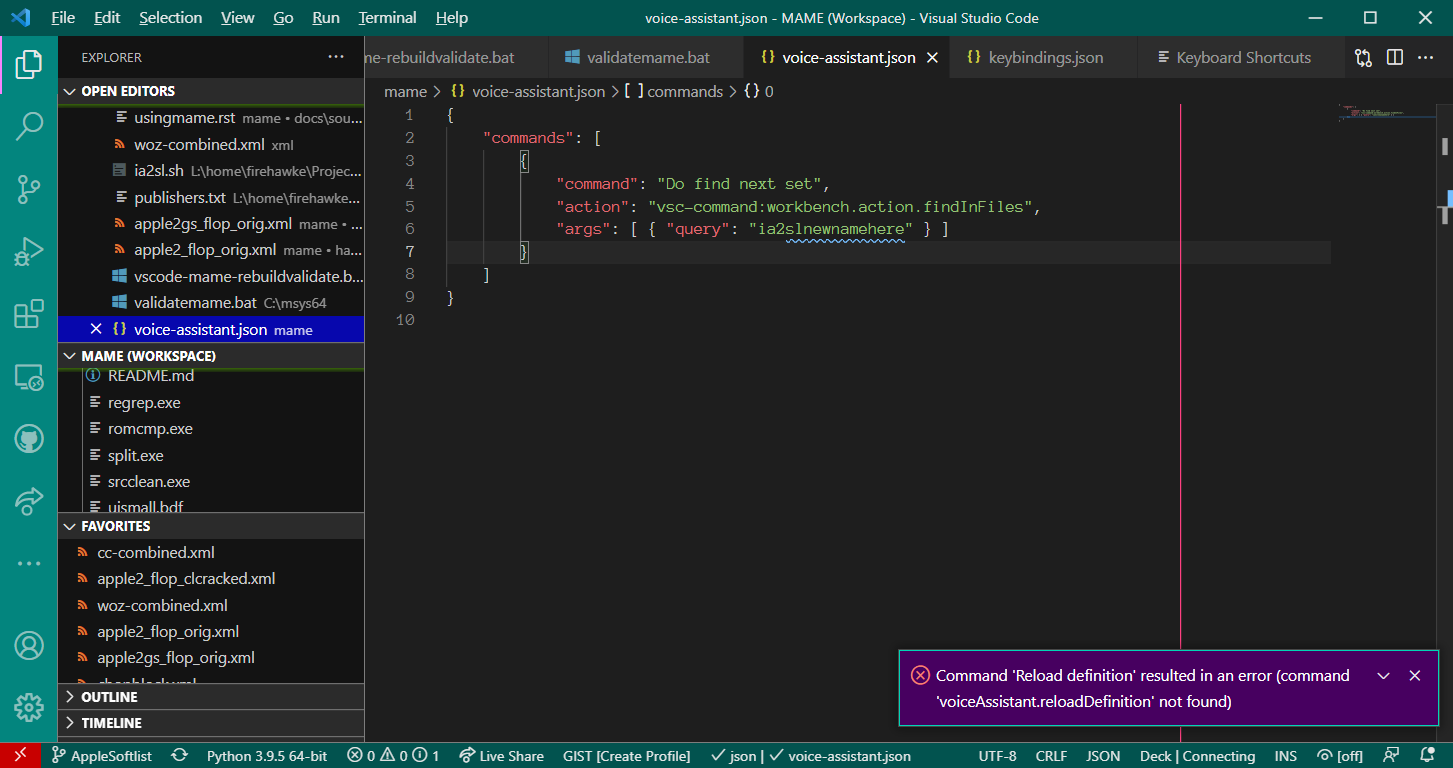
No change. Server is running in the background but no attempt to connect was made.
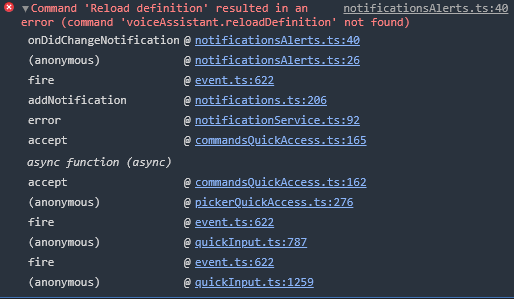
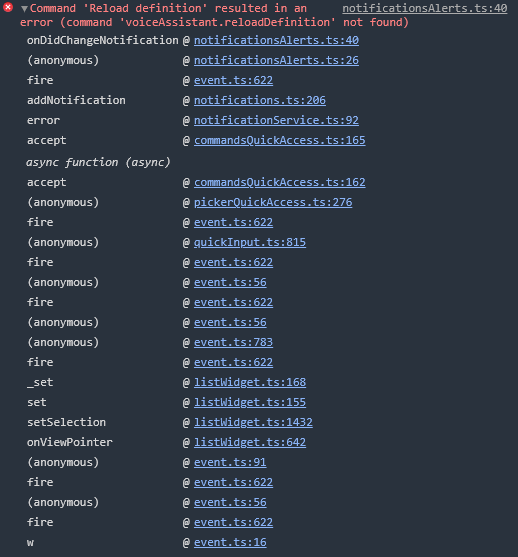
Could you check your VSC console? I think you should have there some error. Help > Toggle developer tools.
Here's a re-run using the workspace:
Here's a re-run using just the folder:
I don't have any next ideas. Are you sure that, do you have 0.1.2 version? Basically you may download this repository and run the extension in debug mode.