

 axilleasiv
Can't seem to make it work as NodeJS REPL inside Gatsby project
Hi, I'm new to the plugin and can't seem to make it work as NodeJS REPL.
I run the command JS REPL: New Javascript File (.js), it creates an Untitled-1.js (unsaved) file in my workspace and no matter what content I have inside the file it says there's an error with Babel in the first line...
I've tried including NODE_ENV=test in it but nothing I tried made it work.
Please refer to the screenshot for the context:


Hey, @fmaiabatista thank you so much for your feedback and I am sorry that you had this issue.
Basically, the repl uses by default a runtime context created on the same process. I chose to have this by default because this is "lighter" compared to use a separate process but it has some issues when users are running-testing code through repl specifically for node.js.
The truth is that I have not tested the extension inside a Gatsby project but I think that by using the 'Node' option instead of the default 'VM' on the "JavaScript-repl: Context" option in vscode preferences-settings, maybe your example will work successfully.
Please, let me know if you change this option on settings, your example will work.

Hi @axilleasiv, thanks for your response.
Unfortunately it doesn't work even after changing the mentioned option (I have also tried reloading VS Code after changing the setting just in case):
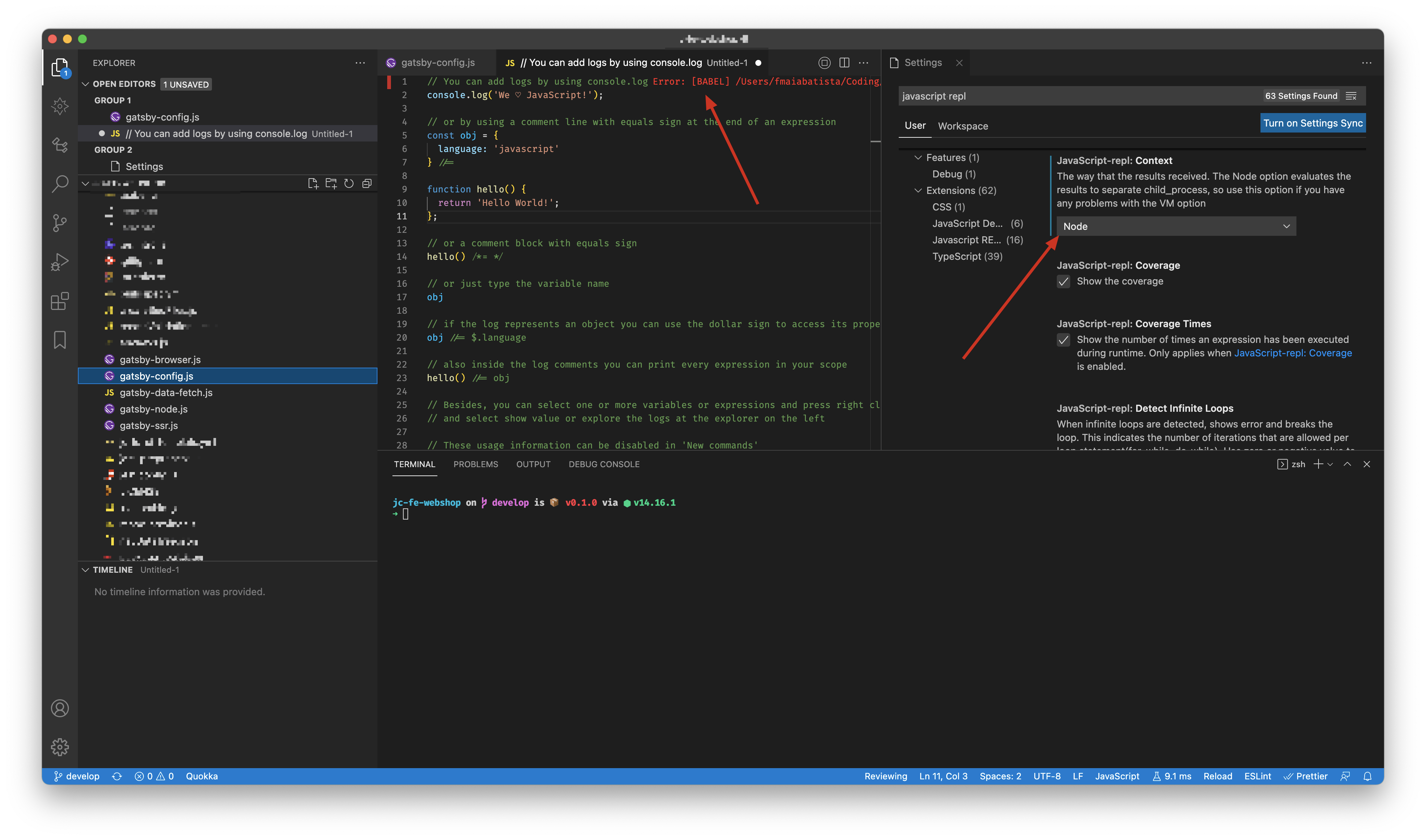
For the time being I'm using the NodeJS REPL which from what I read is used in this extension as base for the functionality, but there I get no errors 🤷♂️
Hi @fmaiabatista, thank you again for your feedback. I will keep this issue open and I will investigate further this.
Based on your previous message, I think that this has to do with the babel-preset-gatsby module and the internal version that the JS repl extension uses.
I will let you know.