

 attify
Netgear firmware unable to simulate in the firmadyne
Unable to simulate Netgear firmware, not if there any thing wrong on .chk file extension.
Here I am sharing some details about my blocker,
- Tried on 2 netgear firmware version - "D8500-V1.0.3.39_1.0.1.chk" and "R7000-V1.0.9.28_10.2.32.chk"
- attaching the error screenshot.
Please let me know if you need any further details to investigate this issue.
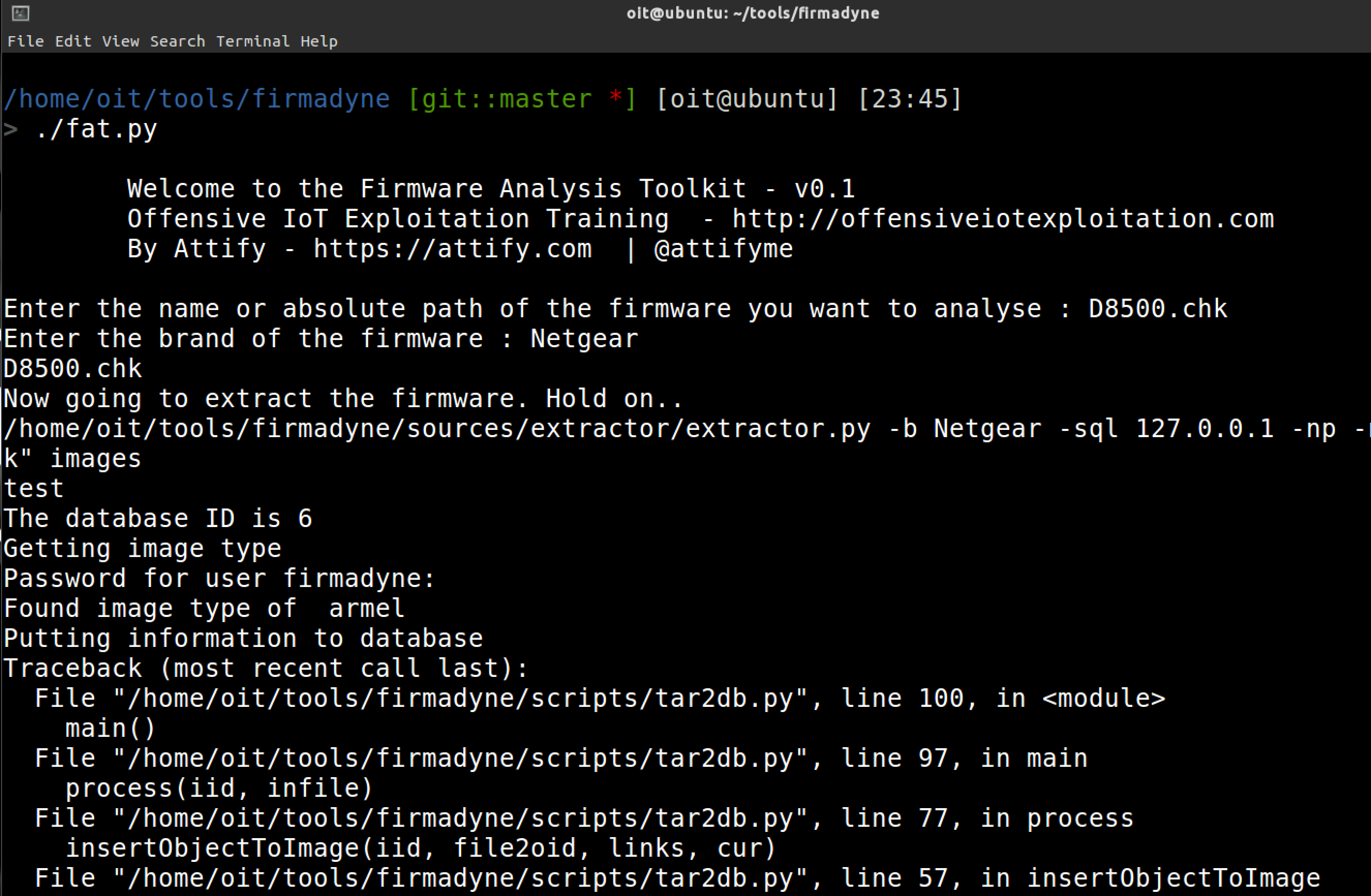


You are using an old version of fat. Consider updating it.
As for the actual problem, The file "run.sh" isn't generated, thats why its failing. You can have a look here how to proceed in such cases.
https://github.com/firmadyne/firmadyne#runsh-is-not-generated

It also looks like there's a conflict with one of the previous runs.
Can you run the reset.py once and try it again.

@adi0x90 Hi Aditya, as per your direction I have tried below options -
First ran the download.sh and then reset.py , however still the same issue.

@adi0x90 Thanks for your quick response, I am attaching the firmware binary.
Here is the download link - https://we.tl/GGcBtcUQ83
@adi0x90 Hi Aditya, You must be busy in conference, just like to check if you have got a chance to see this
Updates on this one? I am trying to emulate Netgear firmware - R7000 and D8500 (latest versions). In both, I am unable to get any network interfaces. After running run.sh, I get kernel panic.
> sudo ./fat.py

                               __           _
                              / _|         | |
                             | |_    __ _  | |_
                             |  _|  / _` | | __|
                             | |   | (_| | | |_
                             |_|    \__,_|  \__|

                Welcome to the Firmware Analysis Toolkit - v0.2
    Offensive IoT Exploitation Training  - http://offensiveiotexploitation.com
                  By Attify - https://attify.com  | @attifyme

[?] Enter the name or absolute path of the firmware you want to analyse : R7000-V1.0.9.64_10.2.64.zip
[?] Enter the brand of the firmware : Netgear
[+] Now going to extract the firmware. Hold on..
[+] Firmware : R7000-V1.0.9.64_10.2.64.zip
[+] Brand : Netgear
[+] Database image ID : 1
[+] Identifying architecture
[+] Architecture : armel
[+] Storing filesystem in database
[+] Building QEMU disk image
[+] Setting up the network connection, please standby
[+] Network interfaces : []
[+] Running the firmware finally
[+] command line : sudo /home/oit/firmadyne/scratch/1/run.sh
[*] Press ENTER to run the firmware...
Starting firmware emulation... use Ctrl-a + x to exit
attify123
[    0.000000] Booting Linux on physical CPU 0x0
[    0.000000] Linux version 4.1.17+ (vagrant@vagrant-ubuntu-trusty-64) (gcc version 5.3.0 (GCC) ) #1 Thu Feb 18 01:05:21 UTC 2016
[    0.000000] CPU: ARMv7 Processor [412fc0f1] revision 1 (ARMv7), cr=10c5387d
[    0.000000] CPU: PIPT / VIPT nonaliasing data cache, PIPT instruction cache
[    0.000000] Machine model: linux,dummy-virt
[    0.000000] debug: ignoring loglevel setting.
[    0.000000] Memory policy: Data cache writeback
...
many kernel messages
kernel panic afterwards
Tried resetting also.. same issue again
