

 appleboy
Error: can't connect without a private SSH key or password
My ci.yaml file
name: ci

on:
  push:
    branches:
      - main
  pull_request:
    branches:
      - main

jobs:
  build:

    runs-on: ubuntu-18.04

    steps:
      - uses: actions/checkout@master

      - name: Copy repository contents via scp
        uses: appleboy/scp-action@master
        env:
          host: ${{ secrets.HOST }}
          username: ${{ secrets.USERNAME }}
          port: ${{ secrets.PORT }}
          key: ${{ secrets.KEY }}
        with:
          source: "."
          target: "/var/www/html/gportal"

      - name: Executing remote command
        uses: appleboy/ssh-action@master
        with:
          host: ${{ secrets.HOST }}
          port: ${{ secrets.PORT }}
          username: ${{ secrets.USERNAME }}
          key: ${{ secrets.KEY }}
          script: npm i && npm run generate
I've set my KEY secret in the repo to
-----BEGIN RSA PRIVATE KEY-----
M**keyhere**w=
-----END RSA PRIVATE KEY-----
And I get
Copy repository content via scp
2021/07/25 13:11:52 Error: can't connect without a private SSH key or password
Can't really understand where my issue is.

I'm having a very similar issue.
- name: Copy file via ssh
  uses: appleboy/scp-action@master
  env:
    host: ${{ secrets.HOST }}
    key: ${{ secrets.KEY }}
    username: ${{ secrets.USERNAME }}
    port: ${{ secrets.PORT }}
  with:
    source: "target/*.jar"
    target: "test"
With these env vars:
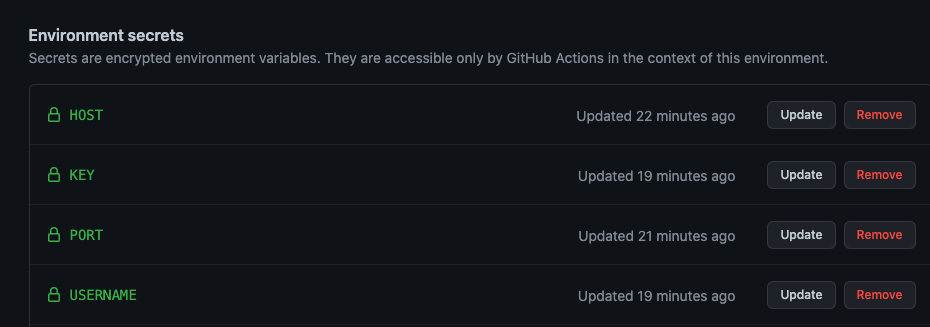
Yields this error:
2022/02/22 15:45:23 Error: can't connect without a private SSH key or password
Based on the docs it appears I'm using it correctly. Not sure why the action isn't recognizing the private key.

I have the same issue , how to fix it? Is it related to server configuration?

I had to define the name of the environment that has all the properties to make this work
jobs:

  build:
    name: Build
    runs-on: ubuntu-latest
    environment: main < -- here
    steps:
    - uses: actions/checkout@v2
    - name: copy file via ssh password
      uses: appleboy/scp-action@master


In my case, was just a matter of making all the connection-related keys to caps
env:
    HOST: ${{ secrets.HOST }}
    KEY: ${{ secrets.KEY }}  # I had this one lowercase
    USERNAME: ${{ secrets.USERNAME }}
    PORT: ${{ secrets.PORT }}

the strick is to add envrinment : <name of enviroment from Repo Environment settings>
