

 appium
Getting the exception in latest Appium Library for get("logcat") for Android device
Description
When we try to get the logs from manage().logs().get("logcat") we are getting 404 errors, till 7.5.1 version this method was working fine, but when we have switched to 8.0.0 Java client this is throwing the error.
Environment
- Java client build version : Java client library 8.0.0
- Real device or emulator/simulator: Real Device
- Cloud Platform : Sauce Labs
- App : Native App
Details
We have tried the below steps : AndroidDriver mobileAndroidDriver = new AndroidDriver (); mobileAndroidDriver.manage().logs().get("logcat") throws 404 error mobileAndroidDriver.manage().logs().getAvailableLogTypes() Also throws errors
AppiumDriver driver = new AndroidDriver(); driver.manage().logs().get("logcat") throws 404 error. driver.manage().logs().getAvailableLogTypes() Also throws errors
As we cannot call now AppiumDriver<MobileElement> driver = new AndroidDriver(); in new Java clent, we tried with AndroidDriver mobileAndroidDriver = new AndroidDriver (); still no luck.
We couldnt see any doc mentioning there is a change of this logs as its not deprecated.
Link To Appium Logs
(https://gist.github.com/krnnarayan/e1e7f8ea446b2a25c69ab86a53c52a11)


@mykola-mokhnach we are already using selenium 4.1.2 libraries, will that not help ? Any solutions that we can use, as we have many cases which needs logs for android flows. We have almost fixed all the issues except this one after the selenium and appium Java client upgrade, if you help us with alternate solutions, will help a lot.
The only way to workaround this issue is to update the server to version 2. Not sure if/when this could be done by Sauce Labs though.
From the client side you could simply call the corresponding (old) API (/se/log and /se/log/types) directly instead of using the manage() interface. See for example https://github.com/appium/java-client/blob/2ad786a24d742c7f0830eb4b72994cee5ba91106/src/main/java/io/appium/java_client/HasAppStrings.java#L54
Also, it is possible to use addCommand helper for this purpose. Check https://github.com/appium/java-client/blob/f1cc1030b21b7303b7ea4bc2687618e2d4fa4291/src/test/java/io/appium/java_client/ios/IOSDriverTest.java#L62 for more examples
Thanks @mykola-mokhnach for the quick response, I will try out both the options.
Hi @mykola-mokhnach , Good evening, can you please help me with this error ? not sure if I am doing something wrong here.
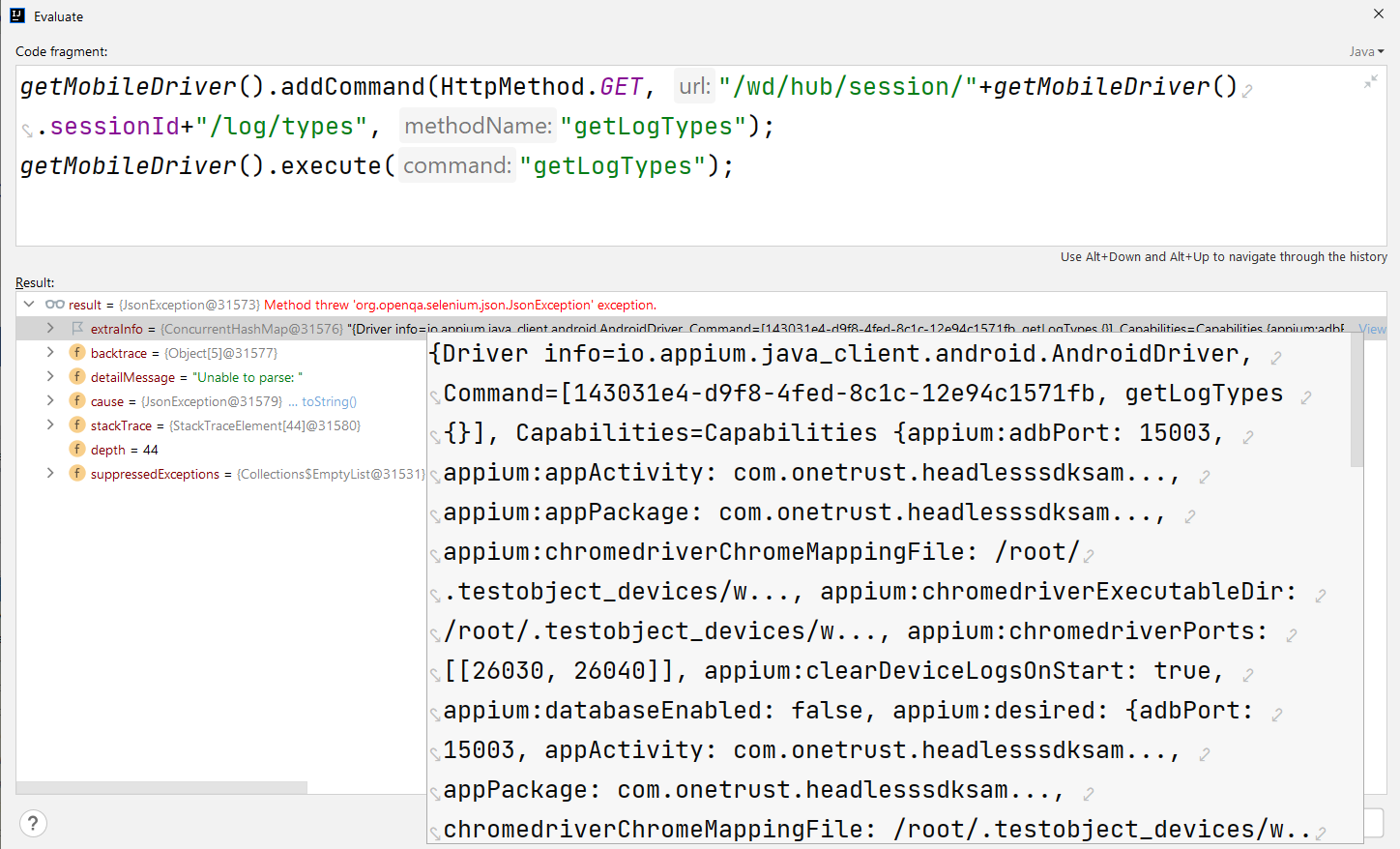
Can i get some swagger or documentation which can help me with the format which i need to send to driver.add command method
