appium
Documentation how to use Appium Docker image on windows OS and OSX
Hi Team,
Do we have any workaround for leveraging Appium docker Image for windows OS ? Since docker-machine is deprecated by docker, is there any new approach use the same Appium docker Image without the use of docker-machine.
Thanks in advance for your support


could someone add in the documentation if someone can use this project without docker-machine on windows OS and OSX? because I do not use windows OS anymore.

Troubleshooting Tips for Windows OS
Preface:
When utilizing Docker containers on a Windows host, various challenges may arise, particularly when attempting to access host machine resources using adb and Appium. Successfully resolving these challenges often involves utilizing the host.docker.internal hostname.
Tips:
-
Issues with
adb devices:- If your Android device is connected to the host machine via USB, and running
adb deviceswithin the container returns an empty list, check whether the environment variableANDROID_ADB_SERVER_ADDRESSis set tohost.docker.internal.
- If your Android device is connected to the host machine via USB, and running
-
Issues connecting to the Appium server:
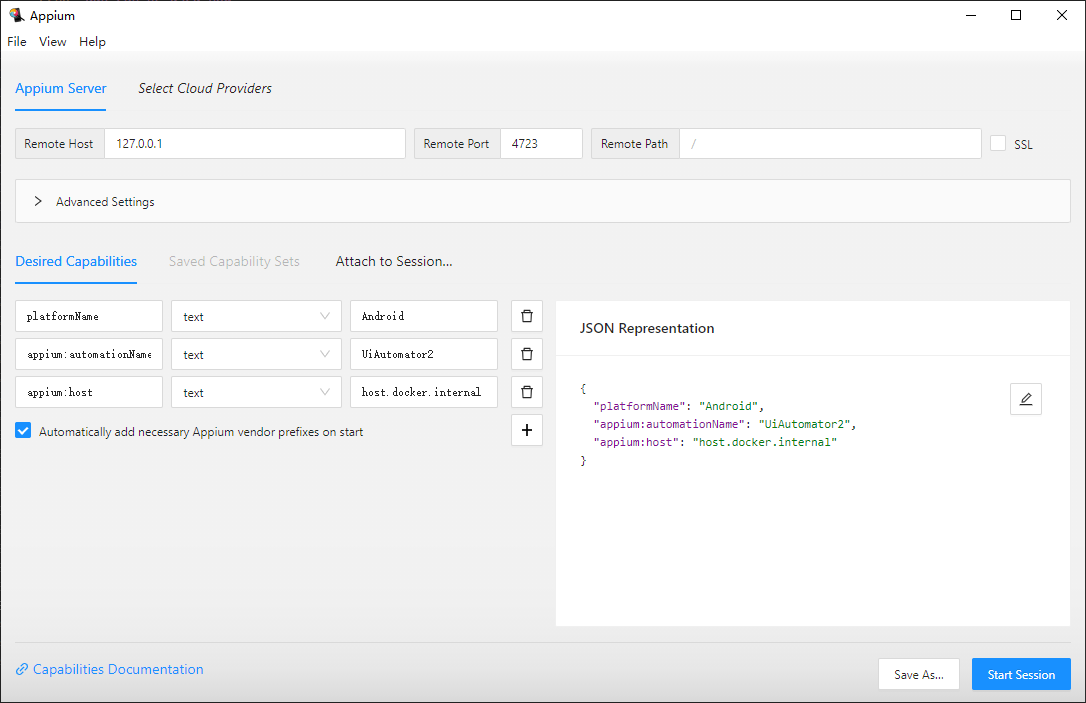
- If Appium client code encounters difficulties connecting to the Appium server during testing, ensure that the
hostin thecapabilitiessection of the client code is set tohost.docker.internal.
- If Appium client code encounters difficulties connecting to the Appium server during testing, ensure that the
Outcome:
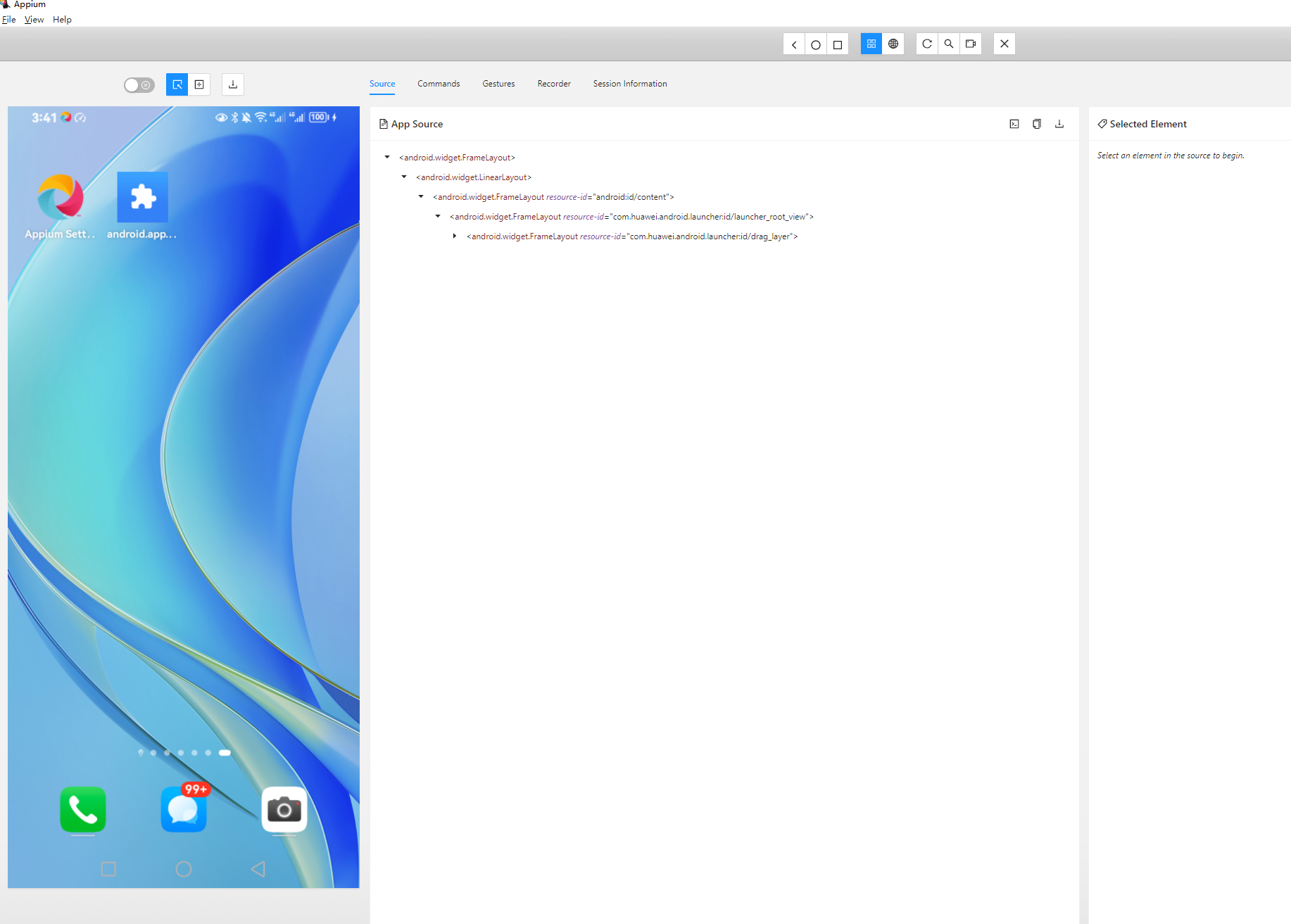
By implementing the aforementioned measures, I successfully ran the Docker image on a Windows host. Moreover, I was able to connect to my Android device for development using Appium Inspector.