appdev
[ERROR:flutter/lib/ui/ui_dart_state.cc(198)] Unhandled Exception: 'package:flutter/src/widgets/overlay.dart': Failed assertion: line 147 pos 12: '_overlay != null': is not true.
[ERROR:flutter/lib/ui/ui_dart_state.cc(198)] Unhandled Exception: 'package:flutter/src/widgets/overlay.dart': Failed assertion: line 147 pos 12: '_overlay != null': is not true.
[ERROR:flutter/lib/ui/ui_dart_state.cc(198)] Unhandled Exception: Null check operator used on a null value

REASON
I got the same problem because I init the ToastContext behind runApp directly without any StatefulWidget ahead of it. And the parent of context I used is RenderView, which has a RenderObjectToWidgetAdapter widget instead of StatefulWidget.
SOLUTION
After doing some debugging things, I fixed this by invoking the ToastContext().init(context) with a context that has a StatefulWidget ancestor(and mark sure this context won't be disposed of during all your application lifecycle).
ANALYSIS
There is the code the Toast gets its overlayState:
// https://github.com/appdev/FlutterToast/blob/4654d39ec9cfced65e39dc93039d7da3f6b1ea3c/lib/toast.dart#L97
overlayState = Overlay.of(context, rootOverlay: rootNavigator ?? false);
which finally calls this function below:
// https://github.com/flutter/flutter/blob/2aa348b9407e96ffe4eca8e8f213c7984afad3f7/packages/flutter/lib/src/widgets/overlay.dart#L342
  static OverlayState? of(
    BuildContext context, {
    bool rootOverlay = false,
    Widget? debugRequiredFor,
  }) {
    final OverlayState? result = rootOverlay
        ? context.findRootAncestorStateOfType<OverlayState>()
        : context.findAncestorStateOfType<OverlayState>();
    return result;
  }

// https://github.com/flutter/flutter/blob/1b2ee411aa1389e74c7c2aada90bc468781532d2/packages/flutter/lib/src/widgets/framework.dart#L4308

  @override
  T? findAncestorStateOfType<T extends State<StatefulWidget>>() {
    assert(_debugCheckStateIsActiveForAncestorLookup());
    Element? ancestor = _parent;
    while (ancestor != null) {
      if (ancestor is StatefulElement && ancestor.state is T)
        break;
      ancestor = ancestor._parent;
    }
    final StatefulElement? statefulAncestor = ancestor as StatefulElement?;
    return statefulAncestor?.state as T?;
  }

invoking the ToastContext().init(context) in StatefulWidget I got another error E/flutter ( 8513): [ERROR:flutter/lib/ui/ui_dart_state.cc(198)] Unhandled Exception: Null check operator used on a null value
Source Code: Toast.show(msg, duration: Toast.lengthLong, gravity: Toast.bottom);
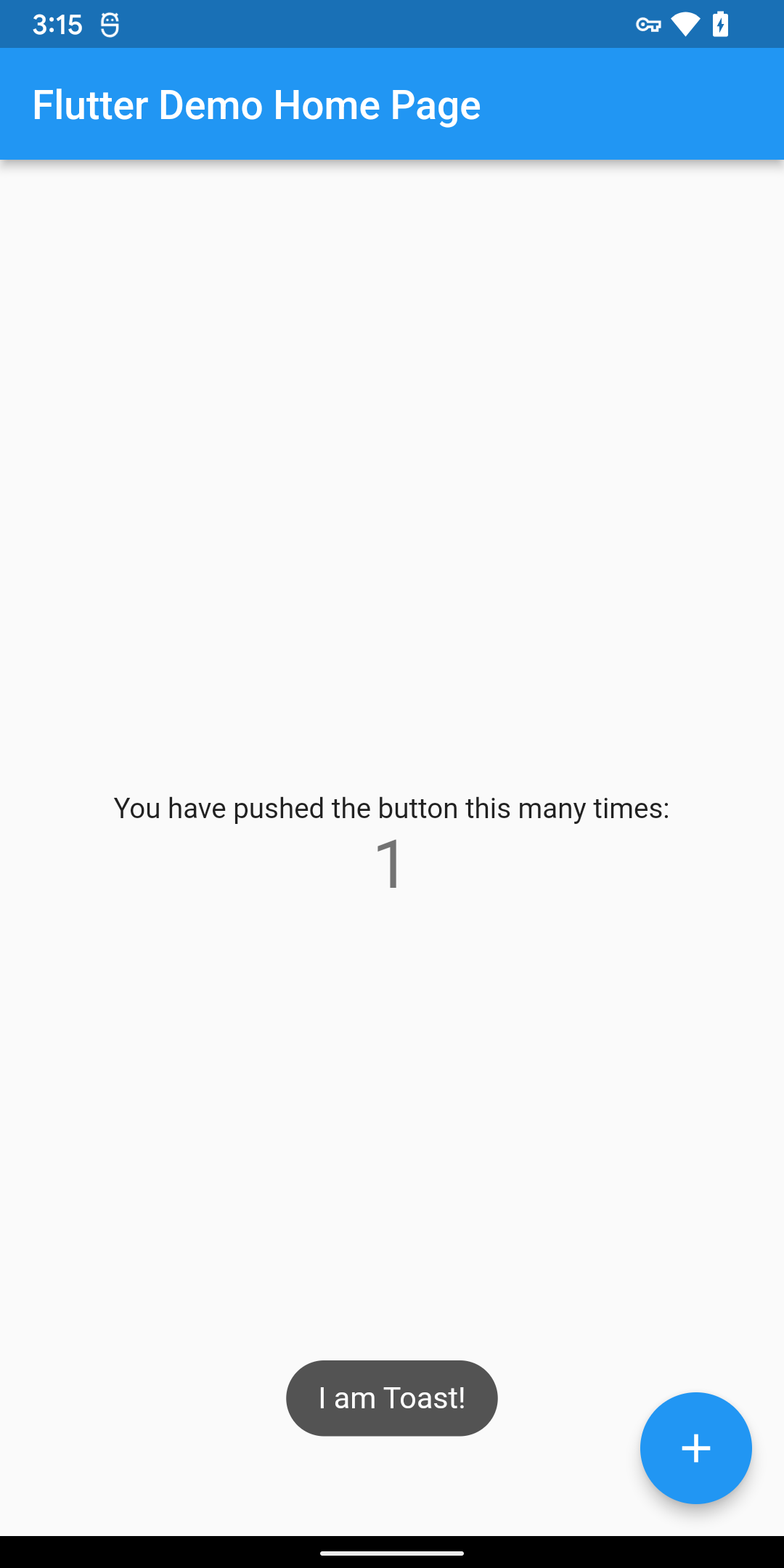
I don't know what context your source code actually used, here is my solution which bases on the counter app made by flutter official:
plz follow the following 2 steps:
- install
toast: ^0.3.0for your application - use it as the code below
For now, the official example can't work, maybe you can find an example with my flutter app SircApp
import 'package:flutter/material.dart';
import 'package:toast/toast.dart';

void main() => runApp(MyApp());

class MyApp extends StatelessWidget {
  @override
  Widget build(BuildContext context) {
    return MaterialApp(
      title: 'Flutter Demo',
      debugShowCheckedModeBanner: false,
      theme: ThemeData(
        primarySwatch: Colors.blue,
      ),
      home: const MyHomePage(title: 'Flutter Demo Home Page'),
    );
  }
}

class MyHomePage extends StatefulWidget {
  final String title;

  const MyHomePage({
    Key? key,
    required this.title,
  }) : super(key: key);

  @override
  State<MyHomePage> createState() => _MyHomePageState();
}

class _MyHomePageState extends State<MyHomePage> {
  int _counter = 0;

  @override
  void initState() {
    // #1 initialize ToastContext instance
    ToastContext().init(context);
    super.initState();
  }

  void _incrementCounter() {
    setState(() {
      _counter++;
    });
    // #2 show toast where you want
    Toast.show("I am Toast!",
        duration: Toast.lengthLong, gravity: Toast.bottom);
  }

  @override
  Widget build(BuildContext context) {
    return Scaffold(
      appBar: AppBar(
        title: Text(widget.title),
      ),
      body: Center(
        child: Column(
          mainAxisAlignment: MainAxisAlignment.center,
          children: [
            const Text(
              'You have pushed the button this many times:',
            ),
            Text(
              '$_counter',
              style: Theme.of(context).textTheme.headline4,
            ),
          ],
        ),
      ),
      floatingActionButton: FloatingActionButton(
        onPressed: _incrementCounter,
        tooltip: 'Increment',
        child: const Icon(Icons.add),
      ),
    );
  }
}
It works for me: