

 apluslms
Left-side course menu overlaps with the page contents
Eräs opiskelija pyytää: Työskentelen usein jakamalla ikkunat näytölleni, mutta TUT+ sivu siirtää valikon häiritsevästi tekstin päälle, jolloin ohjetekstiä on hyvin hankala seurata. Onko tätä mahdollista muuttaa? Ohessa print screen.
On the Safari browser, the left-side course menu overlaps with the chapter contents when you scroll down the page so that the course menu "sticks" to the left side. The chapter contents also jump to the left edge of the browser viewport even though the viewport is not resized (made smaller) and the contents were in the middle of the viewport when the page was scrolled to the very top.
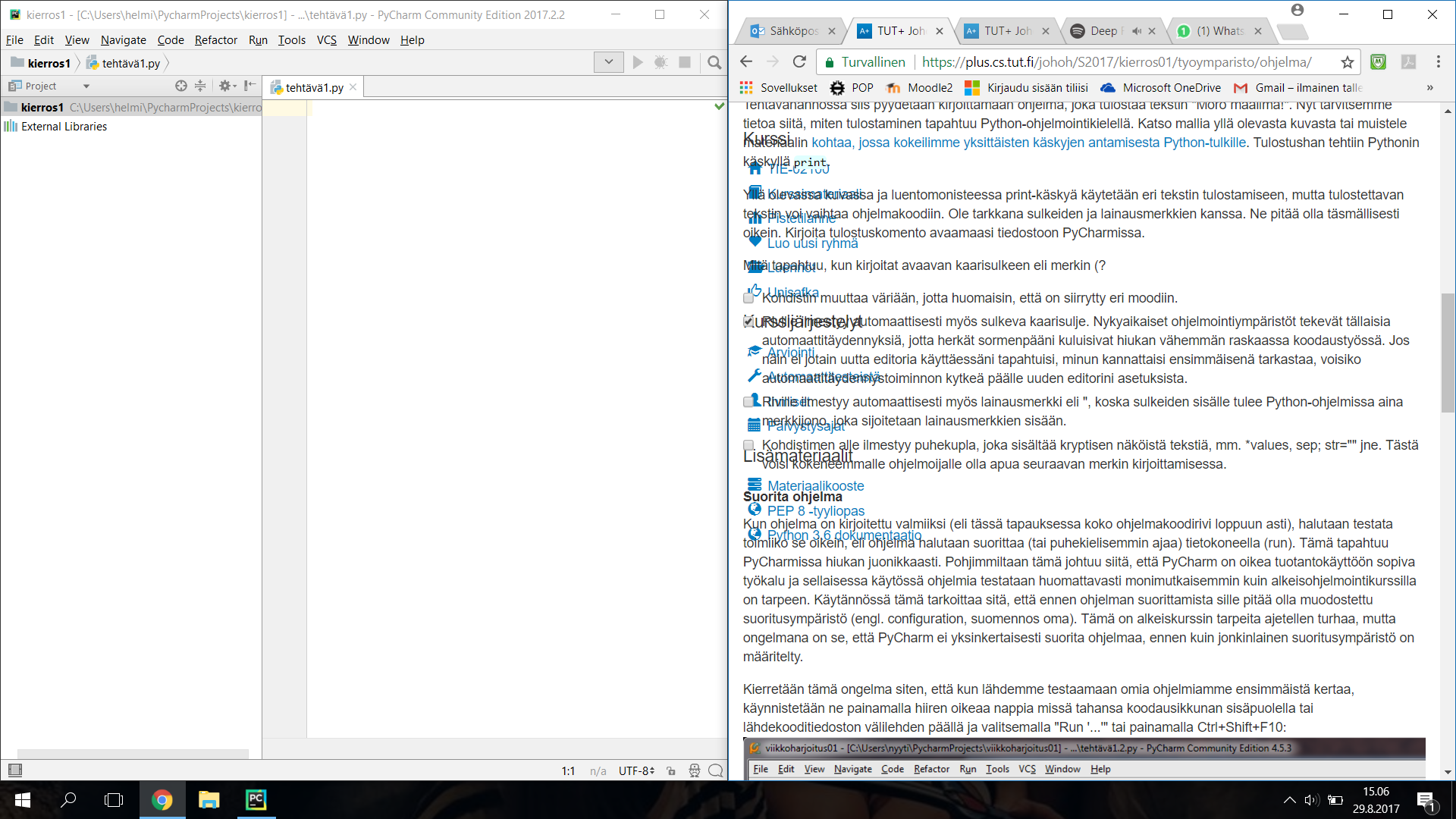

Safarilla toistettavissa, kun normitekstikoosta (cmd 0) pienentää (cmd -) ja skrollaa alaspäin.

I can't test this on Safari myself, but I think this has been fixed in the past years.

I just saw this issue on Safari (Mac OS laptop) today. Google Chrome in the same laptop worked correctly. Reopening.
