

 apierz
Issue loading font awesome icons
Hello!
I just managed to get past the issues with the script locations, but now I am running into an issue with how the font-awesome icons displaying. Instead of actually getting the icon, I'm just getting boxes.

I have font awesome 5 installed, and I also have all-the-icons installed.
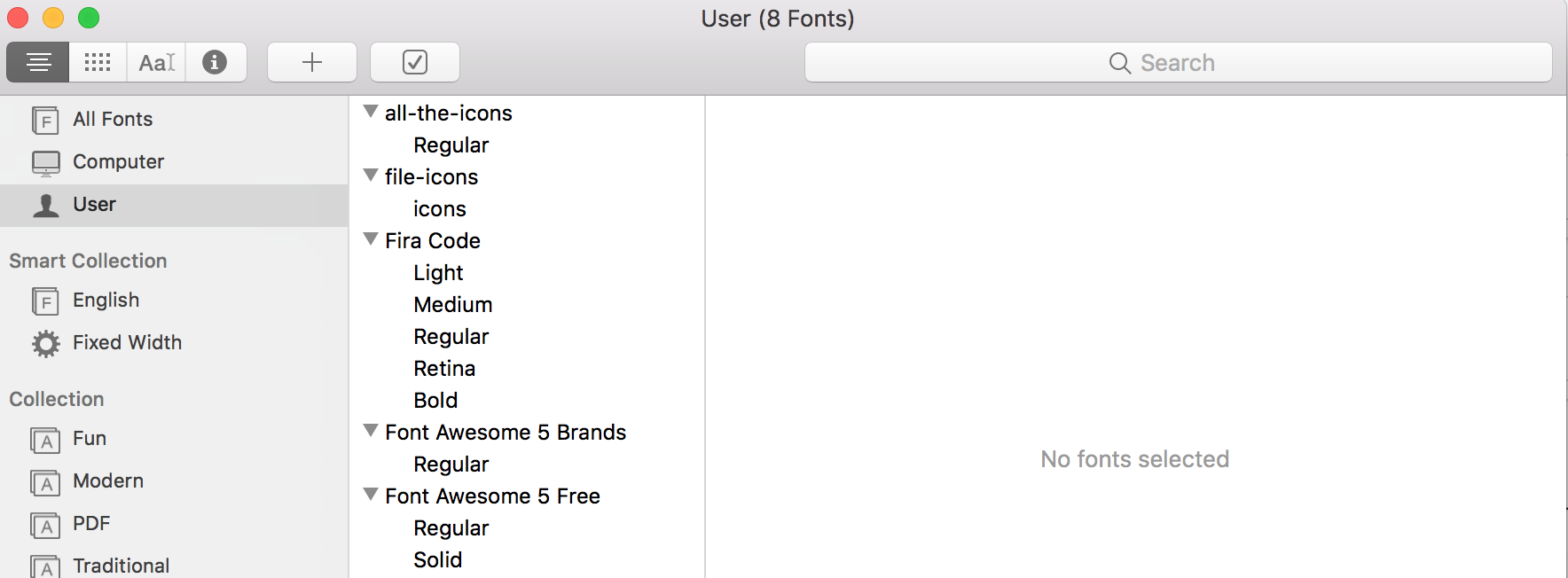
Not sure where to go from here.

If you copy-paste the icon out of Font Book into the .coffee file does it show up then? That would be the first thing I would try.
Also, I haven't updated my Font Awesome in a while. Try clicking on the "i" button in Font Book and see if your Font Awesome font has a different name than the one I have.
If you look in colors.css the icons class is:
.icon {
    position: relative;
    top: 1px;
    font: 14px FontAwesome;
}
So if Font Book has something else, like "FontAwesome5" or something changing that might work.

What version of Font Awesome are you using?
And I'm just getting boxes when I copy and paste the glyphs from Font Book.
UPDATE
So, I switched from Font Awesome 5 down to Font Awesome 4.7, which has the wifi sybmol showing up on the chunkbar. However, the rest of the symbols sitll aren't showing up. I'm not entirely sure why.

The strange thing is, the FontAwesome icons are recognized by my editor

UPDATE 2
I have the FontAwesome icons working now. I had to directly edit the ubersicht css to include FontAwesome as the font-family.
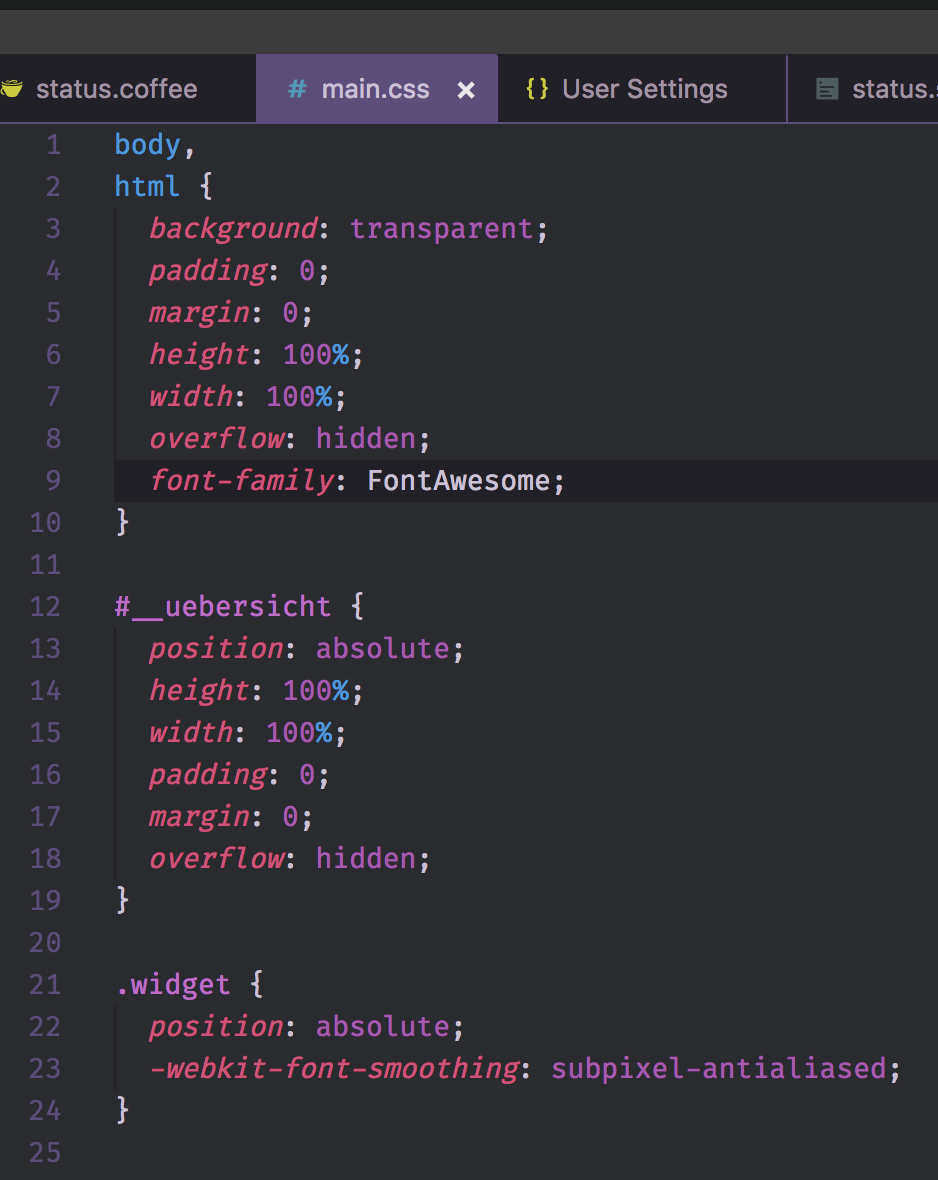
Now I just have to get the colors for the icons working.
The latest version has a new postscript name. Try changing
font: 14px FontAwesome;
to
font: 14px FontAwesome5FreeSolid;
The other instances in the .css file will have to be changed as well.
EDIT: OK, after some testing it seems like they split the icons between two fonts which is really annoying. I'll have to make two icon classes and update all the coffee scripts.
Alright, I've updated colors.css and the necessary coffee files to display the icons properly and pushed it to the master branch.
Because there is now two versions of Font Awesome, "regular" and "solid," there are now two css classes for icons ricon (for regular) and icon for solid. Some icons have only one version so you are stuck with the one font, but some have two versions so you can pick which version you want to suit your taste. I will probably experiment to see which ones I like best.