

 apache
[DECK.GL SCATTERPLOT] Wrong legend color
On a deck.gl scatterplot I have a categorical color for the point color. It's working fine except that the categories color in legend is not the same as the point on the map.
How to reproduce the bug
- Create a deck.gl scatterplot dataviz
- Put something in "Point Color > Categorical Color" parameter
- Run to see result
Actual results
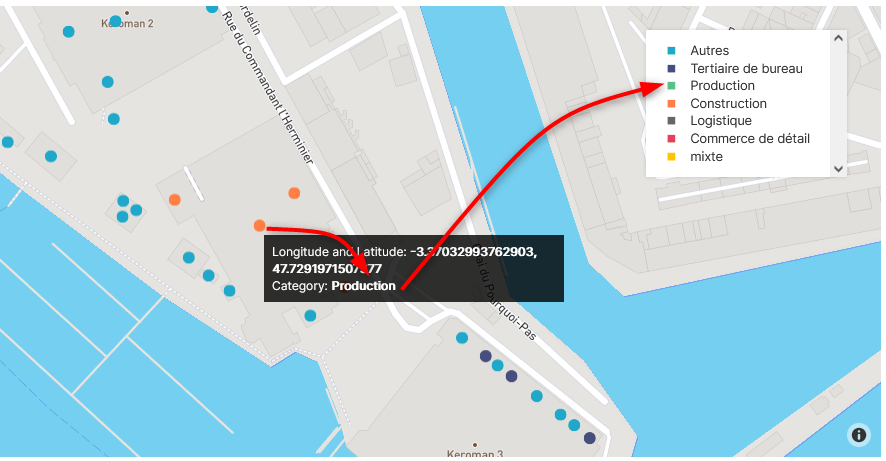
Expected results
Same color on the map and in the legend.
Environment
(please complete the following information):
- browser type and version: Firefox 91.10 esr
- superset version: 1.5.0
Checklist
Make sure to follow these steps before submitting your issue - thank you!
- [X] I have reproduced the issue with at least the latest released version of superset.
- [X] I have checked the issue tracker for the same issue and I haven't found one similar.

Maybe there are multiple points with the same location in your dataset and they have different category? (visualization of overlapping points should be handled differently)

Maybe there are multiple points with the same location in your dataset and they have different category? (visualization of overlapping points should be handled differently)
I checked, there is no overlapping points.
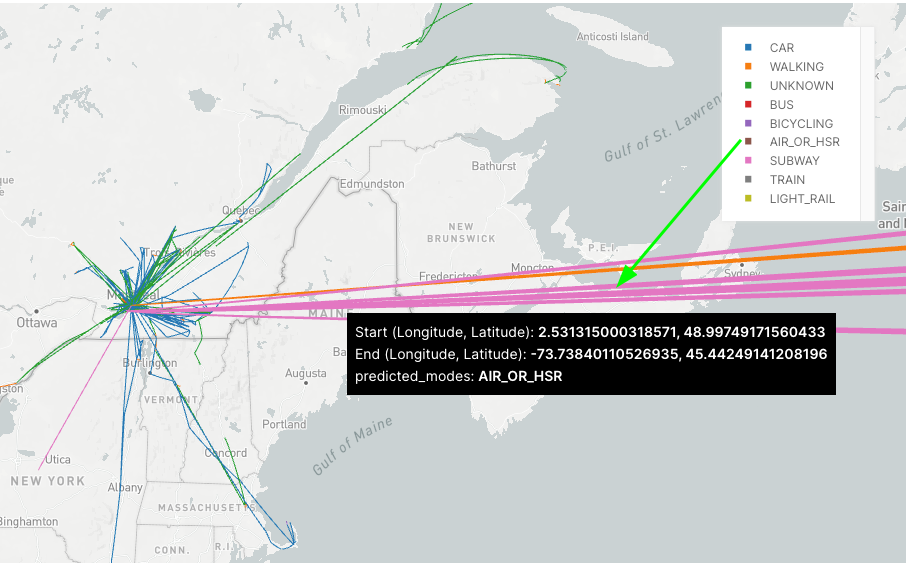

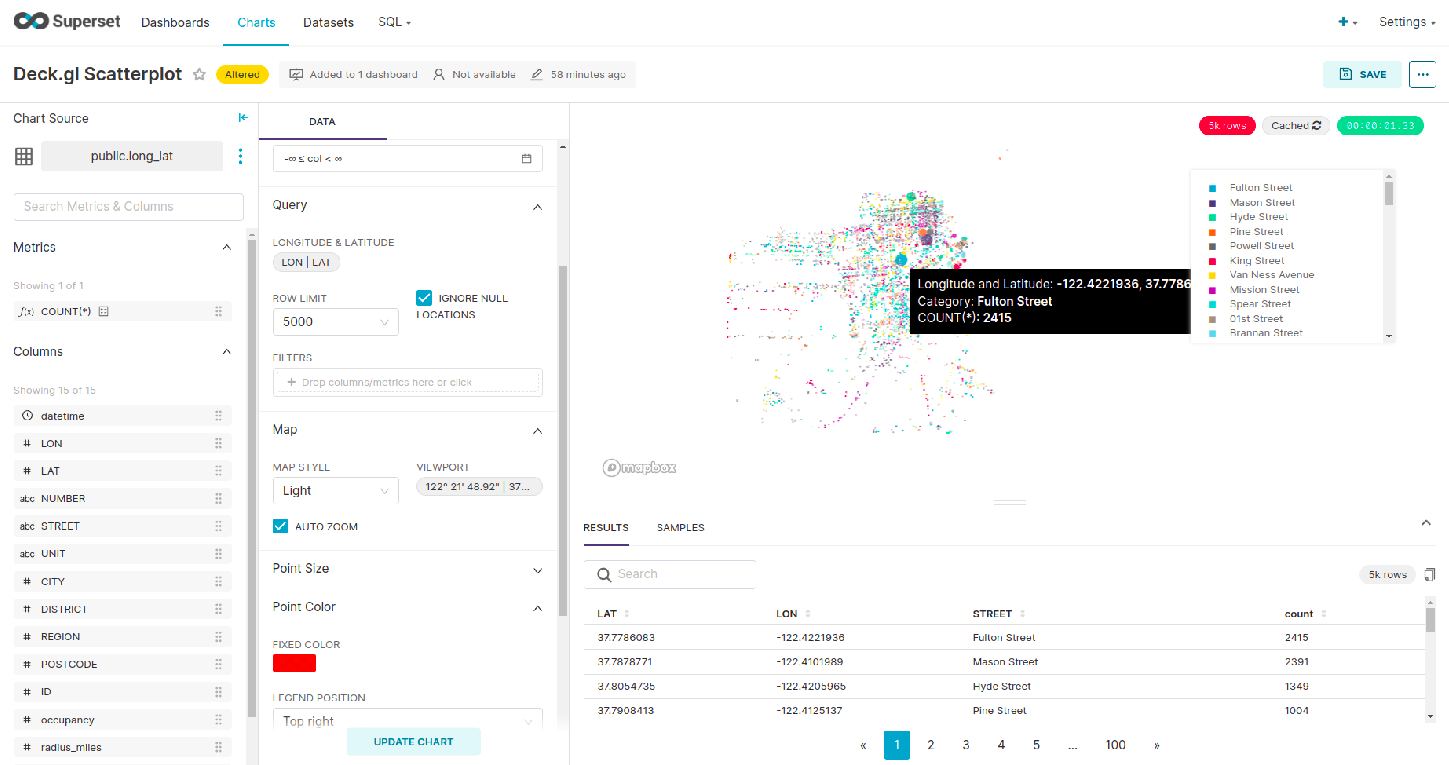
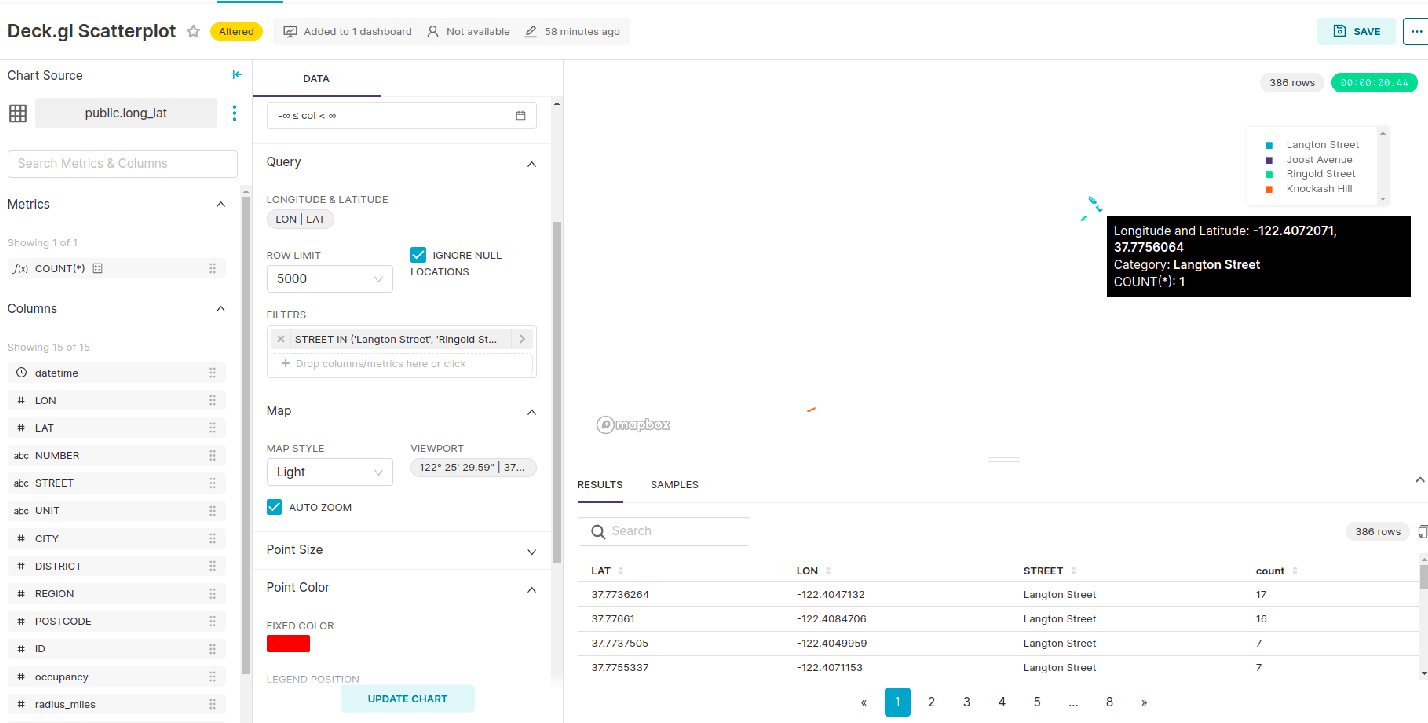
Working as Expected.In latest release of superset version 2.1.0. ,It is working fine.
Screenshots:-
 loom video:-
https://www.loom.com/share/59a4a12898e94fc7b5156bb8d130926b
loom video:-
https://www.loom.com/share/59a4a12898e94fc7b5156bb8d130926b

