

 apache
[Bug] 在jupyterlab中render 图片发现所有text变成了竖着的一列的
Version
5.3.3
Link to Minimal Reproduction
No response
Steps to Reproduce
export function stackbarplot (_data){
var series = []
for(let i=0; i< _data['category_1'].length ; i++){
    series.push({
        name: _data['category_1'][i],
        type: 'bar',
        stack: 'total',
        label: {
        show: true
        },
        emphasis: {
        focus: 'series'
        },
        data: _data['category_1_val'][i]
    })
    }

let options = {
    tooltip: {
        trigger: 'axis',
        axisPointer: {
        // Use axis to trigger tooltip
        type: 'shadow' // 'shadow' as default; can also be 'line' or 'shadow'
        }
    },
    legend: {},
    grid: {
        left: '3%',
        right: '4%',
        bottom: '3%',
        containLabel: true
    },
    yAxis: {
        name:'',
        nameTextStyle:{fontSize:20},
        type: 'value'
    },
    xAxis: {
        type: 'category',
        name:'',
        nameTextStyle:{fontSize:20},
        data: _data['category_0']
    },
    series: series

    }

return options
}
Current Behavior
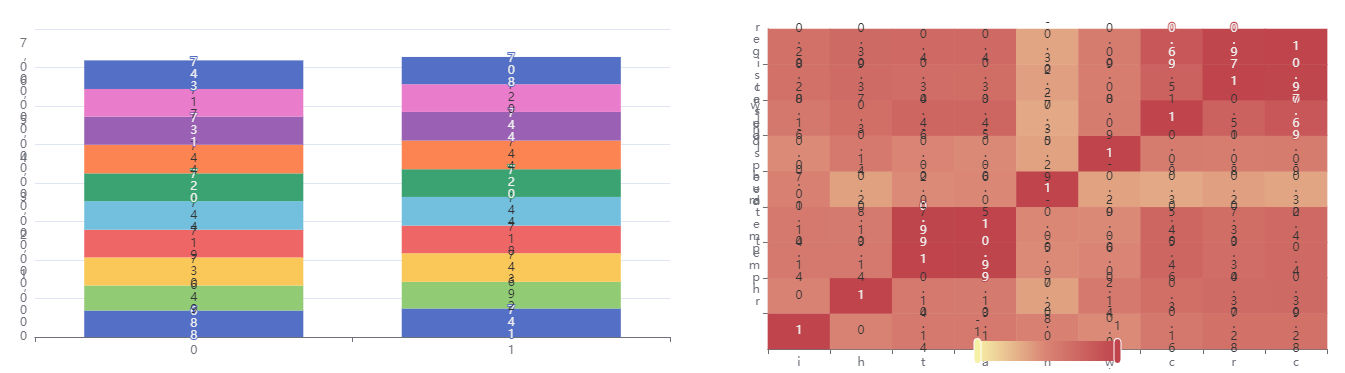 同样的代码在web端显示是正常的,jupyter用display渲染生成就变成了图上所示, 所有的字都竖过来了
Expected Behavior
有什么方法让字变正常吗
Environment
- OS:
- Browser:
- Framework:
Any additional comments?
No response

@CnBDM-Su It seems you are not using English, I've helped translate the content automatically. To make your issue understood by more people and get helped, we'd like to suggest using English next time. 🤗
TRANSLATED
TITLE
[Bug] In the jumperlab the render image found that all text became a vertical column
![echarts-bot[bot] avatar](https://avatars.githubusercontent.com/in/20872?v=4 "Published by a pub.dev verified publisher")
For better understanding, let me translate my issue. I use the same js code for plot on the web page, it works well, while when I render it on jupyterlab with display function, the result is weird. All text become vertical. How can I solve this, thanks.