apache
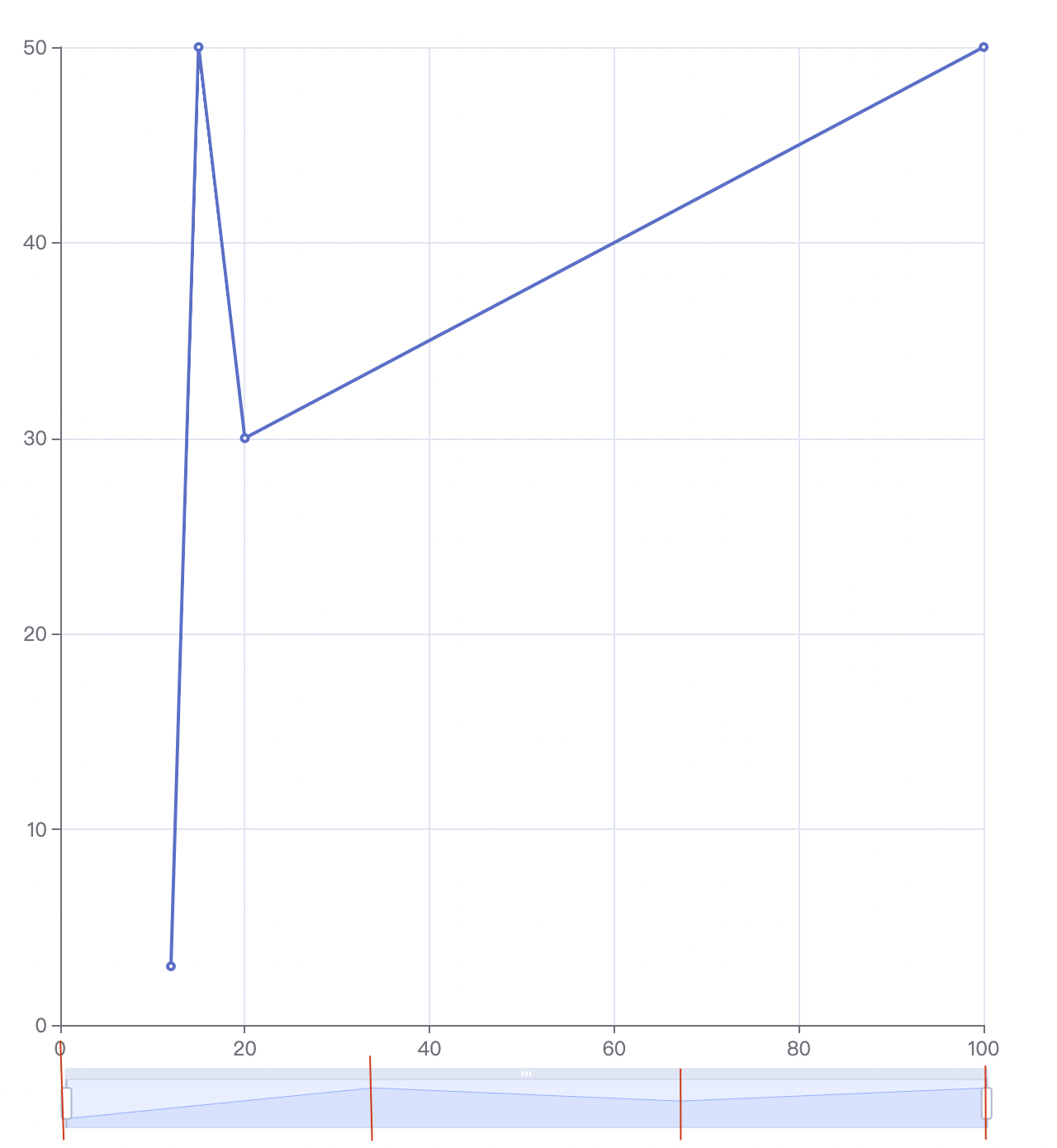
[Bug] dataZoom detail shape is not the same as data with value axis
Version
5.2.2
Link to Minimal Reproduction
https://echarts.apache.org/examples/zh/editor.html?c=line-simple&code=PYBwLglsB2AEC8sDeAoWsAeBBDEDOAXMmurGAJ4gCmRA5AG4CGANgK5W0kC-ANCeTnxFUpMpRqwGLdp3S8SeKgCcIVQrADaJdCNGwAJozCMiWvaQ0BGAEw9YAZgC6fc-isBWO-4AMz7Xo1rbzt7XxdXK29g2B9Hf3Q_cwpqOmYIaA5_LhJEgyNGAC1gYABbYX88YyUwADVpCSDuFC4AbiA
Steps to Reproduce
option = {
  xAxis: {
    type: 'value'
  },
  yAxis: {
    type: 'value'
  },
  series: [
    {
      data: [
        [12, 3],
        [15, 50],
        [20, 30],
        [100, 50]
      ],
      type: 'line'
    }
  ],
  dataZoom: {
    startValue: 20
  }
};
Current Behavior
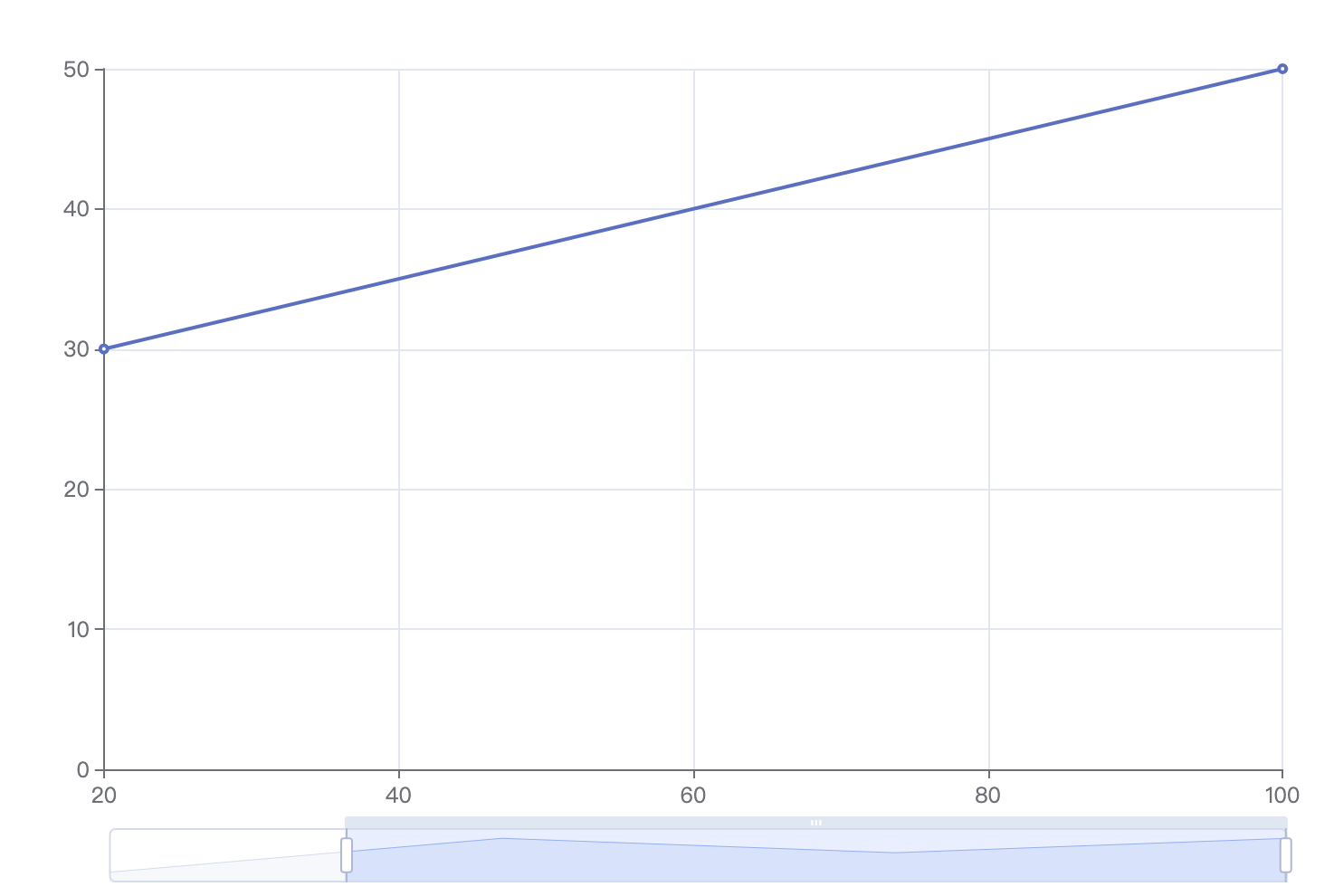
The detail view in the dataZoom is not the same as the data in range. You can see that the max value is still in the detail view of the dataZoom (wrong) but not in the chart visible area (correct).
Expected Behavior
The detail view should be the same as the chart area.
Environment
- OS:
- Browser:
- Framework:
Any additional comments?
Similar problems exists when data is not in the ascending order in xAxis (e.g., [100, 10], [50, 20]).

It seems that the detail view of dataZoom is evenly divided by 4, which is equal to series.data.length.