

 antvis
[g] Text 增加装饰线、沿线布局等特性
目前 g-canvaskit 渲染器实现了以上特性:
https://g-next.antv.vision/zh/docs/api/renderer/canvaskit#%E4%BF%AE%E9%A5%B0%E7%BA%BF
其它渲染器希望保持一致效果。
- [ ] 沿线布局
- [ ] 装饰线
- [ ] 阴影
- [ ] 文本选中
沿线布局
已有实现
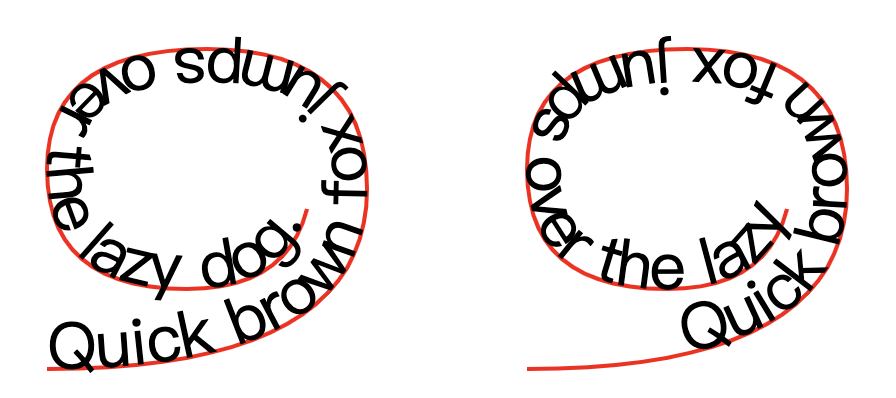
SVG 原生可以通过 <textPath> 实现:
https://developer.mozilla.org/en-US/docs/Web/SVG/Element/textPath
但浏览器兼容性并不好,例如 Chrome 106 仅支持 href 和 startOffset ,不支持 side,Firefox 支持度较好:
https://developer.mozilla.org/en-US/docs/Web/SVG/Element/textPath#browser_compatibility
<svg viewBox="0 0 100 100" xmlns="http://www.w3.org/2000/svg">
  <!-- to hide the path, it is usually wrapped in a <defs> element -->
  <!-- <defs> -->
  <path
    id="MyPath"
    fill="none"
    stroke="red"
    d="M10,90 Q90,90 90,45 Q90,10 50,10 Q10,10 10,40 Q10,70 45,70 Q70,70 75,50" />
  <!-- </defs> -->

  <text>
    <textPath href="#MyPath">Quick brown fox jumps over the lazy dog.</textPath>
  </text>
</svg>
在 Fabric.js 中有 Canvas 的实现: http://fabricjs.com/docs/fabric.Text.html#path https://github.com/fabricjs/fabric.js/blob/master/src/shapes/text.class.ts#L225
var textPath = new fabric.Text('Text on a path', {
    top: 150,
    left: 150,
    textAlign: 'center',
    charSpacing: -50,
    path: new fabric.Path('M 0 0 C 50 -100 150 -100 200 0', {
        strokeWidth: 1,
        visible: false
    }),
    pathSide: 'left',
    pathStartOffset: 0
});
API
支持以下属性:
-
textPath仅支持传入 Path,如果需要其它基础图形可以使用convertToPath进行转换 -
textPathSide在 Path 的左侧还是右侧 -
textPathStartOffset起始偏移量
注意事项
- 会影响现有包围盒的计算逻辑,需要拆分成一个个字符排布
- 超出 Path 的部分会被截断
装饰线
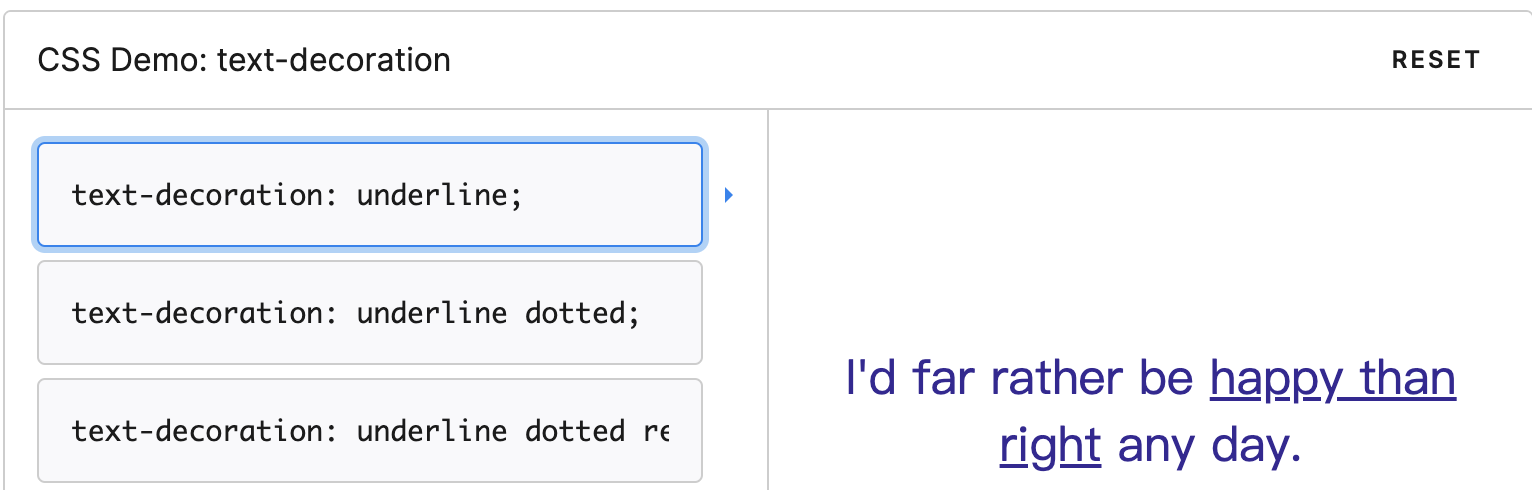
CSS 中通过 text-decoration 实现:
https://developer.mozilla.org/zh-CN/docs/Web/CSS/text-decoration
SVG 也支持同名属性: https://developer.mozilla.org/en-US/docs/Web/SVG/Attribute/text-decoration
但两者的效果并不一致,SVG 有很大局限:
- 首先它会限制使用同款
fill和stroke绘制装饰线: http://tavmjong.free.fr/SVG/TEXT_DECORATION/ https://www.w3.org/TR/SVG11/text.html#TextDecorationProperties - 其次样式仅支持
solid
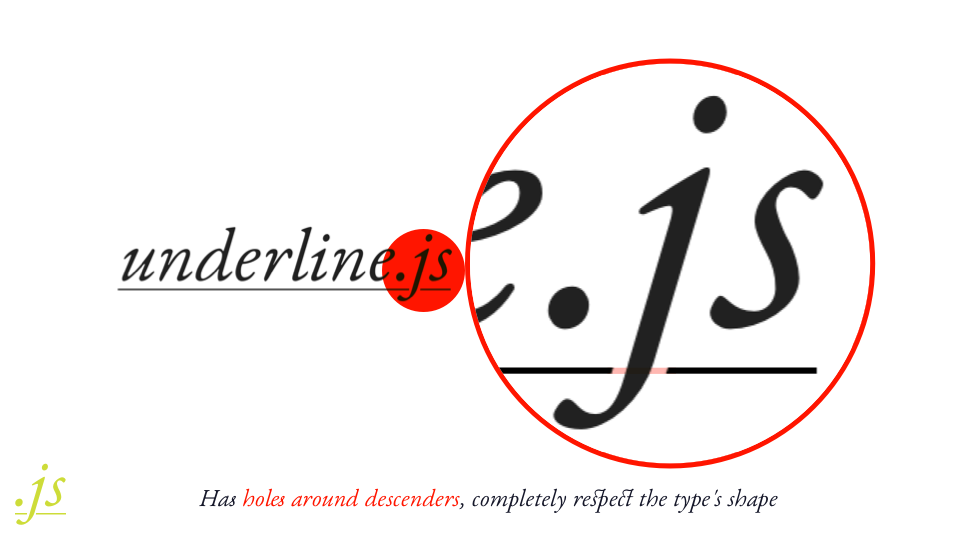
需要注意的是,并不是简单在 Text 上叠加 Line,注意 p 字母 descenders 的避让效果:
underline.js 的实现就考虑到了这一点: https://underlinejs.wentin.net/ https://medium.design/crafting-link-underlines-on-medium-7c03a9274f9
Fabric.js 的实现: http://fabricjs.com/docs/fabric.Text.html#underline
API
支持以下属性:
-
textDecorationLinehttps://developer.mozilla.org/en-US/docs/Web/CSS/text-decoration-line -
textDecorationStylehttps://developer.mozilla.org/en-US/docs/Web/CSS/text-decoration-style -
textDecorationColorhttps://developer.mozilla.org/en-US/docs/Web/CSS/text-decoration-color
阴影
CSS 支持: https://developer.mozilla.org/en-US/docs/Web/CSS/text-shadow
Canvas 可以通过 shadowBlur 实现: https://stackoverflow.com/questions/20909585/html5-canvas-text-shadow-equivalent
文本选中
SVG 天然支持。但其他渲染器需要额外开发。
