anshooarora
ExtentReport Dashboard is showing incorrect Tests Executed in Test Category when CreateNode used
Summary
When attach child node using createNode functionality. After Executing test suite, Dashboard is showing incorrect number of Tests executed in Tests category.
Expected Behavior
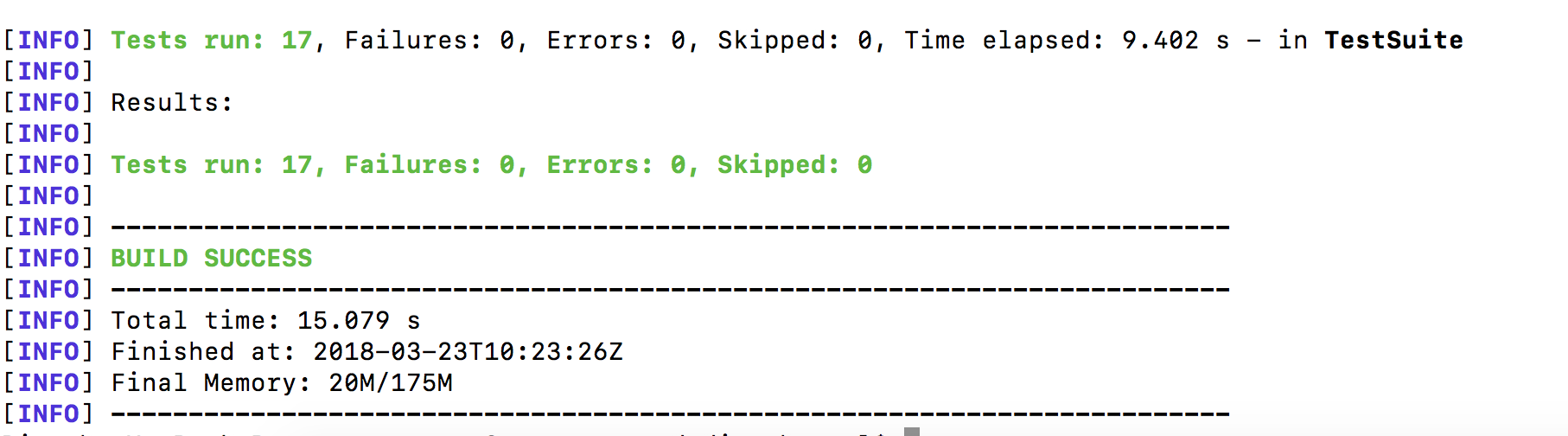
No of Tests Executed should be correctly displayed in Tests Category. e.g 17 test(s) passed 0 test(s) failed, 0 others
The dashboard should show correct time is taken (Start, End and Time Taken)
Current Behavior
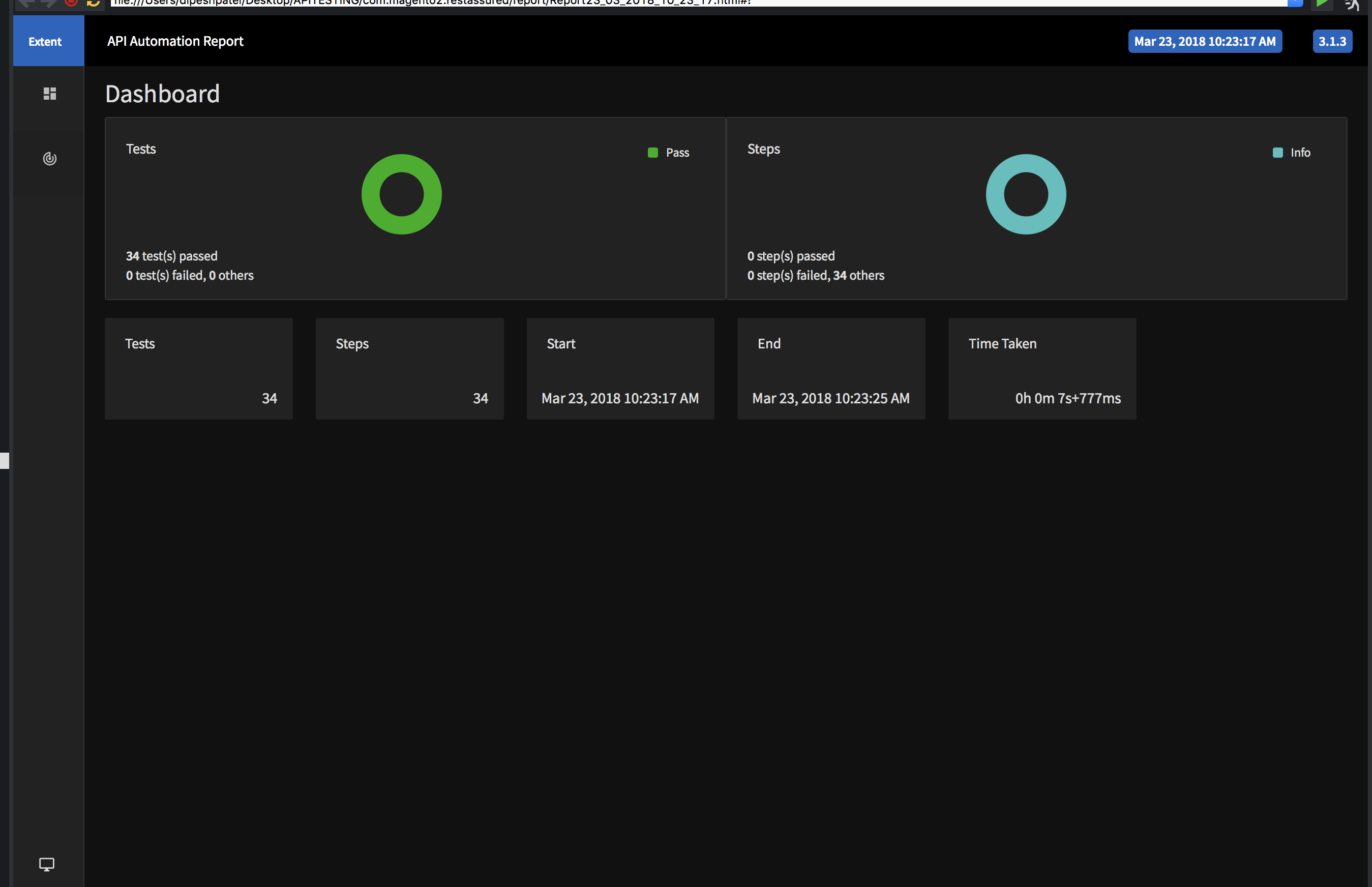
Showing incorrect number os tests executed. 34 test(s) passed 0 test(s) failed, 0 others
The dashboard is showing incorrect time taken.
Sample
RestAssured API Application: Creating REQUEST and RESPONSE NODE:
public void reportRequestInfo(String request) {
		ExtentTest requestNode = getExtentTest().createNode("REQUEST");
		requestNode.log(Status.INFO, "<pre>" + request + "</pre>");
		logInfo(request);
	}

	public void reportResponseInfo(String response) {
		ExtentTest responseNode = getExtentTest().createNode("RESPONSE");
		responseNode.log(Status.INFO, "<pre>" + response + "</pre>");
		logInfo(response);
	}
Environment Details
- Extent report Version used: 3.1.3
- Operating System and version: macOS High Sierra version 10.12.3
- JDK Version: 1.8
Screenshots
17 Tests executed through command line and Time Taken: 15.079 s
34 tests showing in extent report and Time Taken: 7.777ms due to create node function used to create 2 children node (REQUEST, RESPONSE). Please note if i dont createNode and use parent extent to report its is working fine.