
Anki-Android

Anki-Android copied to clipboard
 ankidroid
Fix Rate menu item availability in help/support dialogs
This PR fixes some bugs related to code around the Rate menu item from the help/support dialogs. Changes:
- removes the code related to
RatefromHelpDialog.createInstance()because the option is not used at all in the help menu. This also allows the simplification of the method by removing itscontextparameter. - fixes a bug related to
RatefromHelpDialog.createInstanceForSupportAnkiDroid()which made theRatemenu option to appear even if the application to handle it is not present on the device. See the before and after picture below on a device which doesn't have the play store app installed: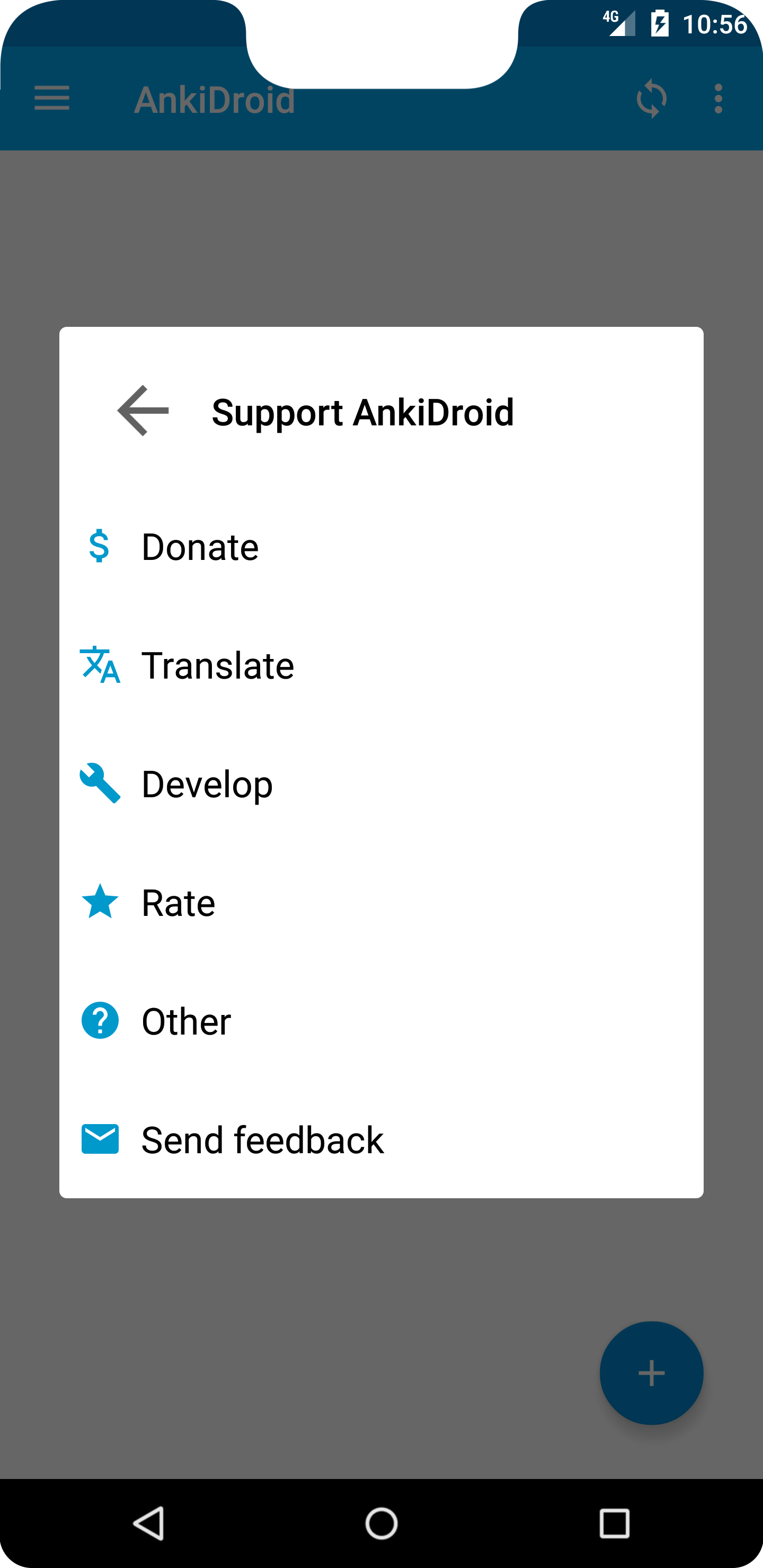
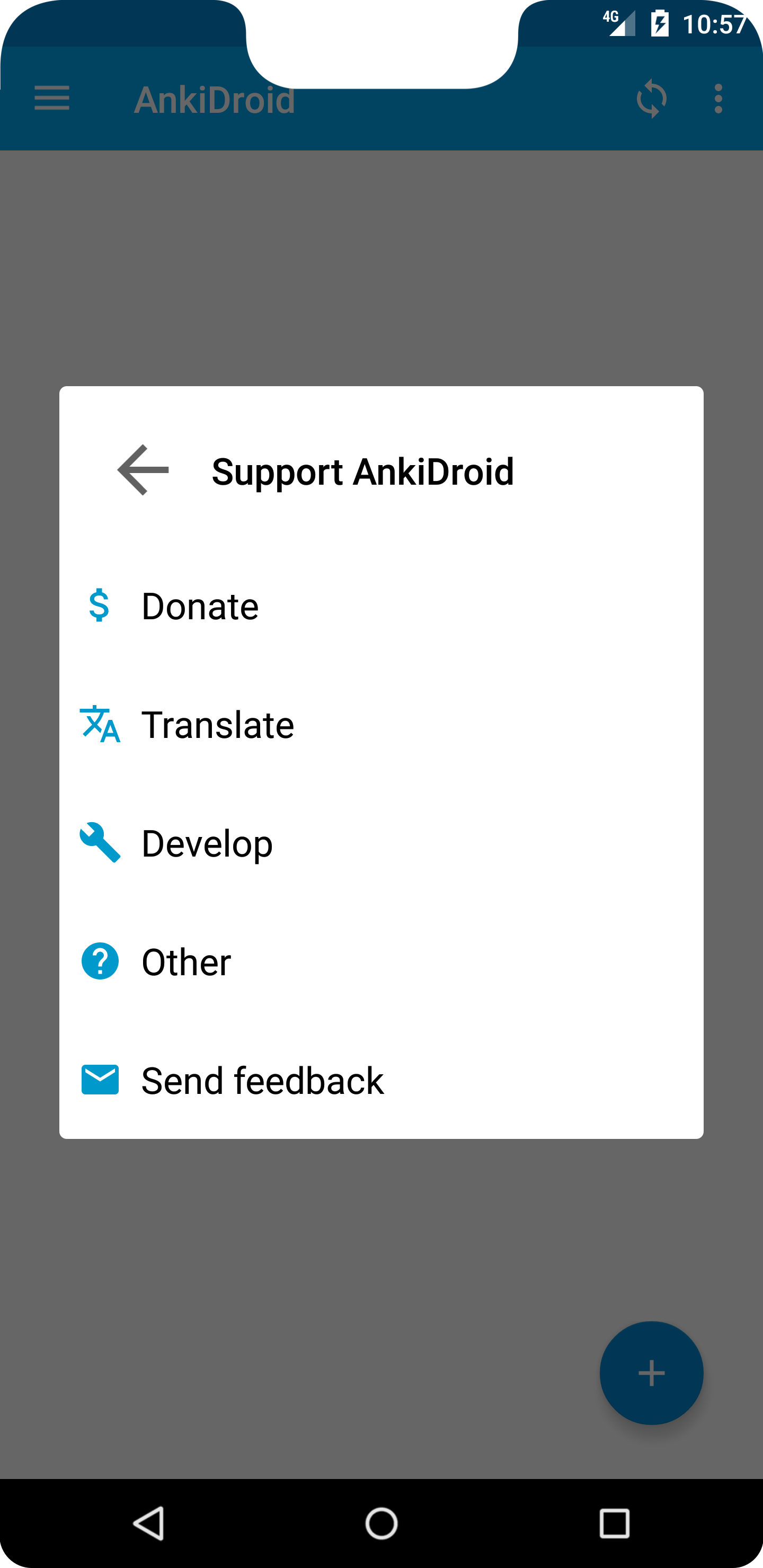
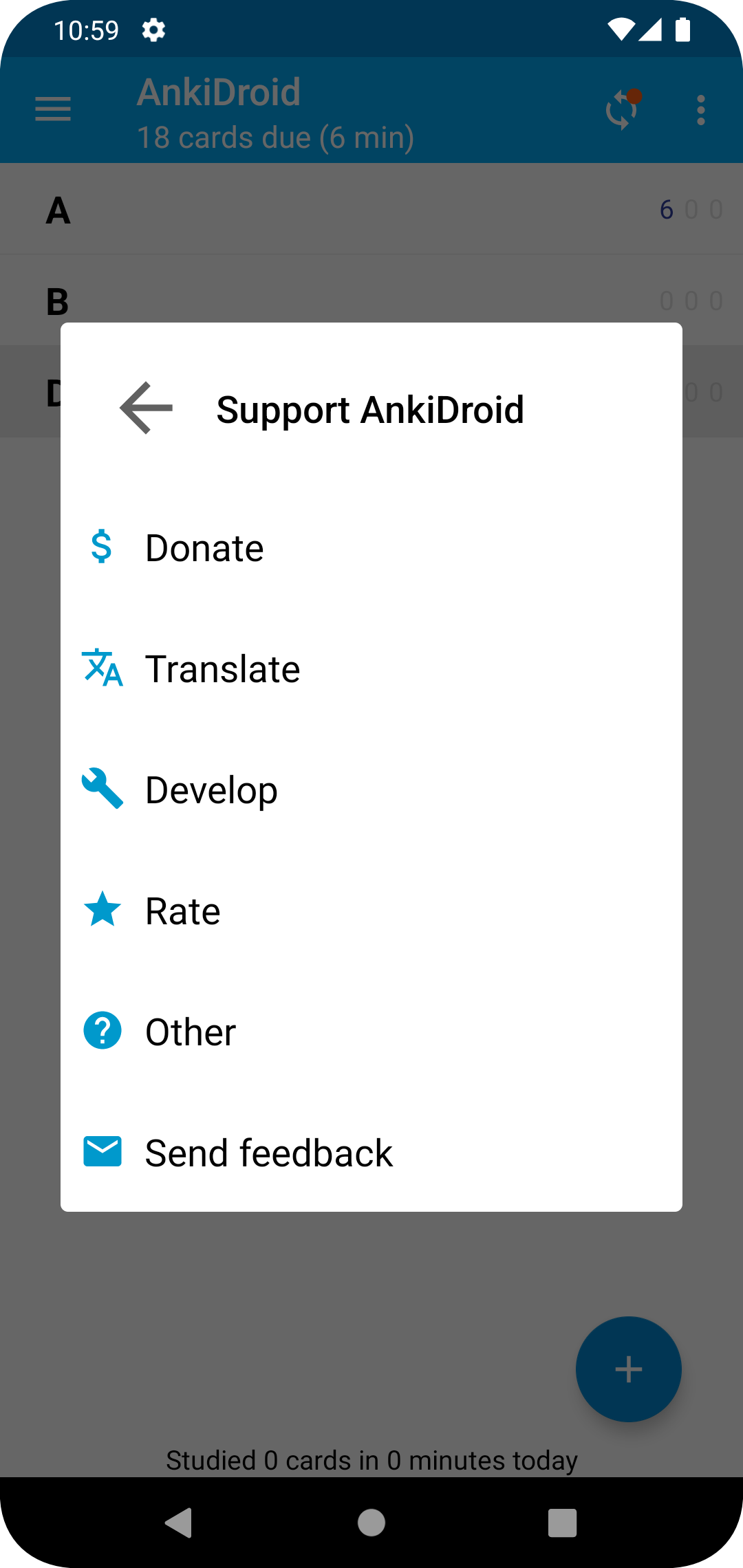
On the majority of devices with the store application available there are no changes and the Rate menu option is available:
- fixes the
testMenuSupportAnkiDroidShowsRateWhenPossible()test which was passing be luck. Although the menu has 6 items(see above the bug) the test passed because it looked for 5 children in the dialog and Robolectric allows only a set height for the RecyclerView(which resulted in the view to have 5 children ). The fix was to use the adapter which is a source of truth not affected by UI issues. - added a test to make sure the dialog shows the
Ratemenu item when the store app is available(important as the Robolectric environment doesn't have it) - some cleanups for the tests,
istoequalTo, as I already touched those lines
How Has This Been Tested?
Ran the tests, manually checked the dialogs.
Checklist
- [x] You have not changed whitespace unnecessarily (it makes diffs hard to read)
- [x] You have a descriptive commit message with a short title (first line, max 50 chars).
- [x] Your code follows the style of the project (e.g. never omit braces in
ifstatements) - [x] You have commented your code, particularly in hard-to-understand areas
- [x] You have performed a self-review of your own code
- [x] UI changes: include screenshots of all affected screens (in particular showing any new or changed strings)
- [ ] UI Changes: You have tested your change using the Google Accessibility Scanner
