

 ankidroid
[Bug] Review activity Menu item icon get hidden after one or two time screen rotation
Pull Request template
Purpose / Description
Menu item icon of Review activity get hidden after one or two time screen rotation
Fixes
Fixes #10732
Approach
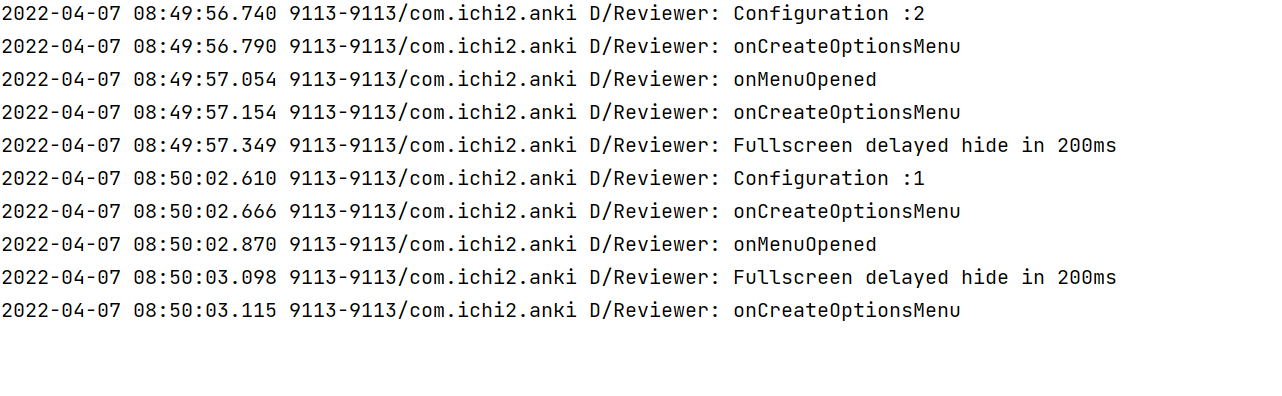
We set the color of Menu icon when onMenuOpened function is called is wrong
In below image it is soon how onCreateOptionsMenu and onMenuOpened function is called
How Has This Been Tested?
Android Device :Redmi y3
Please describe the tests that you ran to verify your changes. Provide instructions so we can reproduce. Please also list any relevant details for your test configuration (SDK version(s), emulator or physical, etc)
Learning (optional, can help others)
Checklist
Please, go through these checks before submitting the PR.
- [x] You have not changed whitespace unnecessarily (it makes diffs hard to read)
- [x] You have a descriptive commit message with a short title (first line, max 50 chars).
- [x] Your code follows the style of the project (e.g. never omit braces in
ifstatements) - [x] You have commented your code, particularly in hard-to-understand areas
- [x] You have performed a self-review of your own code
- [x] UI changes: include screenshots of all affected screens (in particular showing any new or changed strings)
- [x] UI Changes: You have tested your change using the Google Accessibility Scanner

I'm a bit confused by what you're trying to solve here. Some clarification would be great! When implementing your changes, I'm seeing that the top menu bar items are not appropriately colored white anymore.
My feeling is that this all has to do with a lack of onPrepareOptionsMenu(), however that's just a working theory.

@mikehardy the cause of bug is that We set the color of Menu icons in onMenuOpened
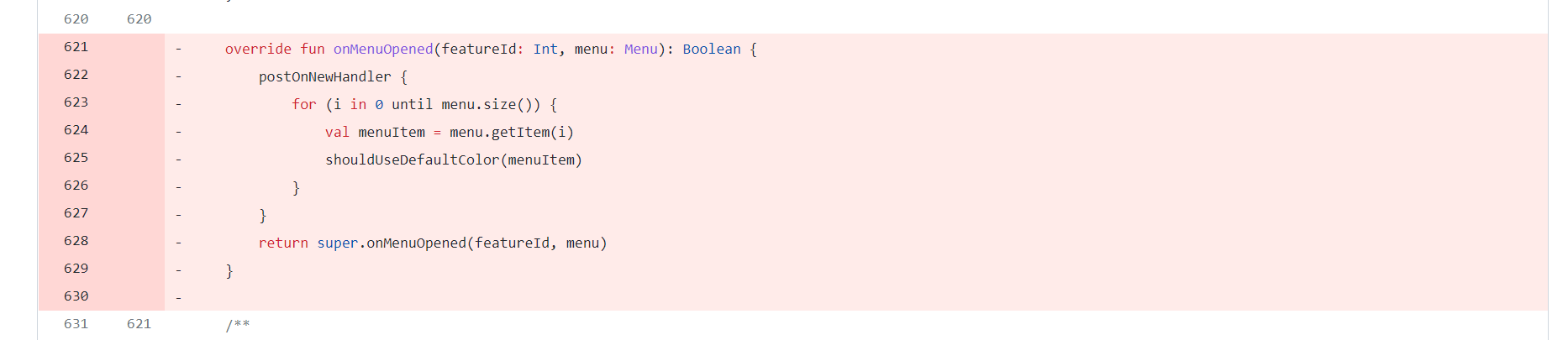
@Prince-kushwaha a neat github trick: open the file in github web UI, then select the lines you want so they have yellow highlighting and click on the little three dot menu you should get a "copy permalink" menu item, paste that in here and you get this, which is 10x better than an image of code because it lets you click around the file immediately and explore:
https://github.com/ankidroid/Anki-Android/blob/908884f1986ae34803324ac281bfcfc4e2a64df2/AnkiDroid/src/main/java/com/ichi2/anki/Reviewer.kt#L621-L629

To your point though, I think I understand now. Here's what I think I understand, to see if I actually understand:
- icon color is set in onMenuOpened, and if we don't set it the icons are white-on-white so they are invisible
- rotating the screen means the whole Activity restarts and onCreate is called again (but this time with a saved bundle etc)
My question is, how come it works some times but not all the time? Is it a race condition / order of operations thing? As @winstoncooke mentioned it may be that call to onMenuOpened is missing, or maybe it's in the wrong spot, versus code needing to move.
However, I think the code moving might be the right fix in fact - technically the icon color should be part of menu preparation I think, if we are putting the items in the menu (including their icons) during menu preparation, then setting their color there does seem appropriate.
What do you think @winstoncooke ?
@mikehardy I definitely agree with your thought process that the icon color should be part of menu preparation and agree with what @Prince-kushwaha has laid out.
What concerns me though is what I noticed when exploring #10683 after applying this change. See the following picture for the new result:
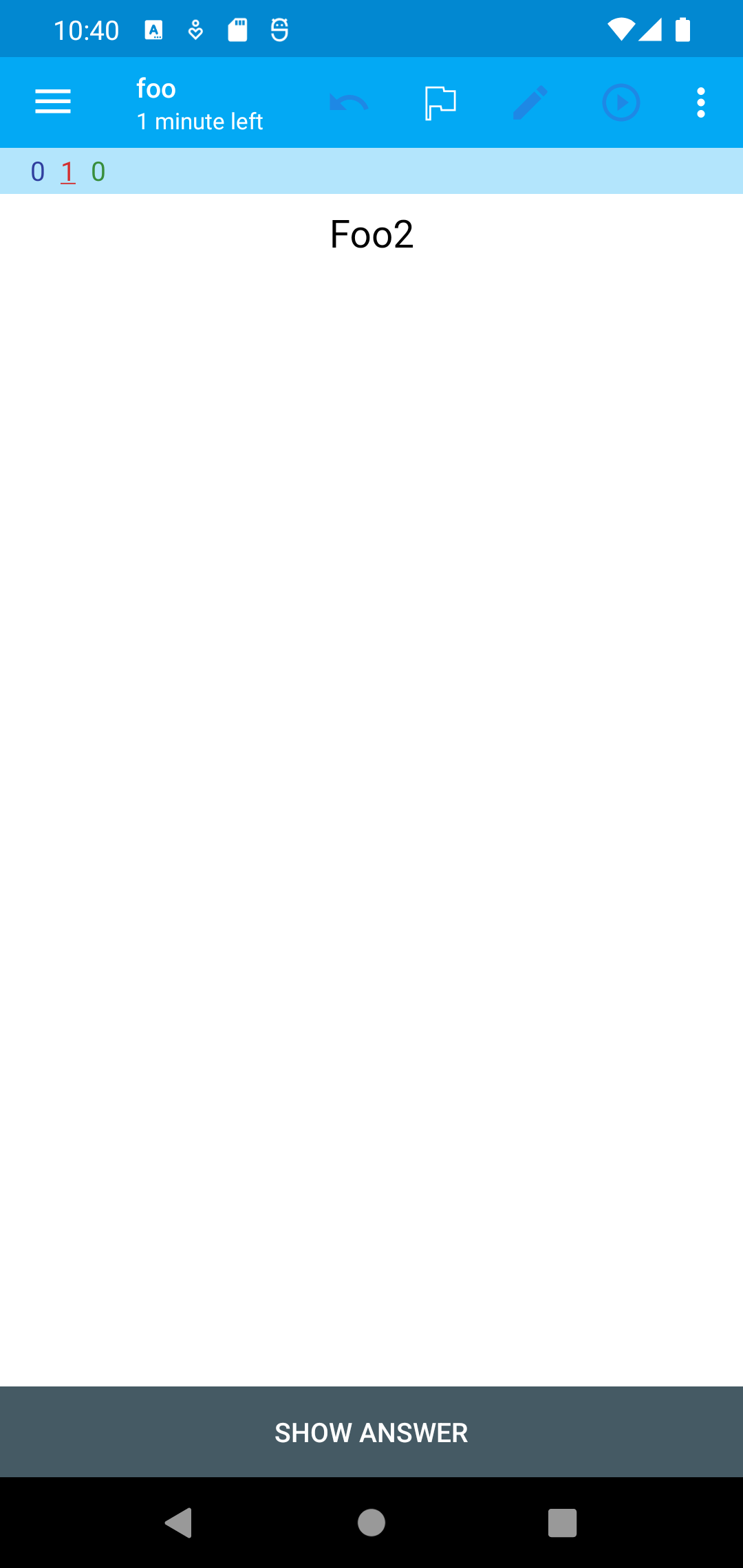
The action bar items are no longer white despite still being actionable. The lack of coloring makes it appear that they are not actionable however. Perhaps not a major issue, but it does worsen that issue nonetheless.
Ah I see. If the fix causes icons that are enabled to appear grey, then that is not something we can merge
Unfortunately that is the case, but I think @Prince-kushwaha is onto something here. If an issue isn't already open, I'd suggest opening an issue for this and continue working to figure out the best way to implement it.
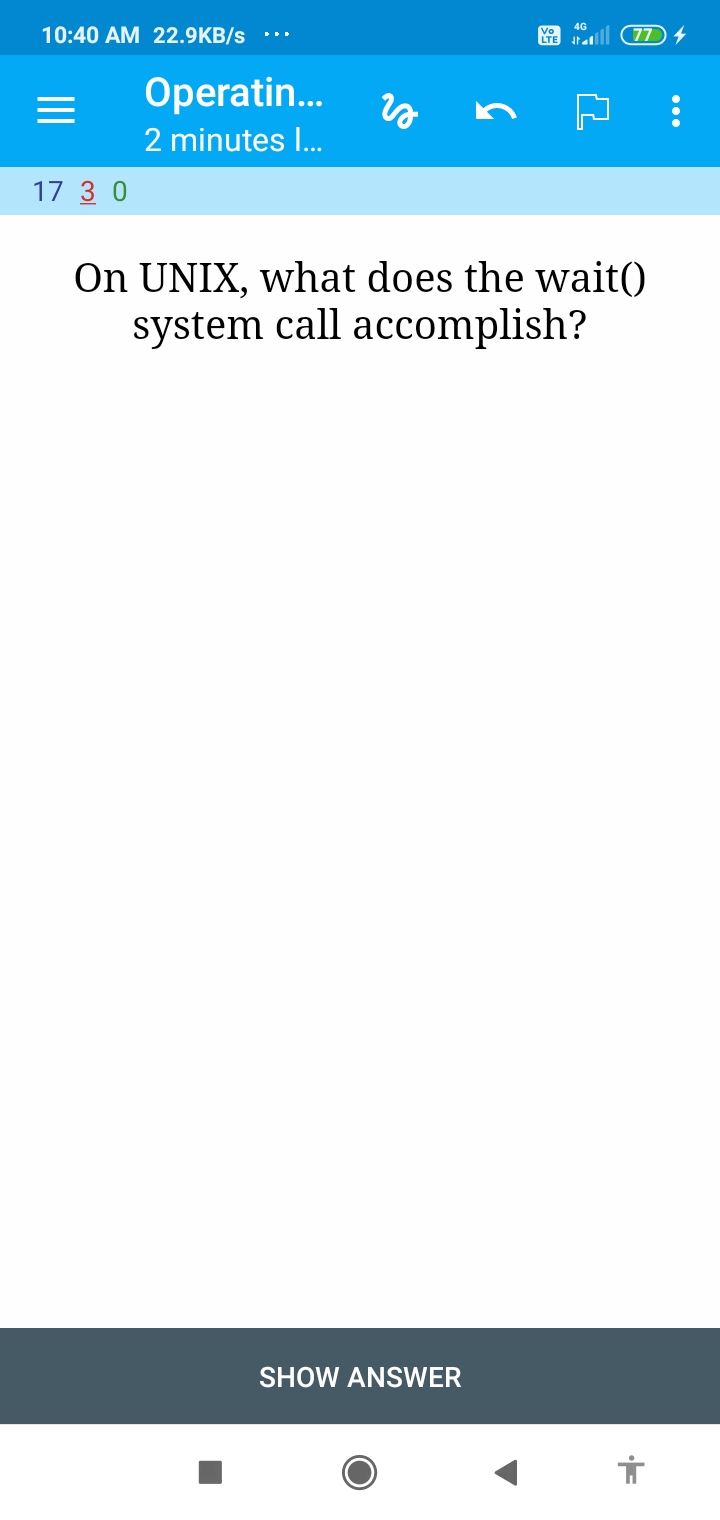
https://user-images.githubusercontent.com/71997294/162592365-f8407b0f-8dc6-4ff4-b16c-2b7a236244fd.mp4
Please forgive the glitchy video. The important part is the final frame.
Your changes are working for me and look great related to #10732, but I'm still getting the uncolored icons in the menu bar. It must have something to do with the onMenuOpened function you've removed. Good work so far! You can follow the steps in my video above of rotating the device horizontally and then tapping on the deck to study it to see those menu icons appear. Try to figure out why icons in the action bar that appear when there's space for them are not getting colored properly.
Hello 👋, this PR has been opened for more than 2 months with no activity on it. If you think this is a mistake please comment and ping a maintainer to get this merged ASAP! Thanks for contributing! You have 7 days until this gets closed automatically
![github-actions[bot] avatar](https://avatars.githubusercontent.com/in/15368?v=4 "Published by a pub.dev verified publisher")
Hello 👋, this PR has been opened for more than 2 months with no activity on it. If you think this is a mistake please comment and ping a maintainer to get this merged ASAP! Thanks for contributing! You have 7 days until this gets closed automatically