

 androidx
constraintSet.centerVertically maybe is not correct when use view.Id.
I don't know this is bug or feature, or it is a mistake of xamarin.android.
Question
When i use centerVertical at Xamarin.Android, if i use constraintSet.centerVertically(firstView.Id, secondView.Id), the firstView isn't at center, it disappear.
I see the centerVertically() source code https://github.com/androidx/constraintlayout/blob/b615e621a4df42446d39dd6f451d32b253ec2afe/constraintlayout/constraintlayout/src/main/java/androidx/constraintlayout/widget/ConstraintSet.java#L3276
and center()
https://github.com/androidx/constraintlayout/blob/b615e621a4df42446d39dd6f451d32b253ec2afe/constraintlayout/constraintlayout/src/main/java/androidx/constraintlayout/widget/ConstraintSet.java#L2739
Is it mean Top of centerId connect to Bottom of toView, Bottom of centerId connect to Topof toView ?
If use PARENT_ID https://github.com/androidx/constraintlayout/blob/b615e621a4df42446d39dd6f451d32b253ec2afe/constraintlayout/constraintlayout/src/main/java/androidx/constraintlayout/widget/ConstraintSet.java#L3273
Is it mean Top of centerId connect to Top of parent, Bottom of centerId connect to Top of parent ?
Why they are different?
When i need center, i can do it by set constraint: Top connect to Top, Bottom connet to Bottom,
 but when i use
 centerVertical, it not show:

if i need center to parent, use centerVertical(view.Id, PARENT_ID), it show:
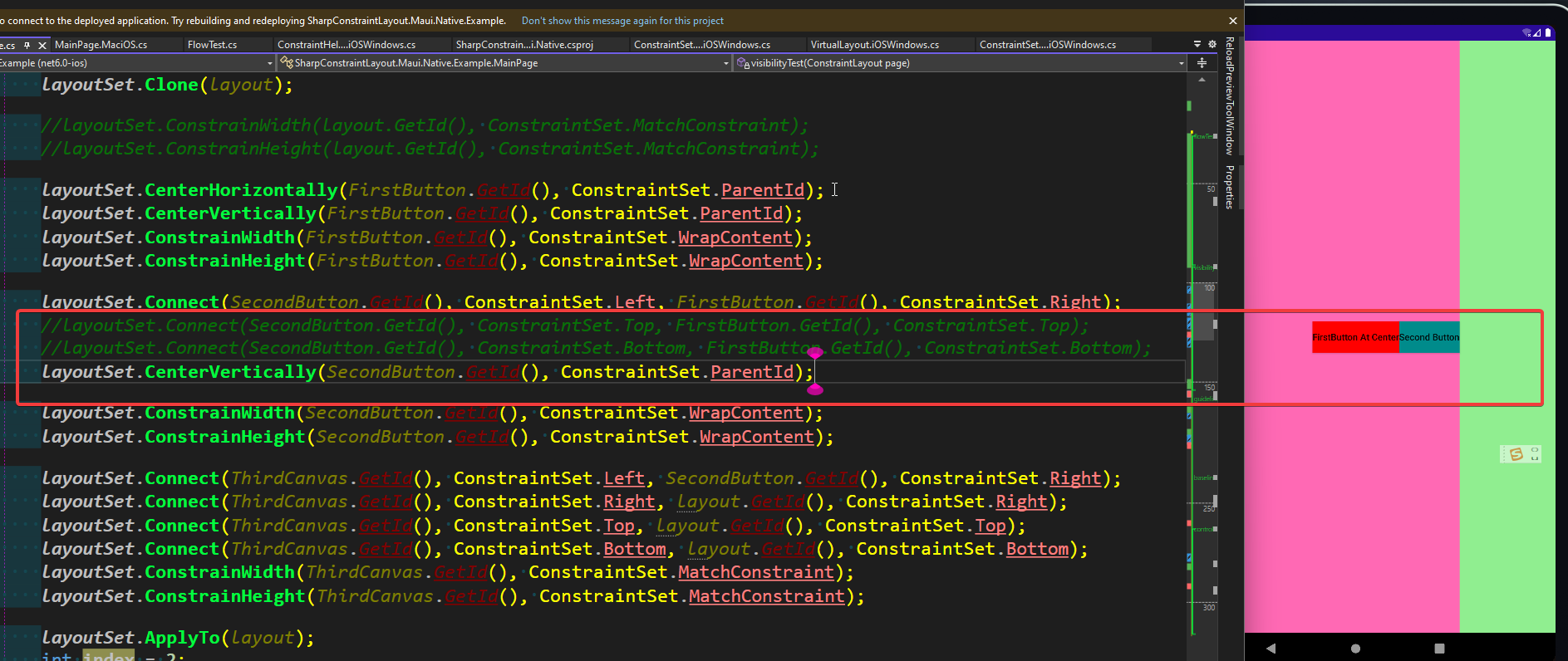
but use centerVertical(view.Id, parentView.Id), it not show:


That might be a bug centerVertically (A , B) should connect A top to B top and A bottom to B bottom. Those are very ambiguous API's. I Recommend more explicit constraints

