

 android-js
app.camera.init fails to get the stream
Trying to use app.camera.init on chromium or android emulator fails in the same way "TypeError: Cannot set property 'stream' of undefined" at androidjs.js:15.
I think this is the point:
navigator.getUserMedia(e,function(e){this.stream=e,t.srcObject=e},function(t){throw console.log(t),t})
To Reproduce Steps to reproduce the behavior:
- Build the files i'm attaching here or just
npm run start:dev - Run the app or visit index.html
- See the error
Expected behavior
The <video> tag should show the cam stream.
Screenshots
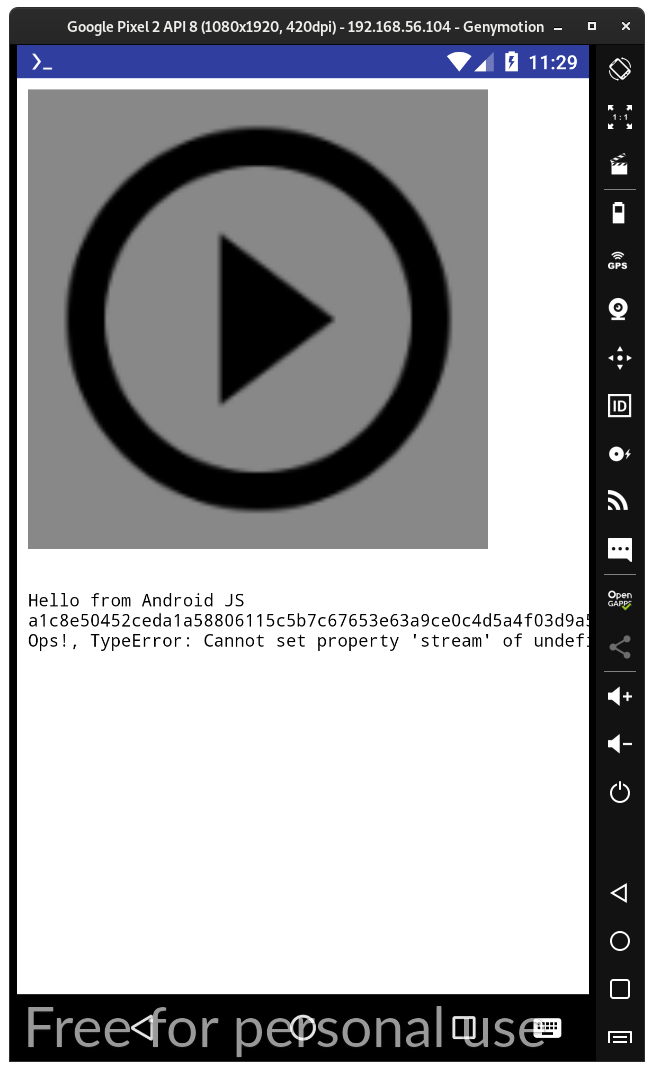
Desktop (please complete the following information):
- OS: Debian bullseye
- Browser: Chromium 90.0.4430.212 (Developer Build)
Smartphone (please complete the following information):
- Device: Genymotion emulator 3.2.1
- OS: Android 8.0 API 26
Code attached: androidjs-video-bug.zip

The offending code is here in camera.ts:
    public init(dom:HTMLVideoElement, constraints:object){
        if(this.stream != undefined){
            this.stopMediaTracks(this.stream);
        }
        navigator.getUserMedia(constraints, function(stream){
            this.stream = stream;
            dom.srcObject = stream;
        }, function(error){
            console.log(error);
            throw error;
        })
    }
this.stream should probably refer to the class, but is wrapped in a function that has its own this, which is null in this case.
The app.camera module is just a wrapper for the MediaDevices API, so you can just avoid using this wrapper completely, and just do it like you would do in the browser.
The only thing to add there, is that I haven't been able to get it to work. I'm able to list something, but they're empty devices. For constraints {audio: false, video: true} it returns [{"deviceId": "", "kind": "audioinput","label":"","groupId":""}, ...], which is not really correct. In the Chrome browser of the same device, it does seem to work, and give actual device data back.
The views/index.html actually points to file:///android_asset/myapp/views/index.html locally. So it is possible that this is a permissions issue that will not be easy to get around, due to it being a local webview.
