

 ampproject
iPad pro 15.0.2 Safari/Chrome positioning top nav bar wrong
Description
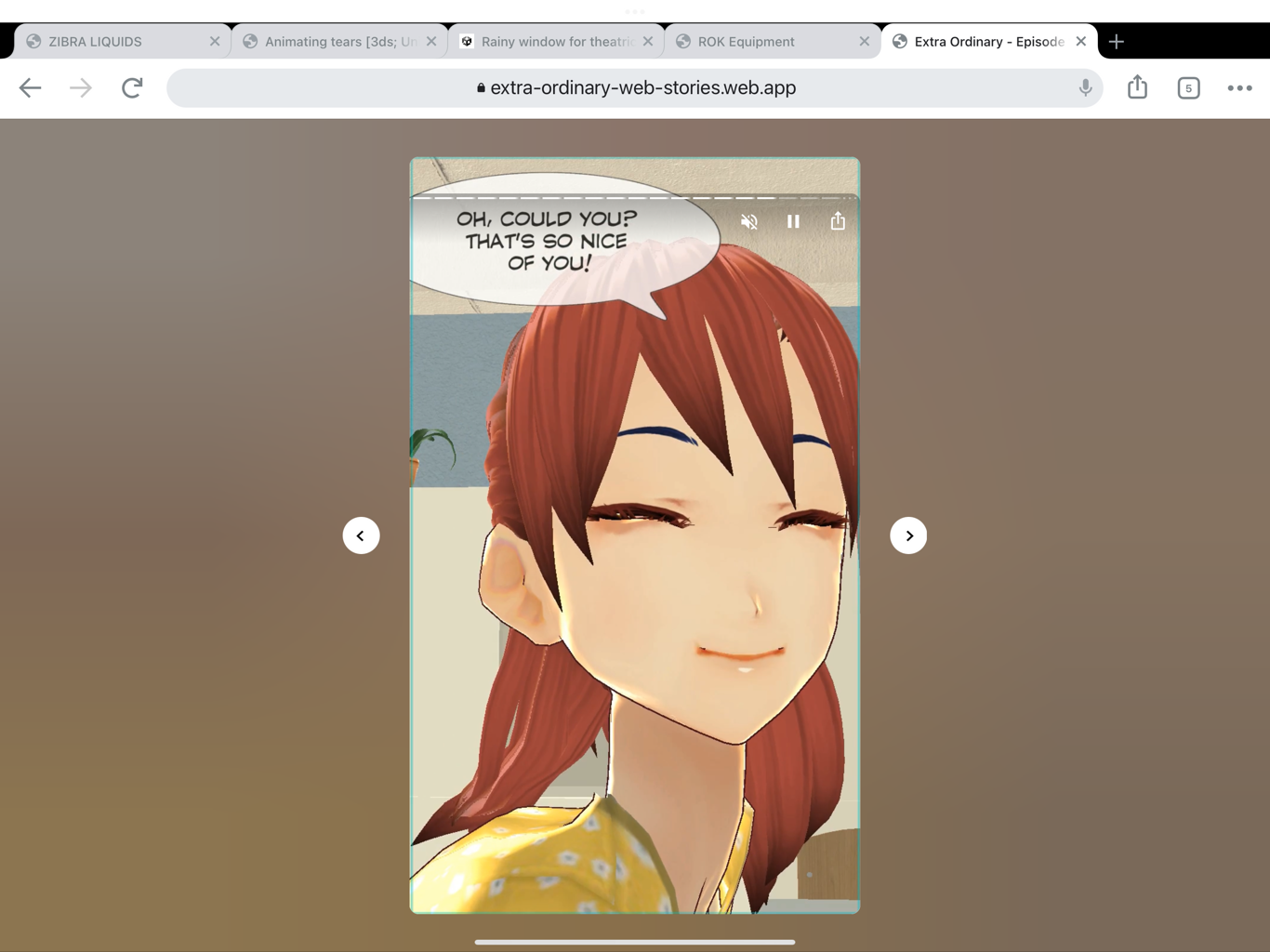
The navigation controls etc at the top of each page in a web story are positioned incorrectly (there is a gap above them) on my iPad Pro running iOS 15.0.2 (never recalled this problem previously, updated iPad recently). Happens on Chrome and Safari. Does not happen on my Mac laptop.
Reproduction Steps
I was accessing https://extra-ordinary-web-stories.web.app/ep1/ on my desktop (works fine) and and iPad Pro (15.0.2, with bug) and noticed the difference. The navigation controls at the top of the page are wrong for all pages in the story.
Relevant Logs
No response
Browser(s) Affected
Chrome, Safari
OS(s) Affected
iOS 15.0.2
Device(s) Affected
iPad Pro
AMP Version Affected
No response

I checked some other web stories on my ipad that I did not write - same problem. There is a gap at the top of the page now in safari. I tried on my phone (after upgrading OS) and it looks fine. So it is desktop view (not mobile view) on my iPad.
This issue has been automatically marked as stale because it has not had recent activity. It will be closed in 7 days if no further activity occurs. Thank you for your contributions.
![stale[bot] avatar](https://avatars.githubusercontent.com/in/1724?v=4 "Published by a pub.dev verified publisher")
