allure-framework
Allure's UI auto-expands previously expanded and subsequently collapsed items
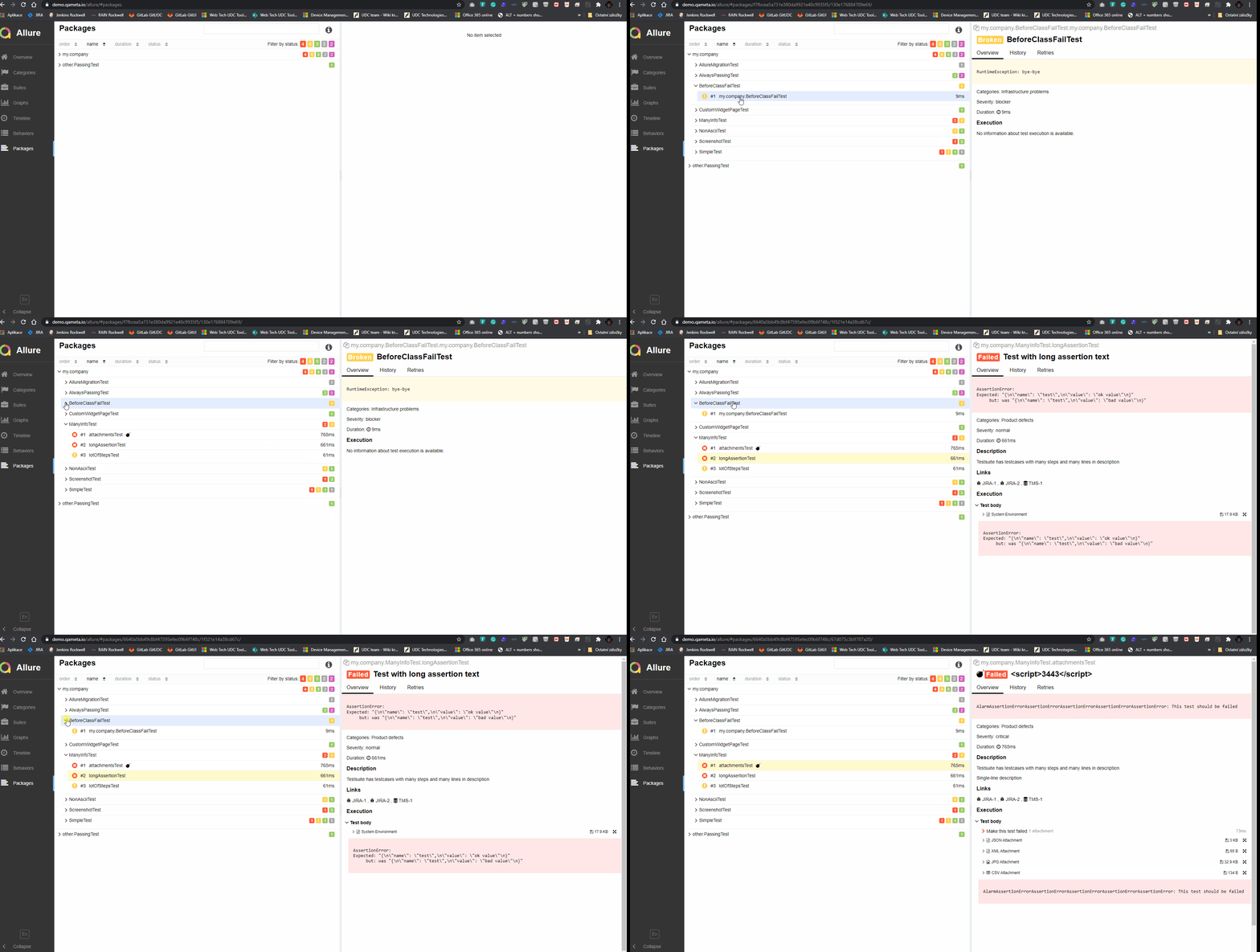
Describe the bug When browsing a report I expand any suite and click on any test under it. Subsequently I collapse the suite, and expand another one. The previous suite is also expanded.
To Reproduce Steps to reproduce the behavior:
- Go to 'Suites'
- Click on 'any suite'
- Click on 'any test under the suite'
- Collapse the suite - Click on the down-facing arrow-head left to the suite's name.
- Expand another suite.
- Click on any test under the second suite.
- See error: the suite expanded as first is also auto-expanded.
Expected behavior Only the current suite is expanded.
Screenshots
I cannot attach screenshots with UI, because of the nature of the project.
I'm attaching screenshots of Chrome's dev tools: you can see, that despite collapsing a suite, its node's children's (tests) css classes are still 'expanded'. You can also see that upon expanding any suite all previously expanded and collapsed suites get expanded automatically.
1.
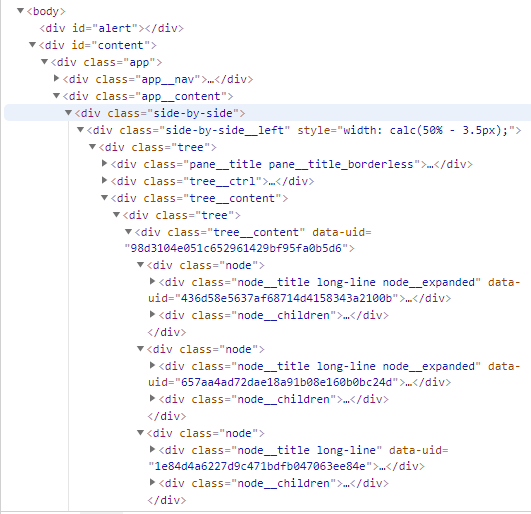 2.
2.
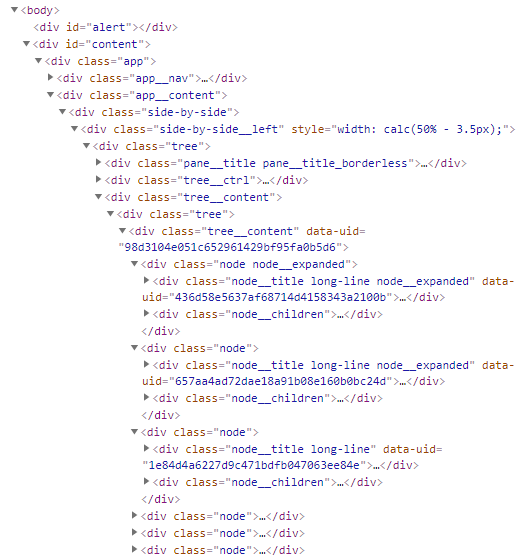 3.
3.
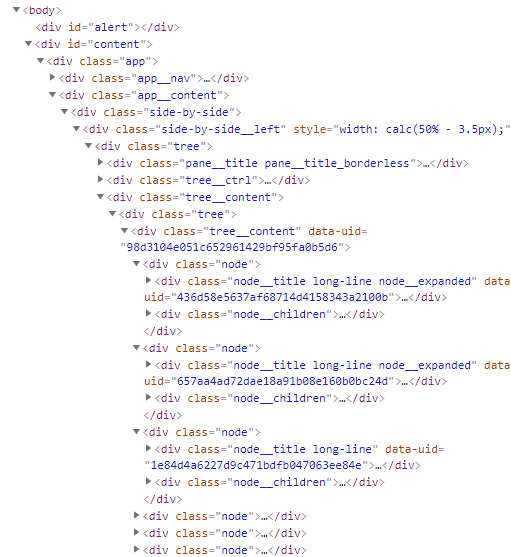 4.
4.
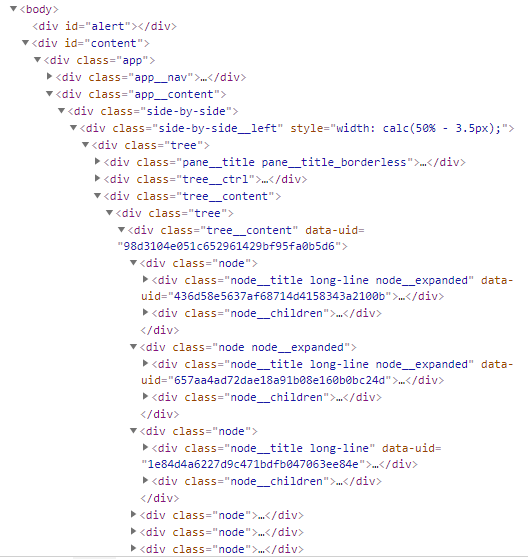 5.
5.
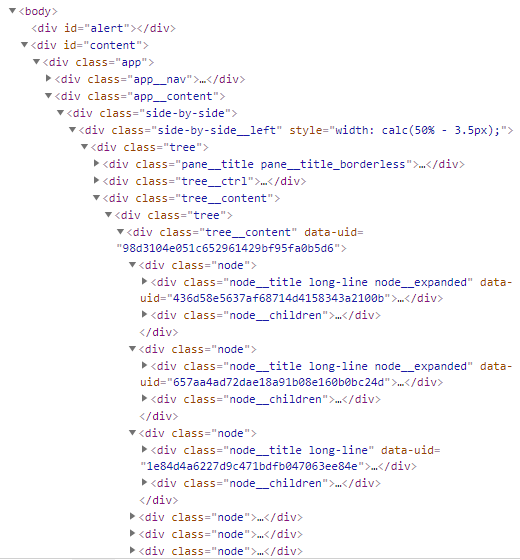 6.
6.
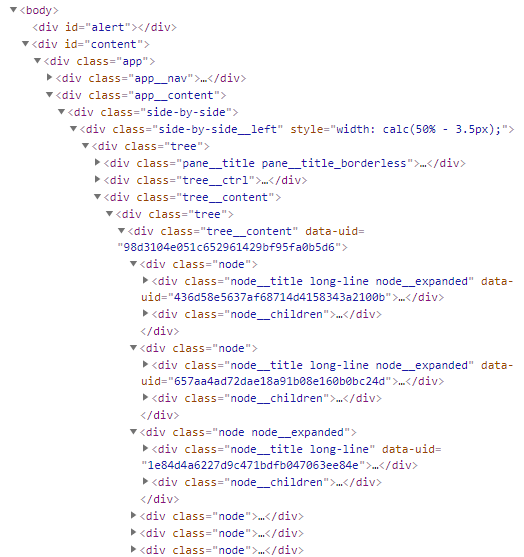 7.
7.
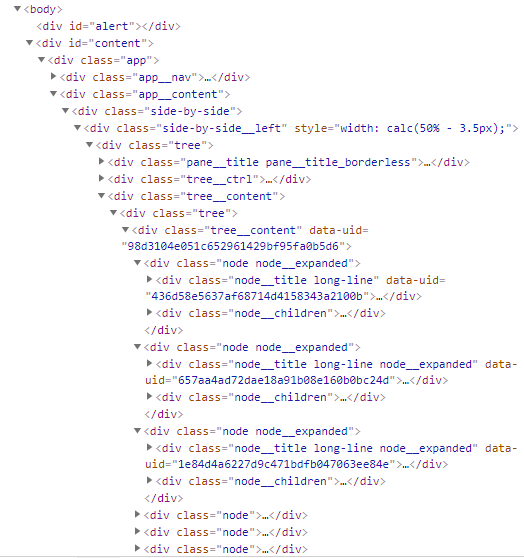
Environment (please complete the following information):
| Allure version | 2.13.6 |
|---|---|
| Test framework | [email protected] |
| Allure adaptor | [email protected] |
| Generate report using | [email protected] |
Additional context Tested on Windows10 Enterprise with:
- Edge Version 86.0.622.51 (Official build) (64-bit)
- Chrome Version 86.0.4240.111 (Official Build) (64-bit)
- Firefox 82.0 (64-bit)
- Opera Version 72.0.3815.148 (64-bit)