
lowcode-engine

lowcode-engine copied to clipboard
 alibaba
如何实现Setter动态变化
比如我现在有两个配置项,配置项A是个下拉选择,当选中选项1的时候,另外一个配置项B的Setter是个'StringSetter',当选中选项2的时候配置项B的Setter变成'SelectSetter'

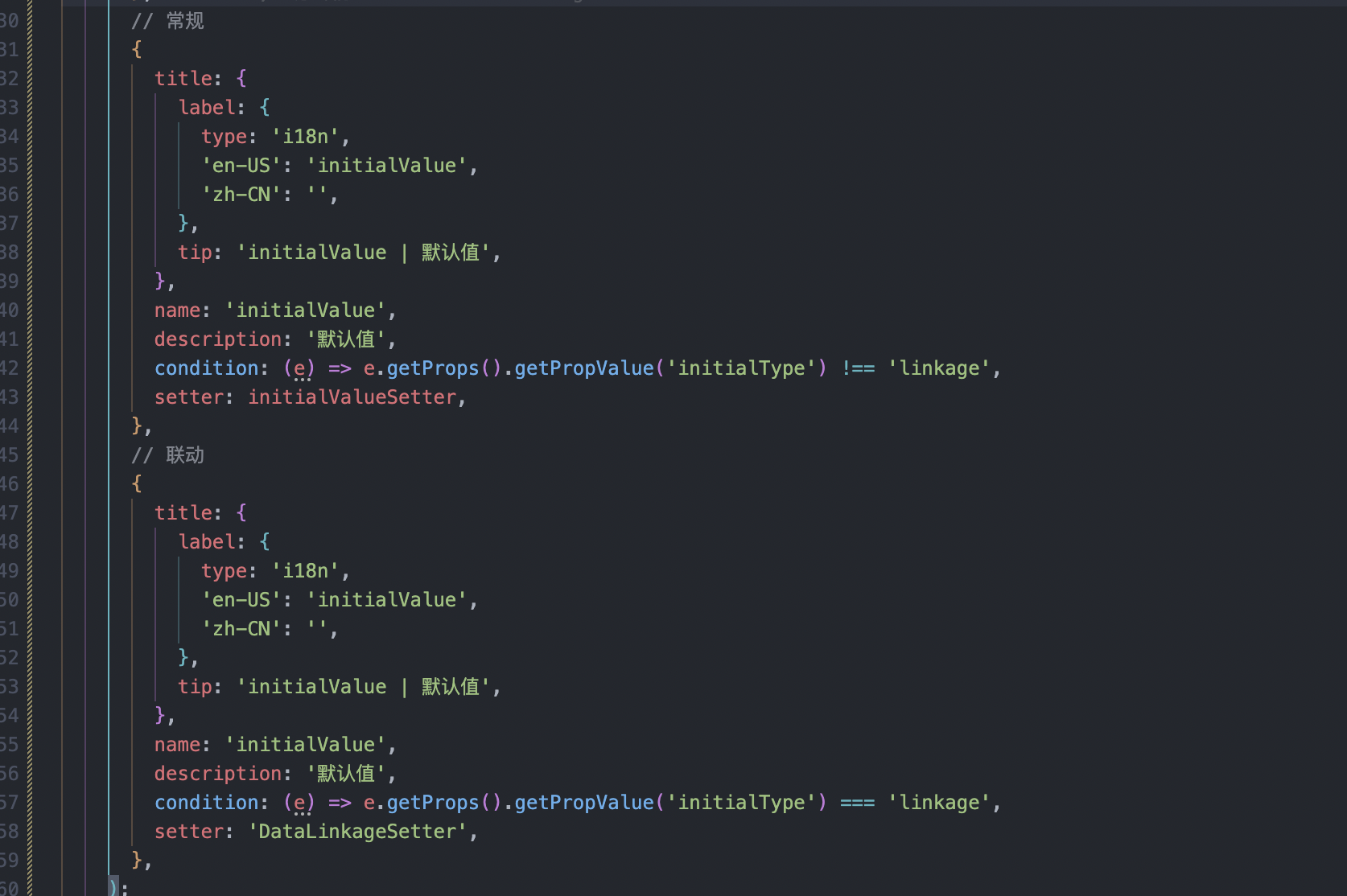
 这样使用 DynamicSetter 试试,应该可以实现你需要的效果
{
  name: 'propA',
  title: '属性A',
  setter: {
    componentName: 'SelectSetter',
    props: {
      options: [
        {
          title: '选项1',
          value: 'item1',
        },
        {
          title: '选项2',
          value: 'item2',
        },
      ],
    },
  },
},
{
  name: 'propB',
  title: '属性B',
  setter: (target: SettingTarget) => {
    const propAValue = target.parent.getPropValue('propA');
    if (propAValue === 'item1') {
      return {
        componentName: 'StringSetter',
      };
    }
    if (propAValue === 'item2') {
      return {
        componentName: 'SelectSetter',
        props: {
          options: [
            {
              title: '选项1',
              value: 'item1',
            },
            {
              title: '选项2',
              value: 'item2',
            },
          ],
        },
      };
    }
  },
},

这样使用 DynamicSetter 试试,应该可以实现你需要的效果
{
  name: 'propA',
  title: '属性A',
  setter: {
    componentName: 'SelectSetter',
    props: {
      options: [
        {
          title: '选项1',
          value: 'item1',
        },
        {
          title: '选项2',
          value: 'item2',
        },
      ],
    },
  },
},
{
  name: 'propB',
  title: '属性B',
  setter: (target: SettingTarget) => {
    const propAValue = target.parent.getPropValue('propA');
    if (propAValue === 'item1') {
      return {
        componentName: 'StringSetter',
      };
    }
    if (propAValue === 'item2') {
      return {
        componentName: 'SelectSetter',
        props: {
          options: [
            {
              title: '选项1',
              value: 'item1',
            },
            {
              title: '选项2',
              value: 'item2',
            },
          ],
        },
      };
    }
  },
},
使用function配置setter之后,prop数据更新的时候setter视图不会更新,打了断点是有重新执行那个function的,但是操作界面上没有变化。想问下大佬有遇到类似的问题么?

使用function配置setter之后,prop数据更新的时候setter视图不会更新,打了断点是有重新执行那个function的,但是操作界面上没有变化。想问下大佬有遇到类似的问题么?
我也是,什么时候官方解决一下。 @JackLian 大佬帮忙关注下这个问题
