

 airsdk
UI is being cut on iPhones 12 and above
Hi.
I'm debugging an app for iOS and Android in Adobe Animate that uses Harman AIR SDK 33.1.1.856.
The UI is responsive meaning that I'm using stage.scaleMode = StageScaleMode.NO_SCALE; and positioning each element separately. Also, the app is set to be viewed on landscape mode.
The app works well on all Android devices and in most iOS devices.
But on iPhones 12 and above the UI is being cut on the top and bottom parts.
I do believe this is not an AS3 issue, but some kind of AIR specific issue that I'm missing.
Does anyone know what could be happening?

Do you have a LaunchScreen Storyboard set up and packaged with the iOS app? At a certain point, some devices started requiring that (instead of the launch screen images) to determine their resolution and how the app fills the screen. I believe Harman automatically adds one on the free tier with their splash screen, but for a paid license you have to supply your own.

Hey, @FliplineStudios. Thanks for answering.
I sent your comment to the guy responsible for publishing the app. He said that he is using the free version and that he will run a test. As soon as I get a response, I'll let you know.
Do you have a LaunchScreen Storyboard set up and packaged with the iOS app? At a certain point, some devices started requiring that (instead of the launch screen images) to determine their resolution and how the app fills the screen. I believe Harman automatically adds one on the free tier with their splash screen, but for a paid license you have to supply your own.
Hello FliplineStudios. How is it going?!
I did what you indicated before, but it doesn't worked! I put a specific splashscreen with new dimensions 2532x1170, but still cropping some elements, like the attached image.. in the first, the scene is cut at the top.. the 2nd is the correct view! everything else works fine, just this Movieclip that gets cut off on iphones 12 and above.
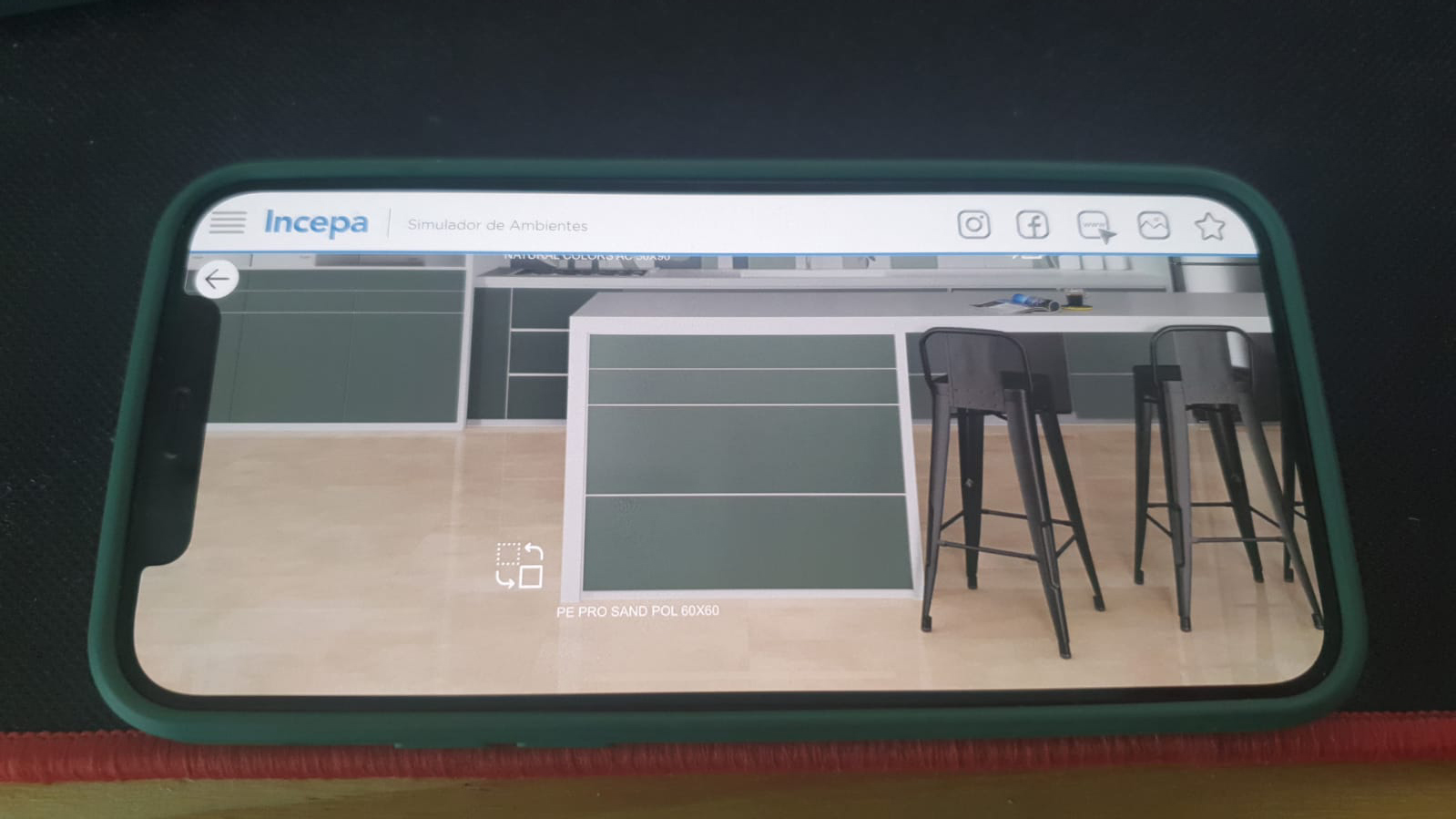
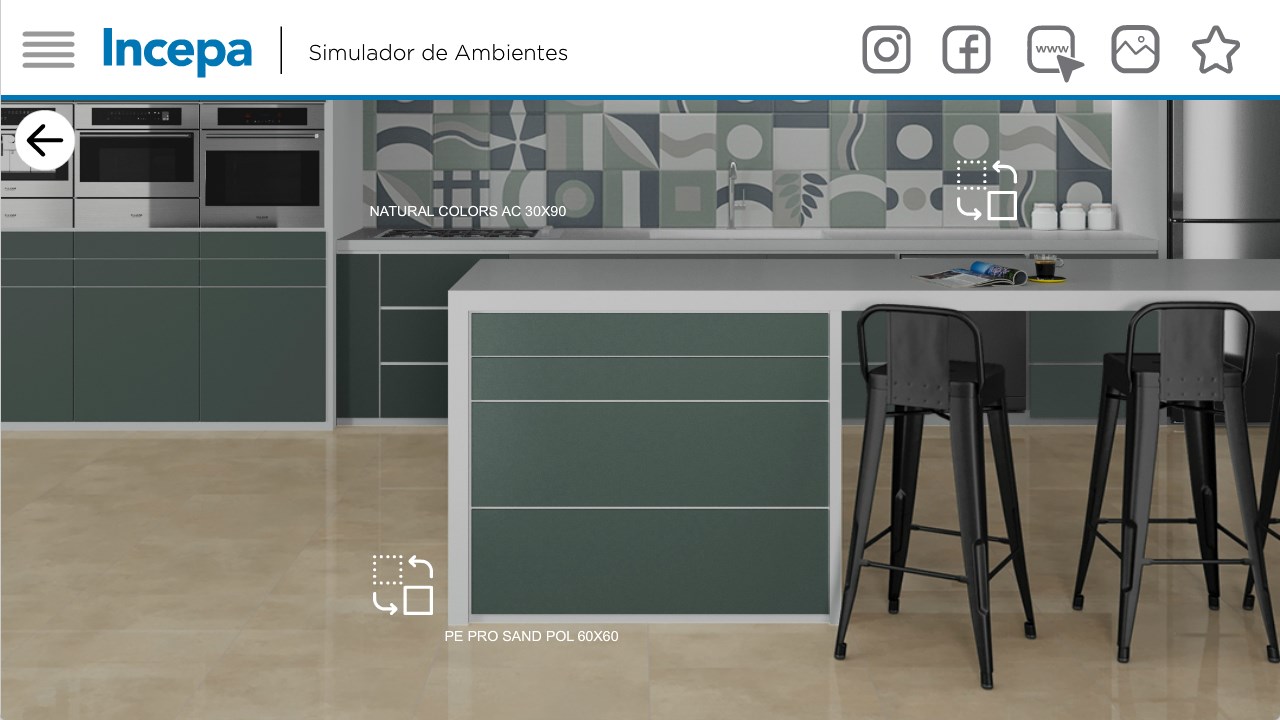

It looks like the app itself is filling the screen on the iPhone correctly (so the storyboard or launch image seems to be working), so it may as issue with how you're determining how to scale that MovieClip...
Could you check to see if stage.stageWidth / stage.stageHeight are reporting back 2532x1170 correctly on that iPhone? You could also check stage.fullScreenWidth / stage.fullScreenHeight and Capabilites.screenResolutionX / Capabilities.screenResolutionY . I'm not sure which of those values you're using when determining how to make that MovieClip fill the screen, but it would be worth a check to make sure the app is understanding the iPhone 12's screen size. And if you want to share how you're positioning/scaling that MovieClip, maybe there are some clues there about what's happening...
ok. we'll check and keep you posted. Thank you so much for your help, attention and time!
@lzanlorenzi11 you might have trouble getting that approved by Apple. They reject apps with UI at the sides (near the notch). You might want to check their guidelines on this.
