

 airbnb
TooltipInPortal with bound detection changes its behaviour during window scroll
Example
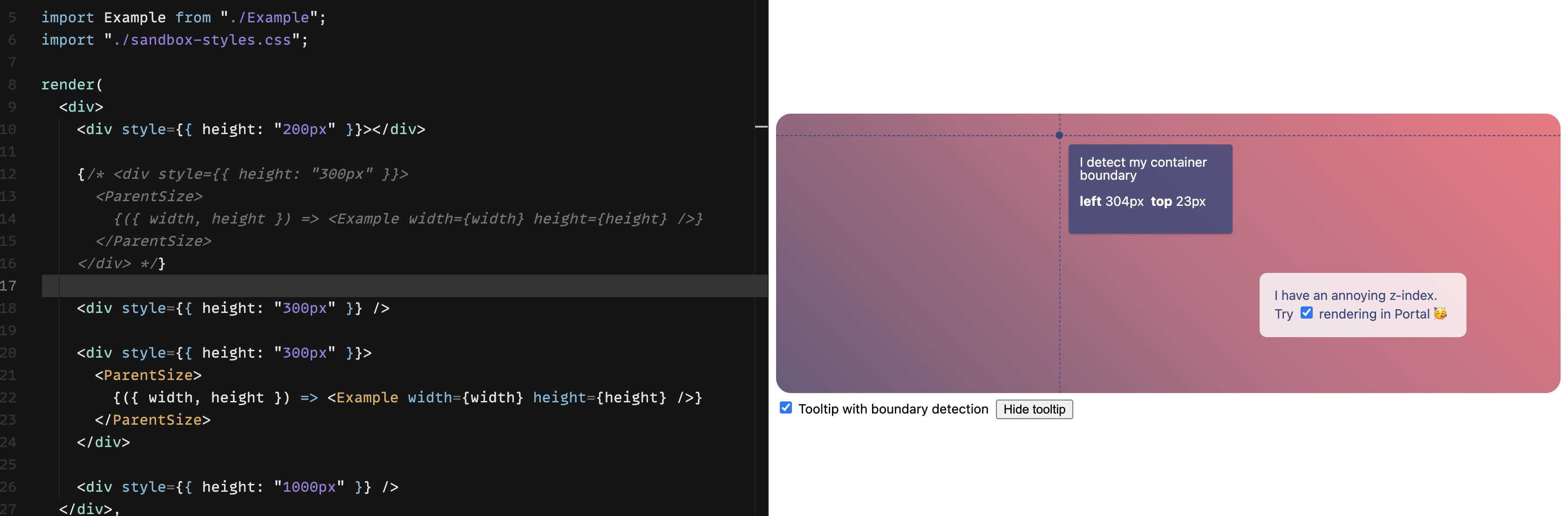
Correct (tooltip detects there is a bounding box edge above and positions itself below the cursor):
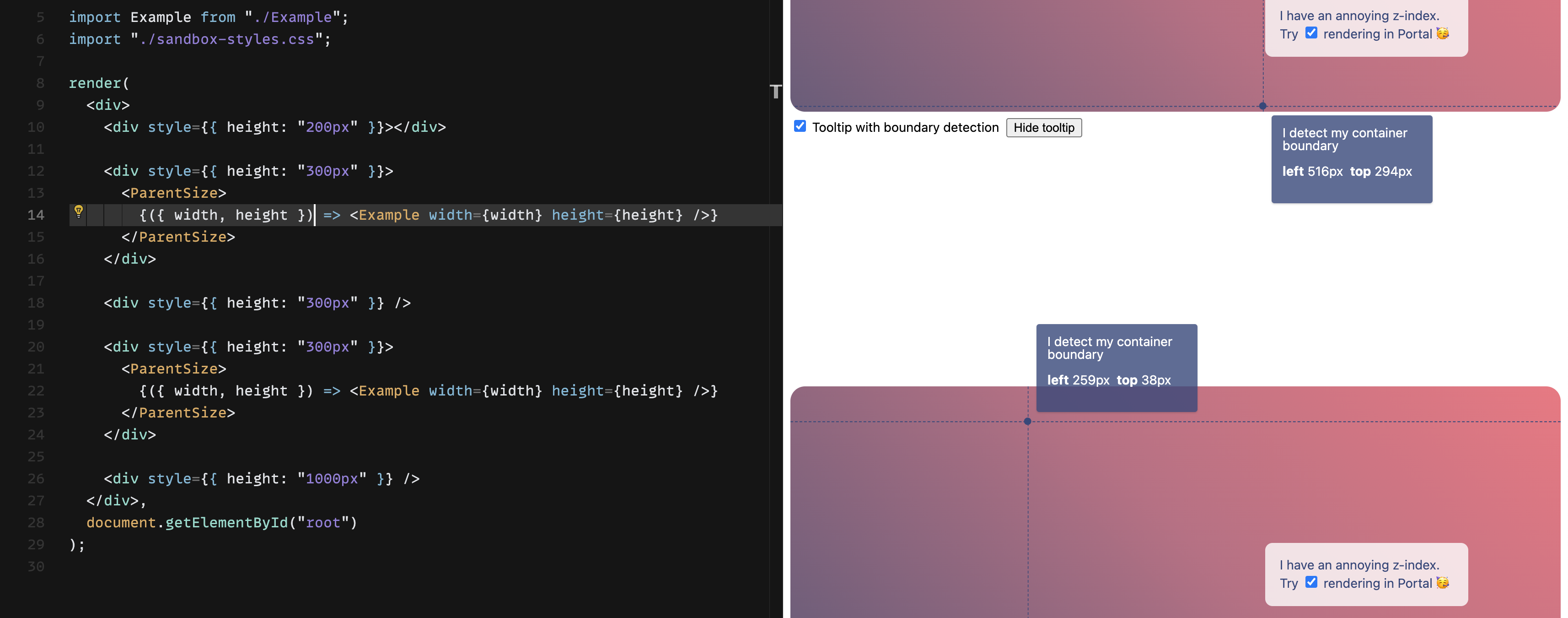
Incorrect (tooltip stops respecting the top bounding box edge):
Code sandbox link.
Expected behaviour Regardless of how many charts or elements are on the page, tooltip bounding box behaviour is consistent.
This is unfortunately causing an issue in the app that I am working on. I have a full screen chart and tooltip is not respecting the top edge a bounding box. Goes off screen essentially. Can't really figure out what is going on. Thanks for any help!

The problem appears to be here: https://github.com/airbnb/visx/blob/3484291a96a215c66b7c94ea0669cb83d41254ba/packages/visx-tooltip/src/tooltips/TooltipWithBounds.tsx#L49
Subtracting window.scrollY fixes the issue, although with possible unwanted side effects.
placeTooltipUp = top + offsetTop + ownBounds.height - window.scrollY > window.innerHeight;
Hey @dufia sorry for the delayed reply, I was gone for all of December. I think this edge case applies only during scroll as you mention (if my window is big enough to fully display both charts, it behaves as expected)
I think your suggestion - window.scrollY could work, tho I'd want to test it a bit more. I think arguably we could change the default behavior since it would be overall more ideal than the current behavior (which could be considered a bug), and we could also make it controllable with a prop if folks wanted to opt in or out. lmk what you think, I'm happy to review a PR!

